

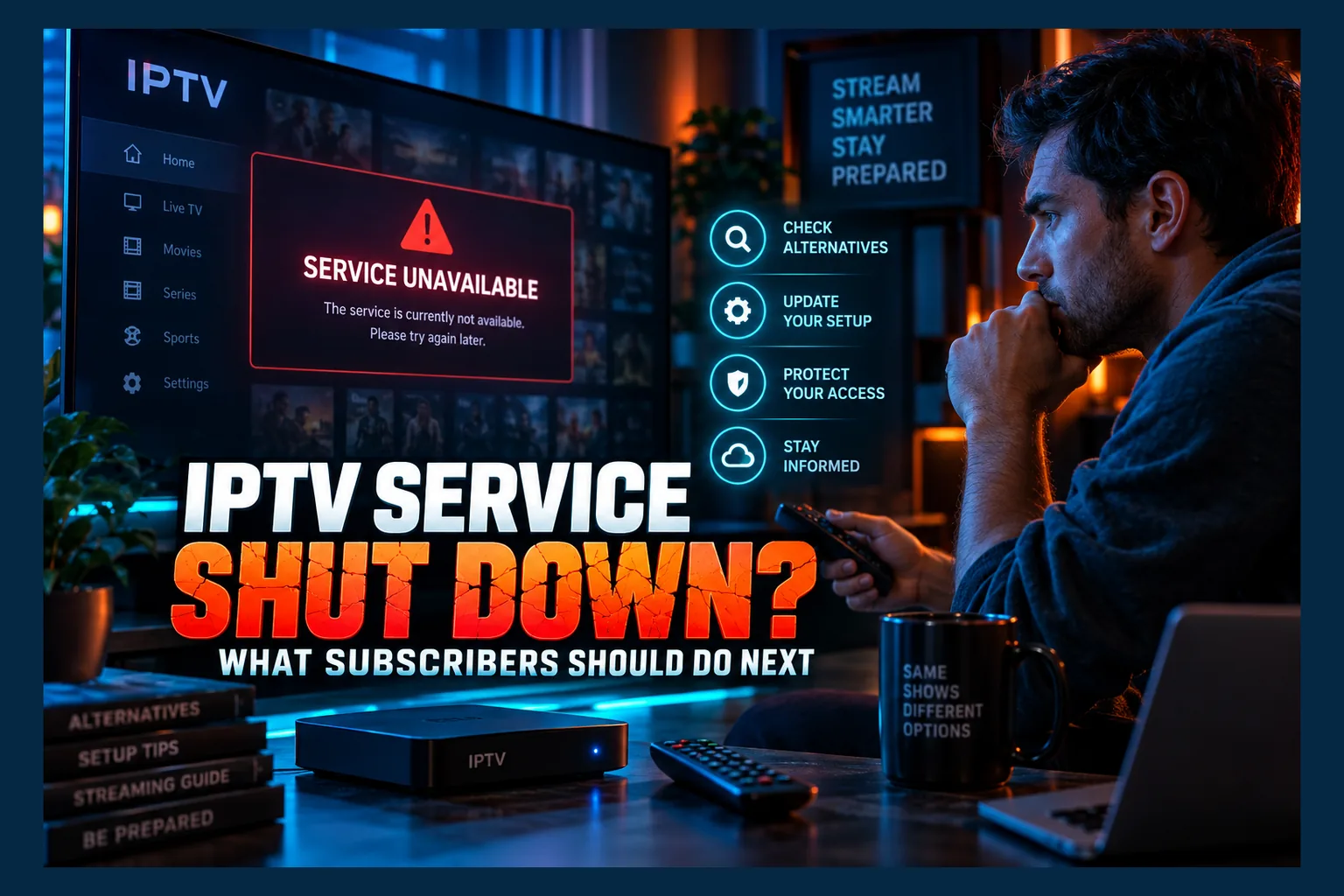
IPTV service shut down without warning? First, confirm it’s a real takedown and not just an outage. Then cancel any recurring payments, change reused passwords, and remove the app and any remote access tools from your devices. Ignore emails demanding ‘fines’ or promising refunds, because real refunds are rare. I’ve walked plenty of readers through this exact mess, so here’s the practical checklist I’d follow, focused on protecting your data and your money.
Every few months another IPTV brand goes dark. Then the same three questions land in my inbox: is it gone for good, did they get my details, and should I be worried? This guide is current for 2026 and applies to any IPTV service shut down, whatever the brand, the country or the enforcement group behind it (the steps barely change from one case to the next).
I won’t cover the news side of any single case. This is the practical checklist I’d want open the morning my playlist stopped loading.
How to Tell If Your IPTV Service Was Shut Down or Is Just Down
Don’t panic yet. Not every outage is an IPTV service shut down, and unlicensed providers go offline all the time for dull reasons: overloaded servers, a domain someone forgot to renew, or an ISP blocking order that kicked in overnight. A genuine IPTV service shut down looks noticeably different once you know what to look for.
Signs of a Takedown: Seizure Notices, Dead Domains and Silent Resellers
The clearest sign is a banner. If the provider’s website now shows a notice from a police agency or an anti-piracy coalition such as ACE (the Alliance for Creativity and Entertainment), the domain has been seized, and those pages usually say the site was taken over as part of an investigation. That’s a confirmed IPTV service shut down, and it isn’t coming back.
Other strong signals include:
- Everything fails at once: every M3U playlist URL, every Xtream Codes login and the EPG (electronic program guide) all stop responding together.
- The reseller vanishes: your seller stops replying, deletes their WhatsApp number or wipes their Telegram channel.
- The panel is gone: the customer portal where you renewed throws a DNS error or a blank page for days, not hours.
- Community chatter: Reddit threads and forums fill up with reports of the same brand dying at the same time.
Signs of a Normal Outage: Partial Channels, Login Errors and Status Updates
Ordinary downtime is patchy. Some channels play while others buffer endlessly, or the video-on-demand library works fine while live channels sit on a black screen. That pattern points to a struggling server, not a raid or an IPTV service shut down.
Is the provider still posting in its Telegram group? Then it’s probably still operating. If streams return within a few hours, or a new server URL arrives through the usual support channel, you’re looking at an outage. One caveat: on big football weekends, ISP-level blocking in the UK and parts of Europe can make a working service look dead on, say, a home broadband line while it plays fine on mobile data.
| What you see | Likely takedown | Likely outage |
|---|---|---|
| Website status | Seizure or anti-piracy banner | Loads normally or brief error |
| Channels | All fail, including EPG | Some work, some don’t |
| Reseller contact | Silent, deleted or blocked | Responds, gives an ETA |
| Duration | Days with no change | Minutes to a few hours |
| Official updates | None, or channel deleted | Posted in support group |
After an IPTV Service Shut Down: What Investigators Seize and Why It Matters
When authorities force an IPTV service shut down, they’re usually trying to do two things at once: stop the operators and collect evidence. That evidence tends to include the very systems that stored your customer details. No two cases are identical. The broad categories, though, stay fairly consistent.
Servers, Panels and Customer Databases
Streaming servers are obvious targets. So are the admin panels operators use to manage subscriptions, and those panels typically hold usernames, passwords, email addresses, subscription dates and sometimes the IP addresses that connected. Some store passwords in plain text. That’s exactly why password reuse turns into a real problem later.
The takeaway after any IPTV service shut down is short. Assume your email, your IPTV login and possibly your home IP address are now in someone else’s hands.
Payment Records and Reseller Lists
Investigators also follow the money. PayPal records, payment processor accounts, crypto wallet addresses and the reseller spreadsheets that track who sold what can all link a payment to a name or email. Paid a reseller directly? Their records may point back to you as well.
None of this means anyone will automatically contact you after an IPTV service shut down. It does mean you should act as if your data has leaked, because seized or stolen databases have a habit of ending up with criminals too. For more on how rights holders go after these networks, see our piece on how Sky TV networks are cracking down on IPTV services.
First 24 Hours After an IPTV Service Shut Down: Stop the Money Flow
Job one: make sure nobody can take another payment from you. It takes roughly 15 minutes. Nothing else on this list matters as much.
Cancel Recurring Payments and Subscriptions
- PayPal: go to Settings, then Payments, then Manage automatic payments. Cancel any billing agreement linked to the provider or to a merchant name you don’t recognize.
- Debit or credit card: open your banking app and look for recurring merchants. Most major UK, US and Canadian banks now let you block a specific merchant right from the app, though the menu name varies.
- Stripe-style checkout links: if you got a receipt email, look for a “manage subscription” link and cancel there. Don’t enter new card details on that page.
- Screenshot everything: save receipts, chat logs and order emails before the provider deletes its channels.
Never Pay a ‘Migration’ or ‘Reactivation’ Fee
Here’s the pattern. A reseller loses their supply, then messages customers promising a “new server” next week. All you need to do is pay a migration fee, a reactivation fee or an early renewal at a “special discount,” often somewhere around $20 to $60. In my view, this is the single most common way people lose money twice after an IPTV service shut down.
Even an honest seller is selling access to a network that just got taken down. Pay nothing. Give it weeks, not days, before you believe anything.
Note Which Payment Method You Used
Write down exactly how you paid. Card, PayPal, bank transfer, gift card, crypto. This determines your refund options later and tells you which accounts need watching, because a card number typed into a sketchy checkout page carries very different risks from a one-off crypto transfer.
Lock Down Your Accounts
An IPTV customer data leak is the realistic worst case, so treat it as something that’s already happened. Good news: the fixes are quick.
Change Reused Passwords
If your IPTV password matches a password you use anywhere else, change it everywhere. Start with email. It’s the reset key for every other account you own, so whoever controls your inbox controls the rest. After that, move on to PayPal, banking, Amazon and social media, roughly in that order.
You can check whether your email shows up in known breaches at Have I Been Pwned. A password manager such as Bitwarden (free tier available) or 1Password makes unique passwords painless.
Read next: IPTV Provider Shut Down by Police? What Subscribers Should Do
Turn On Two-Factor Authentication
Enable two-factor authentication on email, PayPal and Amazon. Amazon matters more than people think, since it controls your Firestick. Use an authenticator app over SMS codes where you can. With 2FA on, a leaked password alone won’t get anyone in.
Watch Your Card and Bank Statements
Check statements weekly for the next two to three months. Watch for tiny charges, $1 or less, often from merchant names that mean nothing to you; they’re a classic sign someone is testing whether a card works before attempting bigger fraud.
Typed your card number into an unfamiliar checkout page? I’d ask the bank to freeze or replace it. A new card costs you a few days of mild inconvenience. That’s it.
Clean Up Your Firestick or Android TV Box
Your streaming device may still hold logins, playlists and tools the provider installed. Budget 10 to 20 minutes per device.
Remove the IPTV App, M3U Links and Xtream Codes Logins
To remove an IPTV app from a Firestick, go to Settings, then Applications, then Manage Installed Applications. Select the app and choose Clear data, then Clear cache, then Uninstall. Order matters here (yes, you really should clear data first), because it wipes saved credentials that could otherwise linger on the device.
Using a general player like TiviMate or IPTV Smarters? Open it and delete the saved playlist or Xtream Codes profile before you decide whether to keep the app at all. On Android TV and Google TV devices, such as a Chromecast with Google TV or an Onn 4K box, the path is Settings, then Apps, then See all apps. Pick the app, clear storage, then uninstall.
Remove Remote Access Tools the Provider Installed
Some resellers install TeamViewer, AnyDesk or similar remote support apps to “set things up” for customers. Those tools can give someone ongoing access to your device long after the subscription is dead. Uninstall any remote access app you didn’t knowingly add, using the same steps as above.
Look for oddities too: unfamiliar launchers, “updater” apps, file managers you never installed. When in doubt, remove it.
Turn Off ADB Debugging and Unknown Sources
ADB debugging lets other devices on your network control your box. On a Firestick, go to Settings, then My Fire TV, then Developer Options, and switch ADB Debugging off. If you don’t see Developer Options at all, that’s normal on recent Fire OS builds; Amazon hides it until you click the device name in the About screen seven times (annoyingly undocumented on the box itself). On Android TV, look under Settings, then System, then Developer options, and turn off USB debugging.
Next, revoke install permissions. On newer Fire OS versions this is set per app under Developer Options, labeled “Install unknown apps.” Android TV usually keeps it under Apps, then Security and restrictions, then Unknown sources, though the exact wording depends on the manufacturer.
Check the Box for Malware
What should worry you? A box that runs hot while sitting idle, menus that crawl, apps you didn’t install, or unexplained traffic in your router’s dashboard at 3 a.m. On Google TV devices, run a Google Play Protect scan from the Play Store if your model supports it.
If the box came preloaded from the IPTV seller, factory reset it. Some cheap unbranded Android boxes, often sold for under $40, ship with modified firmware that survives a reset, and honestly, those are worth replacing outright with a mainstream device.
Follow-Up Scams to Expect After a Takedown
Leaked customer lists attract scammers fast, sometimes within days. This is where IPTV shutdown scam emails begin. Every one is built to frighten you into paying before you stop and think.
Fake Legal Settlement and Fine Letters
These emails claim you’ll be prosecuted unless you pay a “settlement” within 48 or 72 hours. Real authorities don’t work that way. They don’t demand payment by email, and they certainly don’t want gift cards, crypto or a link to some random payment page.
Red flags include:
- A sender address on a free email service or a lookalike domain.
- Extreme urgency and threats of arrest.
- Payment requested in Bitcoin, gift cards or wire transfer.
- No case reference you can verify through an official phone number.
To check a notice, find the agency’s contact details yourself from its official website. Never use the phone number or link in the email. In the US you can report scams to the FTC’s ReportFraud site, and UK readers can use Action Fraud.
Fake Refund Offers
Another favorite: a “refund portal” promising to return your subscription fee. It asks for your full card number, expiry date and CVV. That’s card harvesting, plain and simple.
Copycat ‘Replacement’ Services
New sites appear within days, using the old brand name or a near-identical logo. Some are brand-new scams. Others are rival resellers fishing for stranded customers. Either way, a familiar name tells you nothing about who runs the thing now.
Can You Get Your Money Back?
I’ll be blunt. Refunds after an IPTV service shut down are unlikely. Here’s what’s realistic, so you can decide whether it’s worth the effort.
Card Chargebacks and PayPal Disputes
Card networks generally allow chargebacks within roughly 120 days of a transaction, though the exact rules vary by bank and country. PayPal disputes typically have to be opened within 180 days of payment. If you bought a 12-month plan last spring, you may already be outside both windows.
Filing an IPTV chargeback refund means describing what you bought. Banks can decline disputes for services that were never legitimately provided in the first place, and many sellers disguise payments under unrelated merchant names (a “web design” or “software license” charge, for example), which muddies things further.
Why Crypto Payments Are Usually Gone
Crypto transfers can’t be reversed. There’s no dispute button, no bank to call. Gift card payments work out much the same. If you paid either way, treat the money as lost and put your energy into securing your accounts.
| Payment method | Refund chance | Main action |
|---|---|---|
| Credit card | Low to moderate | Contact bank within dispute window |
| Debit card | Low | Ask bank about chargeback, consider card replacement |
| PayPal | Low | Cancel billing agreement, open dispute if in time |
| Crypto / gift cards | Near zero | Secure accounts, ignore “recovery” offers |
One more trap. “Fund recovery” services promising to get your crypto back for an upfront fee are just another scam layer.
Do Subscribers Face Legal Risk After an IPTV Service Shut Down?
Enforcement overwhelmingly targets operators, server owners and resellers. Action against individual subscribers does happen in some countries, Italy and parts of the UK being the examples people cite most often, but it varies a lot by jurisdiction and you can’t predict it from one case to the next.
I’m not a lawyer, and this isn’t legal advice. For a country-by-country breakdown, read IPTV legal risk in 2026: what subscribers actually face and our explainer on what IPTV legal risks actually mean for subscribers.
Avoiding the Same Problem Next Time
The real fix is choosing a service that can’t vanish overnight. A handful of quick checks filter out most risky providers.
Quick Checks for a Licensed Service
- Real company identity: a registered business name, address and terms of service.
- Standard payments: normal card checkout or app store billing, not crypto-only or “message us on WhatsApp.”
- Official app listings: available in the Amazon Appstore, Google Play or Apple App Store without sideloading.
- Transparent pricing: prices that make sense for the content. Thousands of premium channels for $10 a month is a warning sign.
Our guide on how to pick an IPTV service that won’t let you down walks through the full method.
Lower-Risk Ways to Watch Live TV
In the US, licensed live TV apps cover most cable channels: YouTube TV runs around $83 a month as of 2025, Sling TV starts closer to $46, and Fubo sits in the mid-$80s for its base plan. Free ad-supported apps like Pluto TV, Tubi and The Roku Channel add hundreds of channels at no cost. UK viewers have BBC iPlayer, ITVX and Freely, while Canadians can try CBC Gem. Prices change often and availability varies by region, so check each app’s store listing.
Don’t overlook the old-school route. An OTA antenna paired with a DVR like a Tablo (roughly $100 for recent models) or an HDHomeRun tuner gets you local channels with no monthly fee. Browse our IPTV services section for more options.
If your IPTV service shut down this week, work through the checklist above in order: confirm, stop payments, secure accounts, clean devices, ignore scare emails. Most people who do that walk away with nothing worse than a lost subscription.
⚖️ Legal Disclaimer: IPTV Wire does not own or operate any streaming service, application, or website mentioned in this article. We do not verify whether third-party services carry proper licensing. Users are responsible for ensuring they comply with copyright laws in their jurisdiction.
Frequently Asked Questions
What happens to subscribers when an IPTV service is shut down?
Streams stop immediately, and any prepaid time is usually gone. Customer data like emails, usernames and payment records may be seized or leaked. Cancel payments, change reused passwords and clean your devices.
Can police see who subscribed to an illegal IPTV service?
Often, yes. Seized panels and payment records can list emails, usernames, payment details and sometimes IP addresses. Whether that leads to any action depends heavily on the country and the case.
Should I delete my IPTV app after the service is seized?
Yes. Clear the app’s data first, then uninstall it, and delete saved playlists from any general player app. While you’re there, remove remote access tools and switch off ADB debugging.
Is an email demanding a fine for using IPTV real?
Almost certainly not. Genuine authorities don’t demand fines by email, and they don’t take gift cards, crypto or payment links. Verify any notice by contacting the agency through its official website.
Can I get a refund after my IPTV provider was shut down?
Unlikely. Card chargebacks and PayPal disputes are possible within their time windows, roughly 120 and 180 days respectively, but they often fail for unlicensed services. Crypto and gift card payments can’t be recovered.
Does using a VPN protect me if my IPTV provider’s database is seized?
Only partly. A VPN can keep your home IP address out of the provider’s connection logs. It does nothing to hide the email, username or payment details you handed over.


Comments
Leave a comment
Your email address will not be published. Comments are moderated before they appear.