iptvwire logo

Free tool

Free IPTV Player Online

A free IPTV player for your web browser, with no app to install. Sign in with your Xtream Codes login or M3U link and get live TV with a TV guide, catch-up, movies and series.

  • 100% free, no sign-up
  • Xtream Codes & M3U
  • Works on PC, Mac, phone and tablet
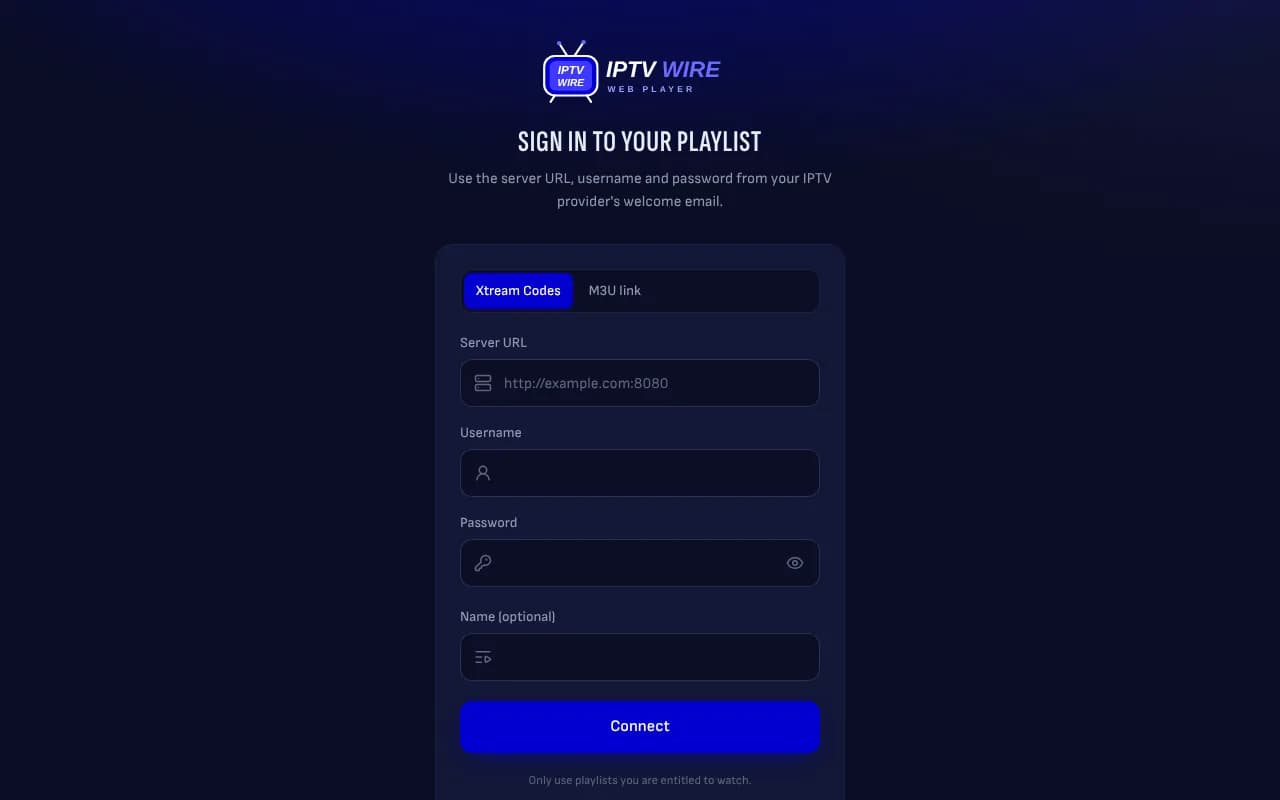
IPTV Wire free IPTV player sign-in screen with Xtream Codes and M3U link options

Everything you expect from an IPTV player

  • Live TV with a TV guide

    Browse channels by group, see what is on now and next, and open the full schedule for each channel.

  • Catch-up

    Watch a programme from the start, or go back days on channels where your provider offers catch-up.

  • Movies and series

    Posters, descriptions, seasons and episodes, with resume where you stopped and the next episode played automatically.

  • Favorites and search

    Save favorite channels, find any channel, movie or series in one search, and pick up recently watched channels.

  • Parental control

    Lock categories behind a 4-digit PIN, lock adult groups automatically and hide groups you never use.

  • 10 languages

    English, French, Spanish, German, Portuguese, Dutch, Swedish, Danish, Arabic and Hebrew.

Watch free IPTV channels now

No subscription yet? Try the player with free IPTV channels. One click opens the player with the public iptv-org playlist already filled in: a community-maintained list of free, legal channels from around the world, such as news, music and public broadcasters. Press Connect and start watching.

These are publicly available streams, so some channels can be offline or only work in their own country. For full sports, movies and series packages you need a paid IPTV subscription.

Watch free IPTV channels

How to watch IPTV in your browser

  1. 1

    Open the player

    Go to player.iptvwire.org on a computer, phone, tablet or a TV browser. Nothing to download.

  2. 2

    Sign in with your playlist

    Choose Xtream Codes and enter the server URL, username and password from your provider, or paste your M3U link.

  3. 3

    Watch

    Your channels, TV guide, movies and series load in a few seconds. Add a second playlist any time and switch between them.

Start watching

When a web player is the better choice

IPTV apps such as TiviMate or IPTV Smarters are great on a Firestick or Android TV box, but they are not always an option: on a work laptop you may not be allowed to install software, on a Mac or Chromebook many IPTV apps are not available, and on a hotel or friend's TV you just want to watch without setting anything up.

A web player covers all of these. Your playlist stays saved in the browser, so next time it opens straight to your channels. Want a smaller channel list first? Clean it up with our M3U playlist editor and sign in to the player with the login it gives you.

Which is the best IPTV player for you?

There is no single best IPTV player: the right one depends on the device you watch on.

  • Firestick and Android TV: TiviMate is one of the most popular choices, with a polished TV guide; recording and other premium features need a paid plan.
  • iPhone, iPad and Apple TV: apps such as IPTV Smarters Pro or GSE Smart IPTV support Xtream Codes and M3U links.
  • Windows, Mac, Chromebook or a work laptop: a web player like this one, because there is nothing to install and your playlist stays saved in the browser.
  • Just checking a link: VLC opens M3U links on almost any device, but it has no proper TV guide or movie and series library.

For a full comparison, see our guide to the best IPTV players for Android TV and Firestick.

Frequently asked questions

Can I watch free IPTV with this player?

Yes. Click "Watch free IPTV channels" and the player opens with the public iptv-org playlist, a community list of free, legal channels that broadcasters make publicly available. Some channels can be offline or only work in their own country.

What is the best IPTV player?

It depends on your device. On Firestick and Android TV, TiviMate is one of the most popular choices; on iPhone, iPad and Apple TV, apps such as IPTV Smarters Pro; on a computer, Mac or Chromebook, a web player like this one is the easiest, because there is nothing to install.

Is the IPTV Wire web player free?

Yes. The player is free to use with no sign-up. It does not include any channels: you sign in with the IPTV subscription you already have, using its Xtream Codes login or M3U link.

Which logins does it support?

Xtream Codes (server URL, username and password) and M3U playlist links. Xtream Codes gives the best result: it adds the TV guide, catch-up, movie and series details and your account status.

Do I need to install an app?

No. It runs in Chrome, Edge, Safari and Firefox on Windows, Mac, Android and iPhone. On Android phones and computers you can also add it to your home screen so it opens like an app.

Why does a channel have no sound?

Some channels use Dolby audio, which Chrome and Firefox cannot play. The player tells you when this happens; those channels play with sound in Microsoft Edge or Safari, or you can open the stream in VLC from the player.

Why does a channel not play?

The channel may be offline at your provider, or your subscription may already be in use on another device. The player shows the reason and retries automatically when your line is still busy with the previous channel.

Are my login details safe?

Your playlist login is saved in your own browser so you do not have to type it again. If you turn on sync, your favorites and settings are stored on the player server, protected by your playlist login, so they follow you to other devices. You can remove a playlist from a device at any time.

Is it legal to use an IPTV web player?

The player itself is legal: like VLC or TiviMate, it only plays the streams you give it. Only use playlists from services you are entitled to watch.

Get the IPTV Wire newsletter

New guides, app updates and IPTV tips, straight to your inbox. Join free and stay one step ahead.