

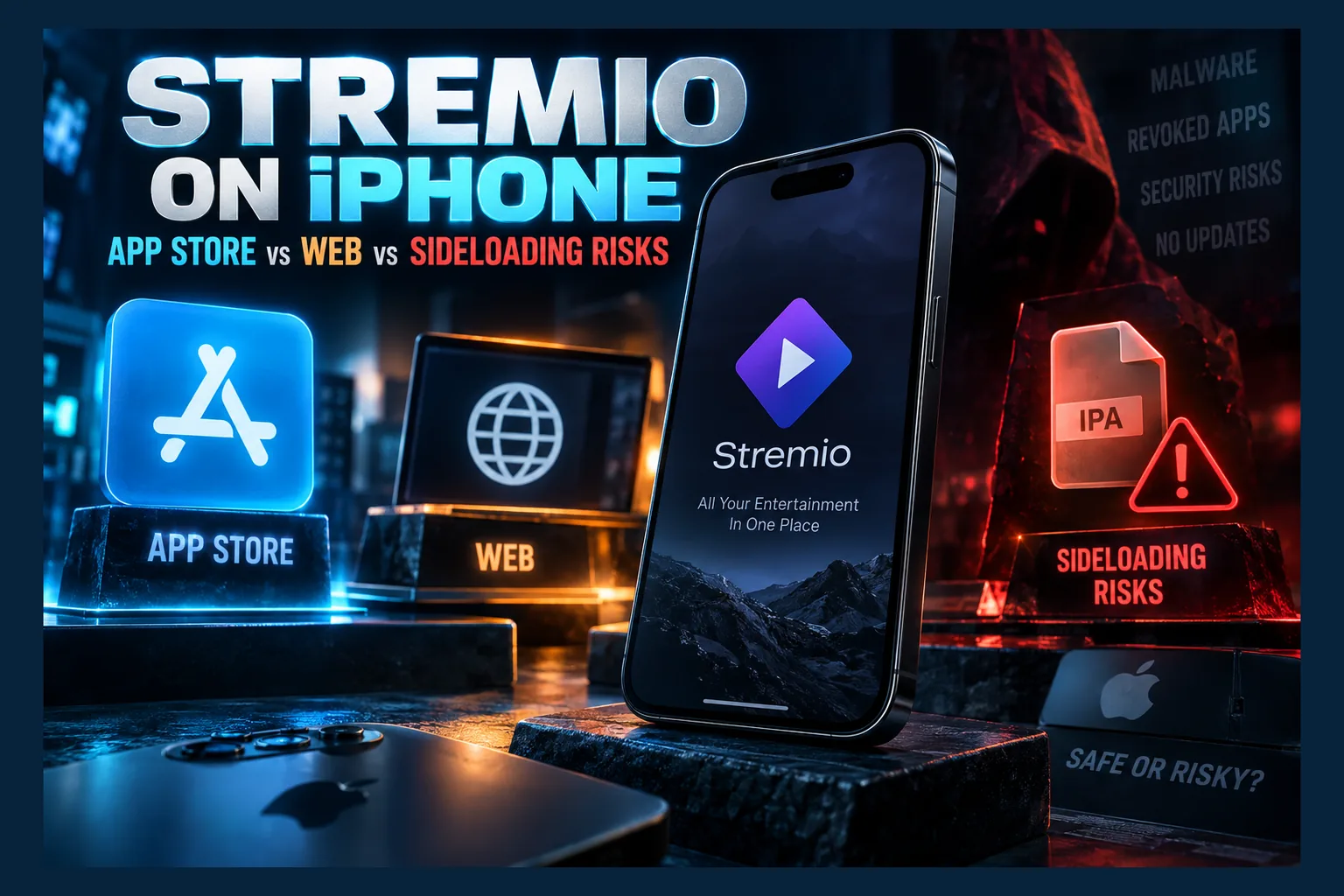
Stremio on iPhone is harder to set up than it should be. On a Firestick or an Android box, you grab an APK, install it, and you’re watching within five minutes. Apple plays by different rules. It controls the App Store, decides how apps reach your device, and limits what Safari’s media engine will play. Below I compare every route available as of 2026, including the App Store, the web app, sideloaded IPAs and EU alternative marketplaces. The focus is security, account safety and what each choice costs you in features.
Getting Stremio on iPhone is harder than it should be. On a Firestick or an Android box, you grab an APK, install it, and you’re watching within five minutes. Apple runs things differently: it controls the App Store, decides how apps reach the device, and limits what Safari’s media engine will play.
Most iOS guides cover one install method and call it a day. Not this one. Below I compare every route available as of 2026, including the App Store, the web app, sideloaded IPAs and the EU’s alternative marketplaces. The focus is security, account safety and what each choice costs you in features.
The Three Ways to Run Stremio on iPhone and iPad
Start with the basics. Each route to Stremio on iPhone differs in where the app comes from, who signed it, and how much access it gets to your device. There’s also a fourth option, EU alternative marketplaces, which is really a regional twist on sideloading. It gets its own section further down.
The App Store Version
The App Store side of Stremio on iPhone has been on-again, off-again for years. Builds that passed App Review have historically been stripped down compared with the Android and desktop clients, particularly around installing community addons from inside the app. Listings have also come and gone depending on the period and the country.
So don’t trust a two-year-old screenshot from a forum thread. Check the official Stremio downloads page for whatever the current iOS recommendation is. Found an App Store listing? Confirm the developer is Smart Code, the company behind Stremio, and not some lookalike publisher.
Copycats with “Stremio” in the name pop up every so often. Wrong developer name, suspiciously glowing reviews, or a $9.99/week subscription prompt on first launch? Skip it.
The Browser and Home Screen Web App
Stremio Web (web.stremio.com) runs in Safari, and you can pin it to your Home Screen so it opens like a regular app. It uses the same Stremio account as your desktop or Android TV setup. Your library, watch progress and installed addons all follow you.
Nothing installs at the system level. It lives inside Safari’s sandbox, and Apple treats it exactly like any other website from a security standpoint. That’s the main reason it’s my default recommendation for a stremio web app iphone setup.
Sideloaded IPAs and Third-Party Clients
An IPA is the iOS version of an APK. Some developers build Stremio-compatible clients or repackage existing builds, then share the IPA through GitHub, Discord servers or signing services. Installation happens through tools like AltStore, SideStore or a paid certificate service.
This gets Stremio on iPhone closest to the Android experience. It’s also where nearly all the security risk lives, because you’re trusting whoever built, modified and signed that file.
Why is iOS so locked down? Design philosophy, mostly. Android lets you flip an “install unknown apps” toggle and load whatever APK you like, which is why guides like our walkthrough on sideloading APKs on Firestick without Downloader work in the first place. iOS has no such switch. Every app needs a valid Apple-issued signature just to launch.
Why Apple’s Rules Limit Stremio on iPhone
The gap between Stremio on iPhone and Stremio on Android isn’t developer laziness. Three things drive it: Apple’s review guidelines, Safari’s media engine, and how aggressively iOS manages background tasks. Knowing these limits stops you from blaming an addon when Stremio on iPhone misbehaves and the real culprit is the platform.
App Store Review and Third-Party Addons
App Review looks at what an app can do, including content it might pull in after approval. An app that loads arbitrary community addons, some of which scrape torrent indexes, is a hard sell to any reviewer. Hiding or restricting addon installation has been the usual compromise.
That’s why Stremio on iPhone leans so heavily on account sync. You install addons on desktop or the web, and they show up on your phone. The phone does less of the heavy lifting.
Background Playback and Codec Limits in Safari
Safari handles HLS streams, H.264 and HEVC video, and AAC audio without complaint. MKV containers are a different story, since native support has historically been missing, and DTS audio isn’t supported at all. Plenty of torrent and debrid streams arrive as MKV files with DTS or multichannel tracks, which is why a title that plays perfectly on your Firestick can fail outright, or play with no sound, on an iPhone.
Then there’s the streaming server. On desktop, Stremio runs a local server that handles torrents and transcoding in the background. Stremio on iPhone can’t run that server locally. Torrent streams in Stremio Web therefore need a server running somewhere else (say, a desktop on your home network) or a direct HTTP link from a debrid service.
Background behavior for Stremio on iPhone is limited, too. iOS suspends web content quickly once you switch apps or lock the screen. Picture-in-Picture helps for supported video. Desktop-style, audio-only background playback? Don’t count on it.
EU Alternative App Marketplaces Under the DMA
Since iOS 17.4, released in March 2024, users in the European Union can install apps from alternative marketplaces thanks to the Digital Markets Act. AltStore PAL is the best-known one, and it charges a small annual fee (around €1.50 plus VAT, last I checked). Apps distributed this way still go through Apple’s notarization, which screens for malware and basic functionality but doesn’t enforce content policy the way App Review does.
The catch: your Apple ID region and your physical location both need to be in the EU. Spend an extended stretch outside the EU and Apple may block updates from alternative marketplaces. UK, US and Canadian readers who want Stremio on iPhone don’t get this option at all. Japan’s newer rules started rolling out in late 2025, but how they apply in practice is still settling, so check your region before assuming anything.
Also confirm a Stremio-compatible client is actually listed. Availability depends on what developers choose to publish, and it shifts.
Using the Stremio Web App Safely on iPhone
For most people, this is where Stremio on iPhone should start. Free. No certificates. And it can’t touch your device beyond what Safari already permits.
Adding Stremio Web to the Home Screen
- Open Safari and go to web.stremio.com. Type the address yourself instead of tapping a link from a forum or an ad.
- Sign in with your Stremio account, or create one.
- Tap the Share button (the square with an upward arrow).
- Scroll down and tap Add to Home Screen.
- Rename it if you like, then tap Add.
That icon now opens Stremio Web in its own window, with no Safari address bar. iPad works identically. EU users can relax, too: Apple briefly planned to drop Home Screen web apps in the EU in early 2024, then reversed course within a few weeks.
Syncing Addons From Your Stremio Account
Addons belong to your Stremio account, not to a device. Whatever’s installed on your desktop appears in Stremio Web on your phone. That’s how most people get stremio ipad addons running without sideloading a thing.
Sync cuts both ways, though. A sketchy addon you installed eight months ago on an old laptop is now on your phone as well. Before touching iOS, open Stremio on desktop and audit the list. Remove anything you don’t recognize, don’t use, or grabbed from a random link (yes, really, do this first).
Want a framework for judging individual addons? Our breakdowns of whether the StreamVault Stremio addon is safe and the Cauldron addon’s torrent vs debrid risks show what to look for.
What the Web Player Cannot Do
- Format support: MKV files, DTS audio and some subtitle formats can fail in Safari’s player.
- Torrents without a server: torrent streams need a reachable Stremio streaming server; the phone can’t run one itself.
- External player handoff: Stremio Web has offered an option to open streams in apps like VLC or Infuse, but handoff only works for direct links the external app can reach, and results vary by stream type.
- Background play: locking the screen or switching apps often pauses playback.
Diagnosing this is easy. If a stream fails in Stremio Web but the same title plays fine through VLC or Infuse, you’re looking at a codec or container problem. The addon isn’t broken.
Read next: Sideload App Stores for Firestick: What to Trust in 2026
Sideloading Stremio IPAs: How Each Method Works
When the web app doesn’t cut it, sideloading is the next rung. Here’s how each method works under the hood, so you understand what you’re signing up for before you go hunting for a stremio ios sideload guide.
AltStore and SideStore With a Free Apple ID
AltStore signs IPAs on your behalf using a free Apple developer account. You install AltServer on a Mac or Windows PC, and AltServer then installs AltStore on your iPhone. From there, AltStore re-signs apps with your Apple ID, usually refreshing over Wi-Fi whenever your computer is on the same network.
SideStore is a fork that can refresh apps directly on the iPhone after a one-time setup with a computer. It uses a local VPN-style tunnel to talk to the device, so AltServer doesn’t need to be running.
Free Apple ID signing comes with hard limits. Apps expire after 7 days. Only 3 sideloaded apps can be active at once, and AltStore or SideStore itself takes one of those slots. You’re also capped at 10 App IDs per rolling 7-day window. An altstore stremio setup therefore leaves you exactly two spare slots, which fills up fast.
Paid Signing Services and Enterprise Certificates
Paid signing services usually charge somewhere around $15 to $25 a year and promise twelve months of signing with no weekly refresh. Some register your device’s UDID to a paid developer account (Apple’s program costs $99/year, and the service spreads that across many customers). Others sign apps with an enterprise certificate that’s supposed to be used only for a company’s internal apps.
Apple revokes misused enterprise certificates on a regular basis. When it happens, every app signed with that certificate stops opening at the same moment, typically with an “Unable to Verify App” error or something similar. No warning arrives. The service may not refund you, or it may ask you to pay again for a “new” certificate.
That’s the signed ipa certificate risk most people never think about. Your app isn’t just unofficial. It runs on a borrowed certificate that Apple is actively hunting down.
Developer Mode and the 7-Day Re-Sign Cycle
On iOS 16 and later, apps signed with a development certificate refuse to open until you enable Developer Mode under Settings > Privacy & Security. Apple’s Developer Mode documentation explains what it changes. Turning it on requires a restart and loosens some protections slightly, so switch it off if you ever stop sideloading.
The 7-day cycle causes more frustration than anything else. If AltStore can’t reach AltServer, or SideStore’s refresh fails for some reason, the app just won’t launch until you re-sign it. A refresh normally keeps your data intact. A full reinstall can wipe it.
Security Risks of Unofficial Stremio IPAs
Most iOS how-to guides skip this part entirely. Is a stremio ipa safe? There’s no single answer, because the risk depends on who built the file, who signed it, and what you approved during installation.
Modified IPAs and Injected Code
Anyone can decrypt an IPA, modify it, and re-sign it. Tracking code, ad injection or credential-harvesting logic can be slipped in while the app still looks and behaves completely normally. iOS sandboxing limits the blast radius, but anything you type into that app, including your Stremio password and debrid keys, is exposed.
Three questions help establish provenance:
- Is there a public source code repository, and does the IPA come from that project’s official releases page?
- Does the project publish checksums you can compare against your download?
- Is the IPA being re-hosted on a site full of ads, fake download buttons or URL shorteners?
Can’t trace the file back to a named developer or an open-source project? Treat it as untrusted. The same reasoning applies on Android, and it’s why we rate sources carefully in our guide to sideload app stores for Firestick and what to trust in 2026.
Signing Services That Collect Device Data or Payment Info
A paid signing service knows your device UDID, your email address, and often your payment details. Plenty of them run anonymously, take only crypto or third-party payment links, and either have no privacy policy or one that’s a few vague lines. Several have vanished overnight after Apple pulled their certificates.
If you go this route anyway, pay with something that offers chargeback protection, or use a single-use virtual card. And never reuse a password you rely on elsewhere.
Configuration Profiles and MDM Red Flags
Here’s the biggest danger. Some signing sites ask you to install a configuration profile to “trust” their apps or read your UDID. A profile can install root certificates, route your traffic through a proxy or VPN under their control, or enroll your iPhone in mobile device management (MDM).
An MDM profile can install and remove apps, lock down settings, and in some setups read device details. A trusted root certificate lets someone inspect your encrypted traffic. Running a Stremio client requires neither. Not one bit.
Check what’s on your phone under Settings > General > VPN & Device Management. Then open Settings > General > About > Certificate Trust Settings (it’s buried at the very bottom of the About screen, annoyingly). If you spot a profile or trusted certificate you didn’t knowingly install for work or school, remove it.
Apple ID Credential Risks
AltStore and SideStore both need an Apple ID to sign apps, and both are open-source tools with long track records. The real threat comes from lookalikes: knockoff tools, fake “online signers” and Discord bots that ask for your Apple ID password. Whoever gets those credentials can go after your iCloud, your photos, Find My, and your purchase history.
My advice is simple. Create a secondary Apple ID used only for sideloading. Don’t sign into iCloud with it, don’t attach a payment card, and turn on two-factor authentication. If it ever gets compromised, you lose a throwaway account instead of your entire digital life.
Addon and Debrid Risks Are the Same on iOS
Changing platforms doesn’t change what an addon does. A risky scraper is equally risky on iPhone, Android TV and Windows. What changes is where the network traffic actually originates.
Torrent-Based Addons on a Phone
Torrent streaming exposes your public IP address to every peer in the swarm. With Stremio Web on an iPhone, the streaming server does the torrenting, not the phone. So the exposed IP belongs to whichever device runs that server, which is usually a PC at home.
Protection, then, belongs on the server side. If you point Stremio on iPhone at a home streaming server, the VPN needs to cover that machine as well.
Protecting Debrid API Keys on Mobile
Debrid addons typically bake your API key right into the addon’s configuration URL. Share that URL, paste it into a public chat, or post a screenshot, and anyone can ride on your paid debrid account (Real-Debrid, for instance, runs roughly €3 to €4 a month depending on plan). Some services ban accounts that show activity from too many IP addresses at once.
- Configure debrid addons on desktop, not inside an unofficial IPA.
- Never paste your addon URL into Discord or Reddit when asking for help.
- Regenerate your API key from your debrid dashboard if you suspect it leaked.
- Use a unique, strong password for your Stremio account, since it stores those addon URLs.
VPN Considerations on iPhone
Most iOS VPN apps include a Connect On Demand setting that reconnects automatically when you join a network. Some also offer a kill switch built on Apple’s “include all networks” option, which blocks traffic outside the tunnel. True system-level always-on VPN, however, is reserved for supervised, managed devices.
iOS has had documented cases where existing connections slip past a newly started VPN, so connect first and open Stremio second. And remember: a VPN on your phone does nothing for a torrent server running on a different device.
Which Option Fits Your Situation for Stremio on iPhone
No route wins for everyone. The table below compares each one on the factors that actually matter day to day.
| Route | Risk level | Setup effort | Maintenance | Addon support | Region availability | Suits |
|---|---|---|---|---|---|---|
| App Store build | Low | Very low | Automatic updates | Limited, mostly via account sync | Varies; check your store | Casual users who want an official app |
| Stremio Web (Home Screen) | Low | Low (about 5 steps) | None | Full sync; playback limited by Safari | Worldwide | Most iPhone and iPad users |
| AltStore / SideStore (free Apple ID) | Medium | Medium to high; needs a computer | Re-sign every 7 days | Depends on the client | Worldwide | Technical users with a spare Apple ID |
| Paid signing / enterprise cert | High | Low | Unpredictable revocations | Depends on the IPA | Worldwide | Hard to recommend for anyone |
| EU alternative marketplace | Low to medium | Medium | Marketplace updates | Depends on listed clients | EU only | EU residents wanting a native app |
Mostly watch on a TV and just want to browse your library or check progress from the couch? The web app is plenty. If you need a native player that handles MKV files and you can live with weekly refreshes, AltStore or SideStore paired with a secondary Apple ID is the more controlled path.
Warning Signs to Uninstall Immediately
Spot any of these after installing a Stremio client or using a signing service? Delete the app and review your settings:
- Unexpected profile prompts: any request to install a configuration or MDM profile.
- Apple ID password requests: from a website, bot or app that isn’t Apple’s own sign-in sheet or a known tool like AltStore.
- Pop-ups or redirects: the app opens Safari to ad pages, fake virus warnings or “claim your prize” screens.
- Battery drain or heat: check Settings > Battery for an app burning power while you’re not using it.
- Unneeded permissions: a streaming client asking for contacts, location, photos or Bluetooth.
- Unknown VPN entries: a new VPN configuration appears under Settings > General > VPN & Device Management.
Once the app is gone, change your Stremio password and regenerate any debrid API keys you used with it. Five minutes, roughly. That closes the most likely leak points.
Final Thoughts
Running Stremio on iPhone boils down to one question: how much risk will you accept for a more Android-like experience? The web app and any official App Store build keep you inside Apple’s security model. Sideloading opens more doors, and more ways to get hurt.
Start with Stremio Web. Audit your addons on desktop. Only move to sideloading when you hit a specific limit you can name, and if you do, use a secondary Apple ID and never install a profile from a signing site. If you also run Stremio on Android hardware, our list of APKTime alternatives and the guide to Unlinked alternatives for APK sideloading apply the same trust checks to the Firestick side of your setup.
⚖️ Legal Disclaimer: IPTV Wire does not own or operate any streaming service, application, or website mentioned in this article. We do not verify whether third-party services carry proper licensing. Users are responsible for ensuring they comply with copyright laws in their jurisdiction.
Frequently Asked Questions
Is there an official Stremio app for iPhone?
Stremio’s App Store presence has shifted over time and varies by region. Check Stremio’s official downloads page and confirm the developer is Smart Code. Either way, the official web app at web.stremio.com works on any iPhone.
Can you install Stremio addons on iPhone or iPad?
Yes, mostly through account sync. Install addons in Stremio on desktop or the web, and they appear on your iPhone or iPad once you sign in with the same account. Audit the list first, because every single addon syncs.
Is it safe to sideload a Stremio IPA?
That depends on the source and the signing method. An IPA from a traceable open-source project, signed through AltStore or SideStore with a secondary Apple ID, is far safer than a random IPA from a paid signing site. Never install configuration profiles to get one working.
Why does my sideloaded Stremio app stop opening after a week?
Apps signed with a free Apple ID expire after 7 days. Refresh them in AltStore or SideStore before the deadline. Used a paid service and the app suddenly won’t open? The enterprise certificate was most likely revoked.
Do I need a VPN for Stremio on iPhone?
For torrent-based addons, the device running the streaming server is the one exposing its IP, so protect that machine. A VPN on the phone still helps with public Wi-Fi privacy and debrid traffic. Turn on Connect On Demand and a kill switch if your VPN app offers them.
Does Stremio Web work in Safari on iPad?
Yes. Stremio Web runs in Safari on iPad and can be added to the Home Screen exactly as on iPhone. The same format limits apply, so MKV files or DTS audio may need an external player like VLC or Infuse.
Comments
Leave a comment
Your email address will not be published. Comments are moderated before they appear.