

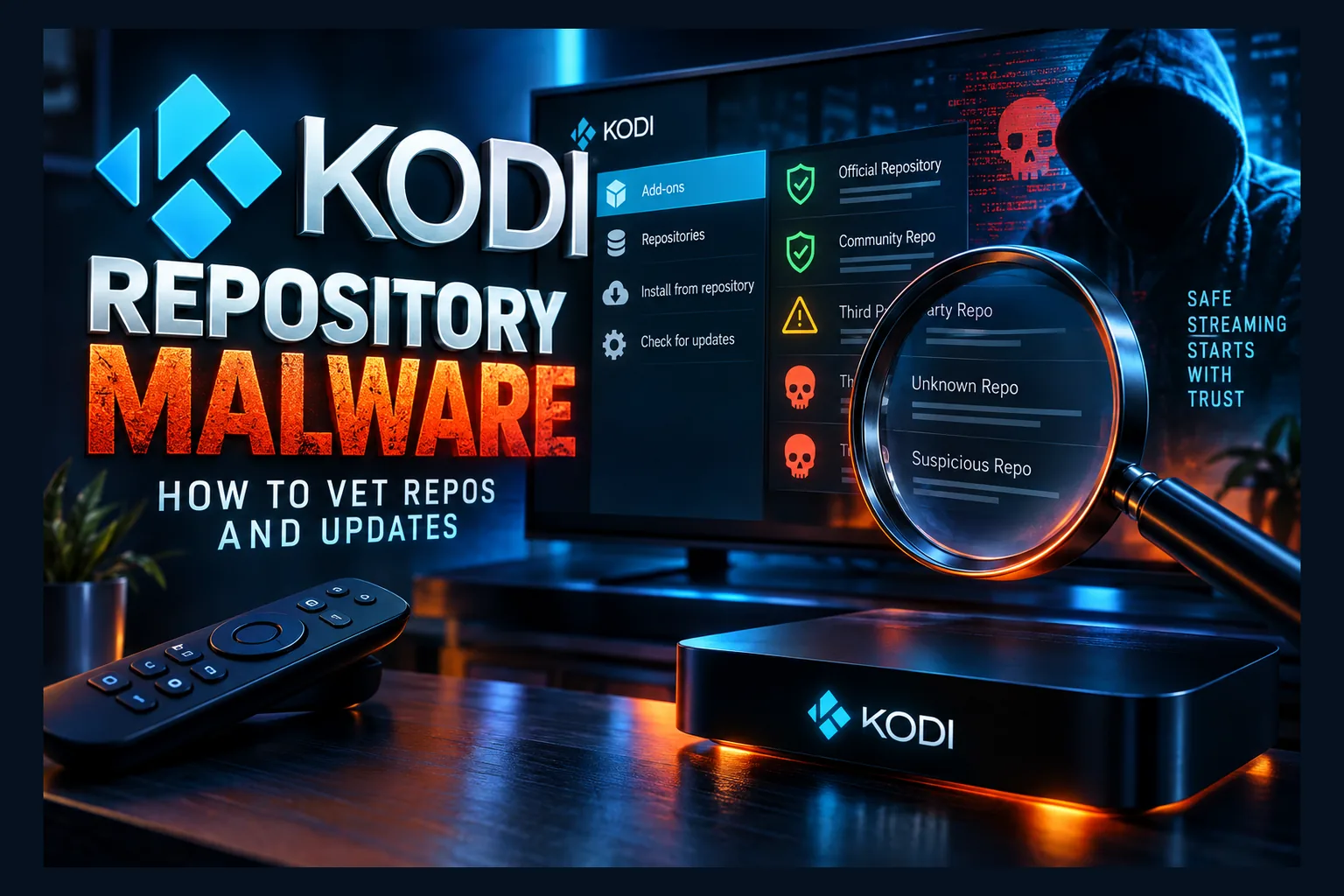
Kodi repository malware is real, and it rarely announces itself. A repo you installed once can keep pushing hidden Python or native binaries to your device through automatic updates, long after you’ve forgotten it exists. The fix isn’t paranoia, it’s process. Vet the repo’s maintainer and source code before installing, switch auto-updates to ‘Notify, but don’t install updates,’ and remove repos you no longer use. Here’s how I check what a repo actually ships before I trust it.
Most Kodi safety advice zooms in on single addons. Is this one safe? Is that one sketchy? Fair questions, but they miss where Kodi repository malware actually lives in 2026. The real exposure is the repository, the channel that keeps sending new code to your device months after you’ve forgotten you ever installed it.
Developers call this a supply-chain problem. A trusted package source (think of the registries programmers pull libraries from every day) quietly ships a poisoned update, and thousands of machines install it automatically because nobody thought to check. Kodi works the same way, and that’s exactly how Kodi repository malware spreads. This guide covers how to vet repos, how to read what they actually ship, and which settings limit the damage when a repo you trusted goes bad.
Why Kodi Repositories Are a Supply-Chain Risk
A Kodi repository is a package source. Conceptually, it’s close to npm or PyPI: a server that lists available addons, their version numbers, and whatever they depend on. Install a repo once, and Kodi treats it as a trusted place to fetch code from indefinitely.
That trust is the whole problem, and it’s precisely what Kodi repository malware exploits. You aren’t really vetting each addon. You’re vetting the person who controls the repo, plus every decision they’ll make from now on.
How a Repo Pushes Code to Your Device
Every repo addon carries an addon.xml file pointing to a remote URL. Kodi periodically pulls an index from that URL, usually named addons.xml, listing every addon the repo offers alongside its current version. Higher number than what you’ve got installed? Kodi calls that an update.
Addons also declare dependencies, usually shared libraries named script.module.* (script.module.requests is a common one). When an addon needs a module, Kodi grabs it from whichever enabled repo offers it. Kodi can check a downloaded zip against a hash the repo publishes, but that only proves the file matches what the server meant to send. Safety doesn’t enter into it, so a hash check won’t catch Kodi repository malware.
Why One Compromised Repo Affects Thousands of Installs
Out of the box, Kodi installs updates automatically. So when a repo owner turns malicious, sells the project to a stranger, or simply gets their server hacked, the bad code spreads to every install that checks in. Nobody clicks anything. The Kodi repository malware just arrives.
Third-party repos also love to mirror each other’s content. One poisoned module can end up listed in three or four different repos, reaching people who never touched the original source. That’s a Kodi supply chain attack in a nutshell: hit the distribution point, not the individual user.
Real-World Examples of Kodi Repository Malware
Kodi repository malware isn’t a theoretical threat model. Kodi repos have already delivered malware at scale, and the underlying mechanics haven’t fundamentally changed since.
The 2018 Cryptominer Campaign Through Kodi Repos
In September 2018, the security firm ESET published research on a Kodi addon cryptominer campaign spread through third-party repositories. According to ESET’s WeLiveSecurity write-up, the malicious code first showed up in the XvBMC repository and was later picked up by other popular repos that mirrored its content, including Bubbles and Gaia.
The trick behind this Kodi repository malware was almost boring. Someone published a malicious version of a common dependency with a higher version number than the legitimate one, so Kodi’s update logic grabbed it automatically. That module then fetched a second-stage payload, a Monero miner for Windows and Linux, which kept running even after Kodi was closed.
ESET counted roughly 4,000 victims. The US, Israel, Greece, the UK, and the Netherlands were among the hardest-hit countries. The specific repo got shut down, sure. But the method (bump a version number, abuse auto-update, fetch a payload) is reusable by anyone with a server and some patience.
Abandoned Repo Domains That Get Re-Registered
Third-party Kodi repos come and go constantly. When a developer walks away, they often let the domain lapse after its one-year registration runs out. Your installed repo addon has no idea, so it keeps checking the same URL.
Whoever registers that expired domain next controls what your Kodi install downloads, making it an easy route for Kodi repository malware. They can publish a fresh addons.xml with inflated version numbers for addons you already have, and Kodi will treat the payload as a routine update. I’m not aware of a large, publicly documented case of this hitting Kodi specifically. Still, expired-domain takeovers are a well-known technique against other package ecosystems, and nothing in Kodi’s design gives it special protection.
How Kodi Repository Malware Hides Inside Addons
Kodi addons are mostly Python. In theory, that makes them readable. In practice, anyone shipping Kodi repository malware has several ways to keep the dangerous bit out of sight.
Obfuscated Python (base64, exec, eval)
The classic move: encode a payload as one long string and decode it at runtime. Watch for patterns like exec(base64.b64decode(...)), eval() run on decoded text, zlib.decompress, or marshal.loads. The file you open looks harmless, and the real logic only appears when Kodi runs it.
Some legitimate developers obfuscate to protect scraper logic from copycats. Fine. Obfuscation still means you can’t verify what the code does, so I’d file it under “unverifiable” rather than “probably fine.”
Bundled Native Binaries (.so, .dll, .pyd, ELF)
Native binaries live outside Python’s relatively readable world. A .dll on Windows, a .so or ELF executable on Linux and Android, or a compiled .pyd module can do almost anything the host process is allowed to do.
A binary on its own doesn’t prove you’re looking at Kodi repository malware. Legitimate addons like Elementum ship platform-specific binaries, and Kodi’s own InputStream components rely on compiled libraries. What makes one suspicious:
- No public source code for the binary, anywhere
- A binary inside an addon with no plausible reason to need one (a simple video list, a skin helper)
- Binaries for platforms the addon doesn’t even claim to support
- The binary contacting hosts that have nothing to do with the addon’s stated purpose
Malicious Dependencies Pulled In Silently
This is exactly how the 2018 campaign worked. You install an addon that looks clean, but its addon.xml requires a module the repo supplies. If that module is poisoned, the visible addon stays spotless while the dependency does the damage in the background.
Be wary of third-party repos hosting their own copies of common modules that already exist in the official Kodi repository. Why would a repo need to override a standard library like script.module.requests? Rarely for a good reason.
Remote Payloads Fetched After Install
The cleverest addons contain nothing bad at install time. Instead, they download a script or binary from a remote server later, sometimes days afterward, or only on certain platforms. Inspect the zip and it’s clean, because the dangerous code never sits in the repo at all.
Look for code that downloads files, writes them to disk, changes their permissions, or launches them through subprocess or os.system. A streaming addon has no legitimate need to execute downloaded programs. None.
Warning Signs a Kodi Repo Can’t Be Trusted
You can catch most bad repos before installing them. You can also spot trouble fast afterward, if you know what to look for.
Red Flags in the Repo Source URL
- HTTP-only sources: Plain HTTP means anyone on the network path can tamper with downloads in transit.
- URL shorteners: Links like bit.ly hide where the repo really lives, and the owner can repoint them whenever they like.
- Sources shared in Telegram, Discord pastes, or YouTube comments: No accountability, no history, and plenty of impersonations of well-known repos.
- “Mega” repos bundling dozens of unrelated forks: Every extra fork is one more person you’re trusting at the same time.
- Brand-new domains for “old” repos: A repo boasting five years of history on a domain registered last month? Suspicious. A WHOIS lookup takes about 30 seconds.
Red Flags in Addon Updates
Size jumps matter. A simple addon going from around 200 KB to 15 MB in a minor point release deserves a closer look, and so does a new dependency the changelog never mentions. Version numbers that leap absurdly far (from 1.2.3 straight to 9.9.9, say) can mean someone is forcing their copy to override another repo’s.
Read next: Zap Kodi Addon Safety Check: How to Vet It on Firestick
Device Symptoms After an Update
Cryptominers and similar payloads usually leave physical traces. Watch for:
- Constant high CPU usage, even with Kodi idle or closed
- A Firestick or Android box that feels noticeably hot to the touch
- Laptop or desktop fans roaring with nothing playing
- Laggy menus on a device that used to feel snappy
- Router logs showing traffic to unfamiliar hosts while nothing is streaming
These symptoms overlap with other threats, especially fake system updates pushed through dodgy apps. Our guide to fake software updates on streaming devices covers that side of the problem.
How to Vet a Kodi Repository Before Adding It
No special security tools required. A PC, a browser, and roughly fifteen minutes cover most of the checks. My rule: if I can’t figure out who runs a repo and see its code, it doesn’t go on my devices.
Check Who Maintains It and Where the Code Lives
- Find where the repo’s source code lives, usually a public GitHub or GitLab account.
- Check the account’s age and commit history. Years of steady, readable commits are a good sign; one giant bulk upload is not.
- Look for a changelog that explains what each update actually changed.
- Confirm the repo URL you were handed matches the one the maintainer publishes themselves.
A repo with no public code and an anonymous maintainer isn’t automatically malicious. But you’re signing up for an unknown party’s future decisions with zero visibility into any of them.
Inspect the Repo Zip and addons.xml
- Download the repo zip on a computer, not directly onto your streaming device.
- Unzip it and open
addon.xmlin a text editor. Note the<info>and<datadir>URLs, because every future update comes from there. - Open the
addons.xmlURL in a browser. Read through the addons and dependencies it serves, and look for overrides of standardscript.module.*libraries. - Download one or two of the addon zips it lists and unpack them.
- Search the files for
exec(,eval(,base64,marshal,subprocess,os.system, and any hardcoded URLs you don’t recognize. On Windows, VS Code’s “Find in Files” (Ctrl+Shift+F) handles this; on Mac or Linux,grep -rn "exec(" .does the job. - Note any
.so,.dll,.pyd, or extensionless executables, then check whether the maintainer publishes source for them.
VirusTotal is another option for individual zips. It runs files past around 70 antivirus engines. A clean result doesn’t prove safety, especially with remote payloads, but a detection is a strong reason to walk away.
Search for Recent Community Reports
Search the repo name alongside “malware,” “miner,” or “compromised,” and filter results to the past few months. Kodi-focused subreddits tend to surface problems quickly, though how quickly depends on how popular the repo is. Has the repo changed hands, or moved to a new domain? That’s precisely when to re-vet it.
For a worked example of this process on a single addon, see our Zap Kodi addon safety check. We also post repo warnings in Updates & Alerts.
Kodi Settings That Limit Kodi Repository Malware Exposure
Vetting helps on day one. These settings protect you on day 300, when the repo you trusted may no longer deserve it. Missing an option below? Raise the settings level from Basic to Advanced or Expert using the toggle at the bottom-left of the settings screen (easy to overlook, annoyingly).
Change Auto-Update to Notify Only
Go to Settings > System > Add-ons > Updates and pick “Notify, but don’t install updates.” Kodi will flag that an update exists but won’t install it until you say so. That one change would have blocked the silent stage of the 2018 campaign for anyone who stopped to check.
On the same screen, find “Update official add-ons from” and leave it on “Official repository only.” This stops a third-party repo from replacing official addons with its own versions, which is exactly the higher-version-number trick attackers rely on. Is Kodi addon auto update security worth a few extra taps every week? For third-party repos, absolutely.
Turn Unknown Sources Back Off After Installing
Kodi needs Settings > System > Add-ons > Unknown sources switched on to install from zip files. Once your addon is in, switch it back off. Repos you’ve already installed keep working. What it blocks is quick, impulsive zip installs, including ones by anyone else who picks up your remote.
Remove Unused Repos and Orphaned Dependencies
Head to Add-ons > My add-ons > Add-on repository and uninstall every repo you no longer use. This directly fixes the expired-domain risk, since a removed repo can’t fetch anything from a hijacked URL. After that, open Settings > System > Add-ons > Manage dependencies and look for leftover modules from addons you’ve already deleted.
Planning big changes on a Firestick? Back up first. Our Kodi 21.3 Firestick backup and upgrade guide walks through it.
Platform Differences: Firestick and Android TV vs Windows and Linux
Where Kodi runs changes how much a malicious Kodi addon can actually do. Identical payload, very different reach on a Fire TV Stick compared with a desktop PC.
| Factor | Fire OS / Android TV | Windows / Linux desktop |
|---|---|---|
| App sandboxing | Kodi runs in its own Android sandbox | Kodi runs with your full user privileges |
| Access to your personal files | Limited to Kodi’s storage and granted permissions | Documents, browser data, and more are usually reachable |
| Persistence after closing Kodi | Harder; Android restricts background processes | Easier; payloads can add startup entries or services |
| Credentials stored in Kodi | Exposed | Exposed |
| Main practical risk | Stolen API keys, CPU abuse, adware | Full system compromise, cryptomining, data theft |
Sandboxing on Fire OS and Android TV
Android isolates each app. A bad addon inside Kodi generally can’t read other apps’ data or tamper with the system. It can still abuse everything Kodi itself has: network access, Kodi’s storage, and every credential saved in Kodi’s settings. A native miner can also run flat out while Kodi is open and cook a little streaming stick.
Sandbox escapes depend on unpatched OS bugs, so keep system software current. On Fire TV, that’s Settings > My Fire TV > About > Check for Updates; on Google TV and Android TV boxes, look in the System update menu. Cheap no-name boxes that stopped getting security patches years ago carry noticeably more risk, and plenty of them are still stuck on Android 7 or 9.
Why Desktop Kodi Installs Face Higher Risk
Windows and Linux offer no app sandbox to contain Kodi. An addon can read your files, download executables, and set them to launch at startup. That’s why the 2018 miner went after desktop systems and kept running after Kodi closed.
Running Kodi on the same PC you use for banking or work? Think hard about which third-party repos you allow. A separate user account for Kodi helps; a dedicated media device helps more.
What to Do If You Installed a Bad Repo
Spotted red flags after installing? Act in this order: cut off the source, clean the device, then rotate anything Kodi could reach.
Remove the Repo and Its Addons
Uninstall the repo first, from Add-ons > My add-ons > Add-on repository, so it can’t push anything new. Then remove every addon that came from it, plus any dependencies it supplied. If an update broke Kodi itself on a Firestick, our guide to rolling back Kodi gets you back to a known-good version.
Clear Kodi Data or Reinstall Cleanly
Pulling individual addons is fine if the repo only supplied one or two clean-looking items. Did it bring in native binaries or unknown dependencies, or did you notice miner-like symptoms? Then wipe Kodi completely, because leftover files in the userdata folder can survive a normal uninstall.
- Firestick / Android TV: Settings > Applications > Manage Installed Applications > Kodi > Clear data, then uninstall and reinstall.
- Windows: Uninstall Kodi, then delete
%APPDATA%\Kodi. - Linux: Remove Kodi and delete the
~/.kodifolder.
On desktop, also run a full scan with Microsoft Defender or whichever antivirus you prefer, and check startup items and scheduled tasks for anything unfamiliar. Don’t restore an old Kodi backup unless you’re confident it predates the bad repo (yes, even if rebuilding your library is a pain).
Change Passwords and API Keys Stored in Kodi
Kodi addons routinely store debrid tokens, Trakt authorizations, and IPTV M3U or Xtream Codes logins in plain-text settings files. Assume any of them could have been read. Addons like Seren, covered in our Seren setup walkthrough, hold several of these tokens at once.
- Revoke the device authorization in your debrid account dashboard and generate a fresh API key.
- Revoke Kodi’s access under connected apps in your Trakt account settings.
- Ask your IPTV provider to reset your line credentials, since playlist URLs often embed your username and password.
- Change any password you reused anywhere else.
Final Thoughts on Kodi Repository Malware
Kodi repository malware works because Kodi trusts repos by design. Every repo you install is a standing permission for someone else to change the code on your device. And that permission doesn’t expire when the developer loses interest.
The fix isn’t complicated. Vet who runs a repo and read what it ships. Set updates to notify only. Keep official addons locked to the official repo, and delete repos you’ve stopped using. Those four habits close most of the doors attackers have actually walked through so far.
For the core Kodi software and its official addon repository, stick with downloads from kodi.tv or your device’s official app store.
⚖️ Legal Disclaimer: IPTV Wire does not own or operate any streaming service, application, or website mentioned in this article. We do not verify whether third-party services carry proper licensing. Users are responsible for ensuring they comply with copyright laws in their jurisdiction.
Frequently Asked Questions
Can a Kodi addon contain a virus?
Yes. Addons can carry obfuscated Python, native binaries, or code that downloads payloads after install. ESET documented a 2018 campaign in which Kodi addons installed cryptominers on roughly 4,000 Windows and Linux systems.
Is it safe to leave Kodi addon auto-updates turned on?
For official addons, the risk is low. For third-party repos, switch to “Notify, but don’t install updates” under Settings > System > Add-ons so you can review changes before anything installs.
How do I know if a Kodi repository is safe?
No check guarantees it. Good signs include public code, a long commit history, a real changelog, and HTTPS hosting. Download the zip on a PC and search it for exec, eval, base64, and unfamiliar URLs before installing.
Can Kodi malware infect my Firestick?
It can affect Kodi on a Firestick, stealing stored credentials or running a miner while Kodi is open. Android’s app sandbox makes full system infection far harder than on Windows or Linux, especially with current system updates installed.
Should I remove old Kodi repos I no longer use?
Yes. An installed repo keeps checking its URL for updates. If that domain expires and someone else registers it, they can push new code to your device. Removing unused repos shuts that door.
Does a VPN protect me from malicious Kodi addons?
No. A VPN encrypts your traffic and hides your IP address, but it doesn’t inspect or block code that Kodi downloads and runs. Malicious addons behave the same with or without one.


Comments
Leave a comment
Your email address will not be published. Comments are moderated before they appear.