

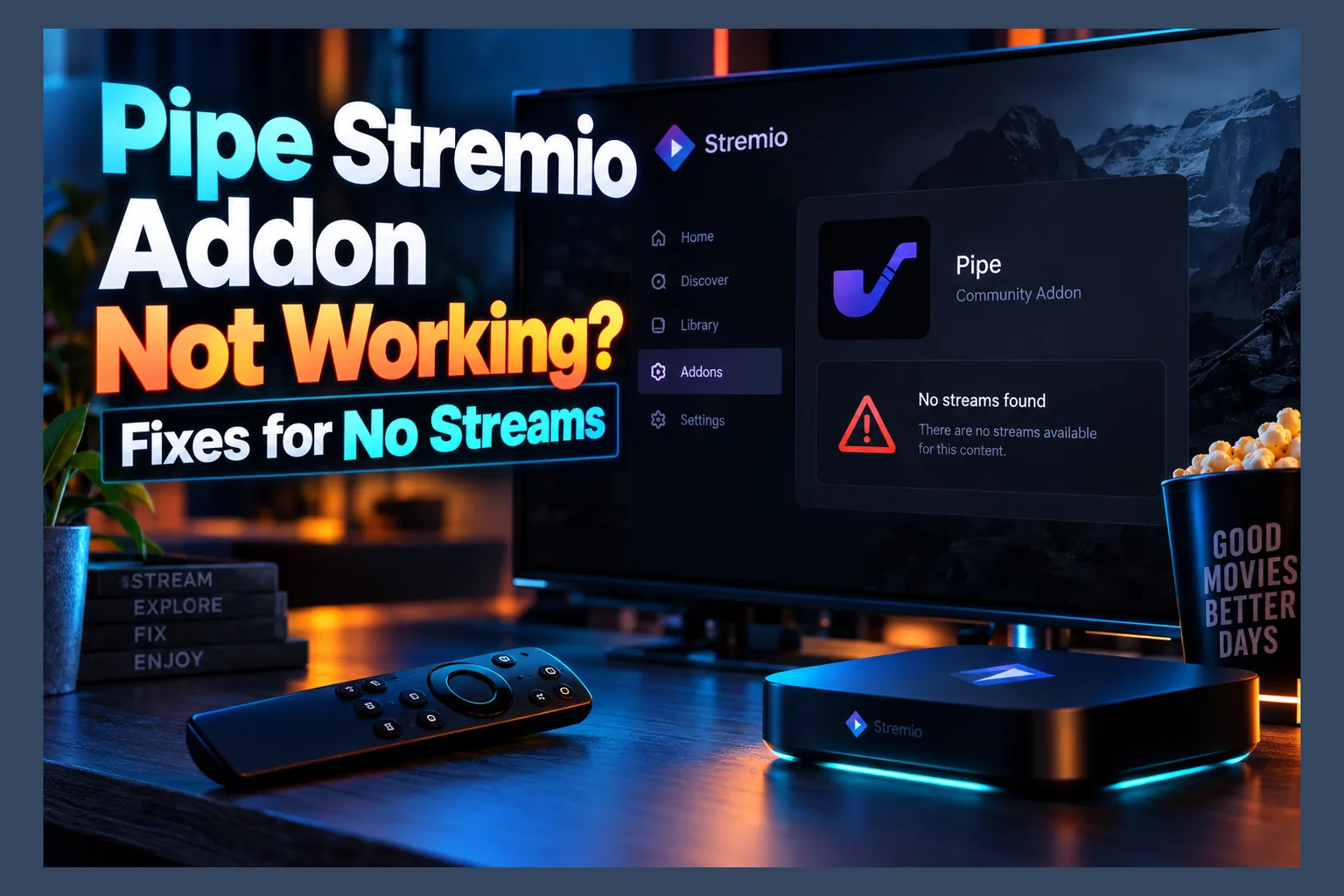
Pipe Stremio addon not working, and every title you open comes back with an empty stream list? Annoying, but rarely mysterious. The usual suspects are a stale manifest URL, an expired or regenerated debrid key, upstream sources going dark, a VPN or DNS filter blocking requests, or a crusty Stremio cache. I’ll show you how to pin down which layer is actually failing, so you fix the one broken thing instead of resetting everything and hoping for the best.
Most “no streams” problems with Pipe trace back to a single broken link in a short chain: Stremio, the addon, your debrid account, and your network. That’s it. Four pieces. This guide covers troubleshooting after you’ve already installed the addon, as of 2026. Setup isn’t covered here, and neither is the question of whether the addon is safe. Work through the sections in order and you’ll usually find the fault within a few checks.
Quick Answer: Why the Pipe Addon Stops Showing Streams
When Pipe hands back an empty stream list, these are the likely causes, ranked roughly from most to least common:
- Outdated or broken manifest URL. You reconfigured the addon at some point, or the developer moved the endpoint, and Stremio is still calling the old address.
- Debrid or API key problem. Your subscription lapsed, you regenerated the key, or a stray space crept in when you pasted it.
- Sources down upstream. The addon itself runs fine, but the indexers or providers it pulls from have stopped responding.
- VPN or ISP blocking. Something is rate-limiting your VPN exit IP, or your DNS or ISP is blocking the addon domain.
- Local Stremio cache or version issues. An old app build or a corrupted cache stops results from rendering.
Don’t guess at why you’ve got the Pipe Stremio addon not working. Treat each item as a check you can confirm or rule out, which usually takes a couple of minutes per item. The next section shows you how.
Pipe Stremio Addon Not Working? First Check Pipe, Stremio, or Your Network
When you find the Pipe Stremio addon not working, don’t uninstall anything yet. Isolate the fault first. Say you change three settings at once and streams come back. Which change fixed it? You won’t know, and the next time Pipe breaks you’ll be stuck guessing all over again.
| What you see | Most likely layer | First thing to try |
|---|---|---|
| No addon shows streams | Stremio or network | Restart the app, then toggle the VPN off and on |
| Other addons work, Pipe shows nothing | Pipe config or debrid key | Open the manifest URL in a browser |
| Manifest loads in browser but not in Stremio | Device or DNS | Change DNS, clear the Stremio cache |
| Manifest returns an error page | Addon endpoint | Check community channels for outage reports |
| Streams appear but won’t play | Source quality or player | Jump to the playback section below |
Test With a Second Addon
Open any title. Does a different stream addon return results? If every addon comes up empty, it isn’t really a case of the Pipe Stremio addon not working. Your problem is Stremio itself or your connection. Our roundup of Stremio HTTP addons that actually return free sources comes in handy here, since HTTP-based addons don’t rely on debrid and give you a clean comparison.
Second addon works, Pipe stays empty? Good. Now you know it’s genuinely the Pipe Stremio addon not working. You’ve narrowed it down to Pipe’s configuration, its endpoint, or the debrid key attached to it.
Check Whether the Addon Endpoint Responds in a Browser
Head to Stremio’s Addons screen, open Pipe, and copy its manifest URL. It ends in manifest.json. Paste it into a desktop browser or your phone’s browser.
A healthy endpoint returns plain text that opens with a curly brace. Look for fields like "id", "version", "name", "resources" and "types". That’s standard JSON, and it tells you the server is up and reading your config correctly.
Broken endpoints look different. Expect a 404 or 502 page, a Cloudflare challenge, a timeout, or just a blank screen. Here’s a useful trick: if the URL loads on mobile data but fails on your home Wi-Fi, the server is fine and your network is behind the Pipe Stremio addon not working.
Look for Community Outage Reports
Addon outages tend to hit everyone at the same moment, so if you suddenly find the Pipe Stremio addon not working, check the developer’s official channels before you start fiddling. Usually that means the project’s Discord, its GitHub, or whatever subreddit thread they link from the configure page. A sudden wave of “no streams today” posts means wait. Don’t reinstall.
One warning. During outages, people love posting “working mirror” links in comment sections. Skip them. A mirror URL can log your debrid key or serve completely different content under the same addon name, and you’d have no easy way to tell.
Fix Manifest and Installation Errors
If your checks point at the addon, this is where most fixes for a Pipe Stremio addon not working actually happen. You’ll typically run into one of three symptoms: a “failed to fetch manifest” error, an addon that installs fine but returns nothing, or two Pipe entries fighting each other.
Reinstalling From the Official Configure Page
Return to the addon’s official configure page, the same one the developer links from their official channel. Re-enter your options and debrid key, then install again. Most configurable Stremio addons bake your settings straight into the manifest URL, so every reconfiguration spits out a brand-new address.
Hence the classic complaint: “I changed one setting and now it’s broken.” Your new settings live at a new URL while Stremio keeps dutifully calling the old one.
Removing Duplicate or Old Pipe Entries
Open the Addons screen and filter to installed addons. Pipe listed twice? Uninstall both, then reinstall once from the configure page. Duplicates often carry different keys or source filters, so one copy might work while the other fails silently, a sneaky reason for the Pipe Stremio addon not working on some titles.
Stremio syncs addons to your account. Remove the old entry on one device, then restart Stremio on your other devices so they pull the cleaned-up list (yes, you really do need to do this). Skip that step and a stale copy can quietly sync right back, leaving the Pipe Stremio addon not working on that device.
Addon Order and Why It Matters
Stremio groups stream results by addon, following the order of your installed list. Put a slow or broken addon above Pipe and it can look like the Pipe Stremio addon not working, when really Stremio is still waiting on results from the addon above it. On desktop and web, you can drag addons into a new order.
TV apps are clunkier. Instead, log into the web version at stremio.com with the same account and the new order syncs to your TV. My rule: most reliable stream addon goes first.
Debrid and API Key Problems
Set Pipe up with a debrid service? Then the key is your next suspect. A stremio debrid api key not working problem almost never throws an error message. Streams simply vanish.
Expired Subscriptions and Revoked Keys
Log into your debrid provider’s dashboard and check two things: the subscription expiry date, and whether the API key listed there matches the one in your Pipe config. Debrid services stop answering API calls the moment a plan lapses, and most plans run somewhere in the range of a few dollars a month, so it’s easy to miss a renewal. Some providers also rotate keys after a password change or a security event.
Read next: Cauldron Addon Not Working? Stremio and Nuvio Fixes
While you’re in there, look at the account’s IP or device rules. Certain providers flag accounts making requests from lots of different IPs, and hopping between VPN servers frequently can trip that wire.
Re-Entering a Key Without Exposing It
Think your key leaked? Regenerate it in the debrid dashboard first, which kills the old one everywhere. Paste the new key only into the addon’s official configure page, and trim any spaces from the start or end.
Never paste a debrid key into some random config page shared in a comment thread. Whoever runs that page can drain your account’s bandwidth or resell your access. The same rule applies to every addon, which we go into in our guide to checking whether a Stremio addon is safe.
When Cached Results Disappear
Debrid-backed addons generally label results as cached or uncached. Cached results suddenly gone while uncached ones still show up? The addon probably can’t reach your debrid account. Check the key, then the subscription.
Both look fine? The debrid provider itself may be having API trouble. Their status page or official social account is the quickest way to confirm.
VPN, DNS and ISP Blocking Issues
Network-level blocks sit behind a surprising number of reports of the Pipe Stremio addon not working. They’re sneaky, too, because everything else on your connection seems perfectly normal.
When a VPN Server Gets Blocked by Sources
Popular VPN servers share a single IP address among potentially thousands of users. Upstream sources and CDNs frequently rate-limit or block those ranges, which means a stremio vpn blocking addon situation can look identical to an outage. Simplest test: disconnect the VPN briefly and reload the title.
Only do that if it’s legal and safe where you live. If streams come back with the VPN off, blame your exit server, not Pipe.
Switching Servers or Protocols
Try another server in the same country, then one in a neighbouring country. If your VPN offers both WireGuard and OpenVPN, switch protocols. They handle packet loss and reconnects differently, and one may simply behave better on your network.
Split tunneling deserves a look as well. When Stremio is excluded from the tunnel but your DNS still routes through the VPN, requests can fail in genuinely weird ways that are hard to diagnose. Pick a side. Either include Stremio fully or exclude it fully.
DNS Settings That Break Addon Requests
Custom DNS filters, Pi-hole blocklists, NextDNS profiles and router-level ad blockers occasionally catch addon domains. Aggressive “piracy” or “tracker” lists are the usual offenders. Check your blocker’s query log for the domain in your manifest URL, and allowlist it if it shows up as blocked (the query log is buried a few menus deep in most of these tools, annoyingly).
ISP-level blocking depends heavily on where you live. UK and some EU providers block certain streaming-related domains under court orders, while US and Canadian ISPs rarely do this at the DNS level, though availability and enforcement vary by region and change over time. Manifest loads on mobile data but not home broadband? Switching your device DNS to a public resolver is a reasonable test.
Device-Specific Fixes
Manifest loads fine in a browser, but Stremio still shows nothing? The problem probably lives on the device. The stremio addon not loading firestick complaint is by far the most common version of this.
Firestick and Fire TV
Go to Settings, then Applications, then Manage Installed Applications, then Stremio. Choose Clear cache first and test. Only reach for Clear data if the problem sticks around. Clearing data logs you out, but your addons resync once you sign back in.
Check free storage in the same Settings area. Fire TV sticks with 8GB of storage get sluggish when nearly full, and Stremio’s streaming cache needs room to breathe. Sideloaded Stremio? Compare your version against the current release on the official site, since older builds may choke on newer addon responses.
Amazon’s newer Vega OS devices won’t run sideloaded Android APKs at all. If you own one, browser-based Stremio may be your only route, which is still a frustrating limitation.
Android TV and Google TV
Update Stremio from the Play Store, or from the official APK if your device isn’t certified. Clear the cache through Settings, then Apps, then Stremio, then Storage. Nvidia Shield, Chromecast with Google TV and Onn boxes all follow roughly the same path, though menu names can shift slightly between firmware versions.
Watch Google’s developer verification rollout. Google has announced that certified Android devices will begin requiring apps, sideloaded ones included, to come from verified developers, phased in from 2026. Stremio’s official build should be fine. Unofficial modified APKs, though, may stop installing.
Windows, Mac and Web Stremio
Desktop Stremio runs a local streaming server alongside the app. Quit Stremio completely, including the tray icon on Windows, then relaunch. Under Settings, the Streaming section should list the server as online.
Remember the firewall prompt when you first installed Stremio? If you clicked “Block,” the server can’t do its job. Allow it in Windows Defender Firewall or the macOS firewall settings. Web Stremio also needs that local server running, otherwise most stream types won’t play.
iPhone and iPad
iOS lacks a full native Stremio app with the streaming server, so most people fall back on the web version in Safari. Fewer stream types play as a result, and torrent-based results often fail unless debrid converts them into direct links.
Pipe shows results on iOS but nothing plays? That’s usually a platform limit, not an addon bug. Debrid-cached HTTP links give you the best odds.
Streams Load but Won’t Play or Keep Buffering
Different problem entirely. If Pipe lists streams, the addon is doing its job. The failure is happening further down the line, in the source, the player or the hardware.
Picking a Better Source From the List
Read the stream labels before you tap anything. Cached debrid results nearly always start faster than uncached ones. On a typical home connection, a 2–4GB 1080p file is a far safer bet than a 60GB remux that needs sustained bitrates many households simply can’t deliver.
One source stalls? Go back and pick another before touching any settings. A single dead link tells you nothing about the addon as a whole.
Codec and Resolution Mismatches
Older Fire TV Sticks and budget Android boxes struggle with HEVC 10-bit, 4K HDR and some audio formats like TrueHD or DTS-HD. Black screens, audio with no picture, or constant stuttering usually point to decoding, not the network. To test that theory, pick a 1080p H.264 source.
On Android-based devices, Stremio can hand playback off to an external player such as VLC or Just Player. These often cope with unusual codecs better than the built-in player does. You’ll find the external player option in Stremio’s player settings.
Stremio Streaming Server Settings
Open Settings, then Streaming. If caching is set to “no caching,” try a modest 2GB or 5GB cache, assuming you have the storage. For torrent-based sources, a faster torrent profile can help on good connections, but it may overwhelm weaker devices.
Hardware-accelerated decoding, where your device offers it, often cures stutter on 4K content. Made things worse? Switch it back off.
When to Stop Troubleshooting Pipe Stremio Addon Not Working Issues
Sometimes the right fix is walking away. If you’ve worked through every section and Pipe still fails, or something about it just feels off, cut your losses.
Signs the Addon Is Abandoned or Compromised
- The official configure domain changes with no announcement on the developer’s own channels.
- The config page suddenly wants an email login, a password, or a payment.
- Opening the manifest or configure URL redirects you somewhere unrelated.
- Weeks go by with no updates and a pile of outage reports nobody answers.
- Your debrid account shows activity or downloads you never started.
See that last one? Regenerate your debrid key immediately. Then remove the addon from every device.
Safer Alternatives to Consider
Favour addons with an open-source repository, a clear official domain, and an active community that reports problems in public. I’m not going to recommend an unverified addon by name just because it happens to be trending this month.
Comparing options? Our fix guide for Cauldron addon problems on Stremio and Nuvio follows the same diagnostic approach. Kodi users will find the equivalent process in our breakdown of The Crew addon errors by type.
The short version: when you have the Pipe Stremio addon not working, check the manifest in a browser first. Next, confirm your debrid key. Then rule out your VPN and DNS, and only after all that should you clear the cache or reinstall. Following that order fixes most cases without wiping your whole setup.
⚖️ Legal Disclaimer: IPTV Wire does not own or operate any streaming service, application, or website mentioned in this article. We do not verify whether third-party services carry proper licensing. Users are responsible for ensuring they comply with copyright laws in their jurisdiction.
Frequently Asked Questions
Why does the Pipe addon show no streams in Stremio?
Usually it’s one of three things: an outdated manifest URL after reconfiguring, an expired or changed debrid key, or upstream sources going offline. Open the manifest URL in a browser first. A valid JSON response means the addon is reachable, so the problem sits on your side.
Do I need a debrid service for the Pipe Stremio addon to work?
Depends on how you configured it. Debrid-backed setups return cached links that start faster, but they stop showing results entirely if the debrid key fails. Without debrid you’ll typically see fewer or slower sources, especially on iOS and web.
Can a VPN stop Stremio addons from loading?
Yes. Sources sometimes rate-limit or block shared VPN IPs, and split tunneling or VPN DNS can break addon requests. Try another server, switch between WireGuard and OpenVPN, and keep Stremio either fully inside or fully outside the tunnel.
How do I reset the Pipe addon configuration in Stremio?
Uninstall every Pipe entry from the Addons screen, reconfigure on the official configure page, and install the new manifest. Then restart Stremio on your other devices so account sync clears out the old copies.
Why do Pipe streams appear but fail to play on Firestick?
Most often, the Firestick can’t decode the chosen file. HEVC 10-bit, 4K HDR or lossless audio are the usual suspects. Pick a 1080p H.264 source, clear the Stremio cache, check free storage, or send playback to an external player like VLC.
Is it safe to use mirror URLs when the Pipe addon is down?
No. Unofficial mirrors can capture your debrid API key or serve different content under the same name. Wait until the developer’s official channels confirm a fix or a new domain before you reinstall.


Comments
Leave a comment
Your email address will not be published. Comments are moderated before they appear.