

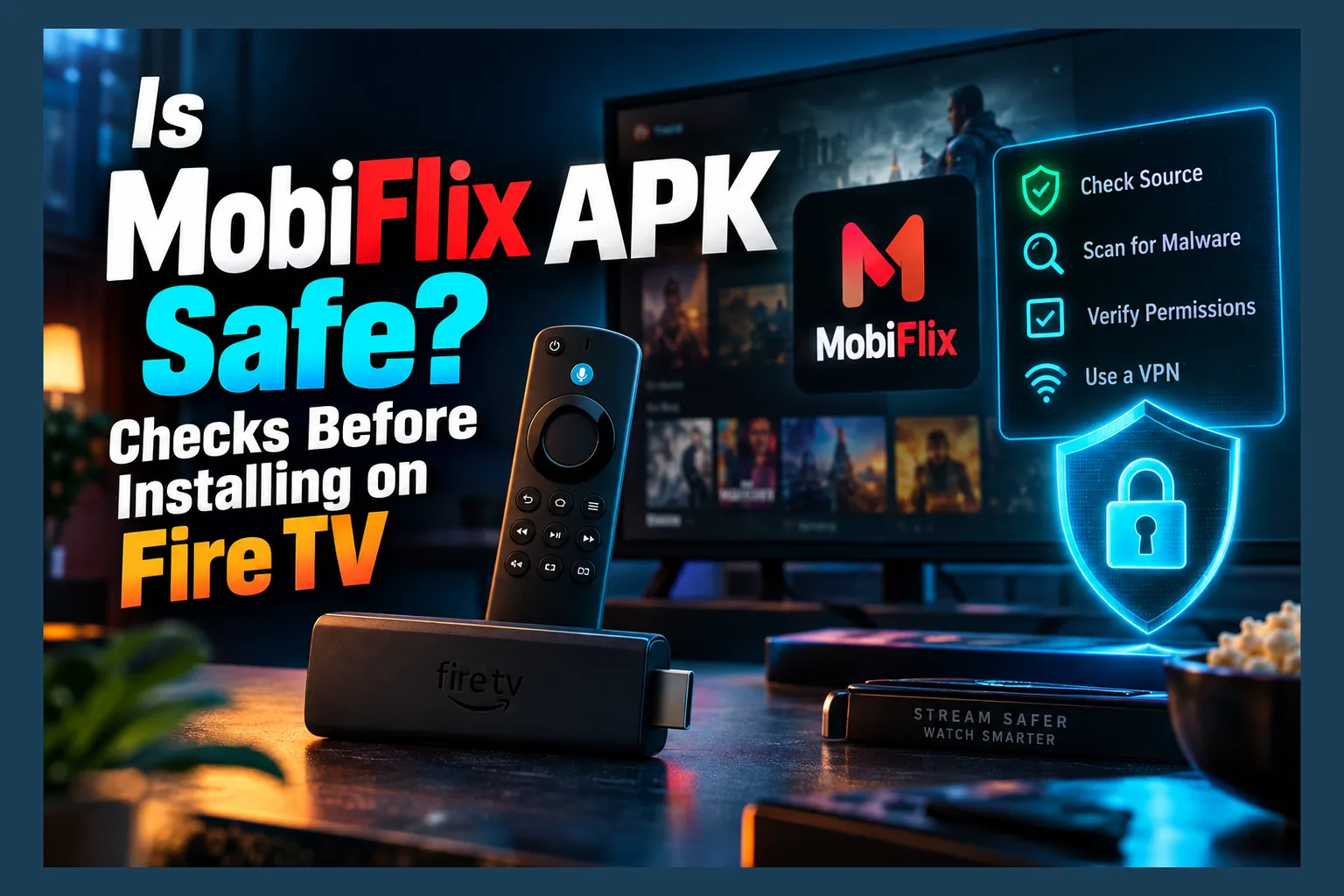
Is MobiFlix APK safe? Not by default. MobiFlix is an unofficial third-party app that isn’t on the Amazon Appstore or Google Play, so no store reviews it before you install. Whether your copy is safe depends on where it came from and what that specific build does. That means you have to check the file yourself, and this guide walks through exactly how, before you touch any install tutorial.
That’s the short version. Everything below covers how to actually do the checking, which is the stuff that should happen before you follow any install tutorial. That means spotting fake download pages, reading the package name, making sense of VirusTotal results, reviewing permissions, and cleaning up if things go sideways. As of 2026, copycat streaming APKs keep multiplying on Fire TV and Google TV, so these checks matter more every year.
Quick Answer: Is MobiFlix APK Safe to Use?
MobiFlix lives in a gray zone. It isn’t automatically malware. But nobody has vetted it, no known developer signs it, and no distribution channel takes responsibility for it.
Sideload it, and you become the app reviewer who answers ‘is MobiFlix APK safe’ alone. Amazon doesn’t scan it first. Google Play Protect only gets a look once it’s already sitting on your device. That’s why ‘is MobiFlix APK safe’ has no simple answer, in two sentences.
My honest take? Until a file clears the checks below, the answer to ‘is MobiFlix APK safe’ is no, so treat it as untrusted. One red flag at any step means delete and move on. No free streaming app is worth a compromised home network.
What MobiFlix Is and Why Its Safety Is Hard to Judge
People usually describe MobiFlix as a free movie and TV streaming APK for Android phones, Firesticks, and Android TV boxes. It’s one of dozens in a crowded category: no official storefront, no public company, no clear licensing.
How Unofficial Streaming APKs Get Their Content
Most of these apps don’t host any video. They’re scrapers. They crawl third-party file hosts and link aggregators, then dress up whatever streams they find in a nice-looking interface.
I can’t verify exactly how MobiFlix sources its links, and the developers don’t say. The general model still matters when you’re asking is MobiFlix APK safe, though. An app pulling from dozens of unknown servers is connecting your living-room device to infrastructure that nobody has audited, and that should give you pause.
Why App Store Protections Don’t Apply Here
Apps on the Amazon Appstore and Google Play go through automated and manual review. It’s not a perfect filter. Bad apps still slip through now and then. But it catches a lot of obvious spyware and adware, and developers have to register accounts, which ties a real identity to the code.
A sideloaded APK skips every bit of that. Nobody checks what it collects, where it sends data, or whether version 2.x quietly adds something nasty that 1.x didn’t have. That’s why the mobiflix google tv safety question doesn’t have a clean yes-or-no answer.
Clones, Rebrands, and Copycat Builds
This is the part that trips people up when they ask is MobiFlix APK safe. Popular unofficial app names get hijacked all the time. Someone grabs the MobiFlix name and logo, wraps them around different code, and uploads the result to a site that looks official.
So two files both called “MobiFlix” can be totally unrelated apps. One might be the original build. The other? Possibly a reskinned adware dropper. You see the same thing across the whole category, as I covered in Is Streamflix Reborn APK Safe?, where the name itself turned into a magnet for imitators.
Finding the Real MobiFlix Download (and Avoiding Fakes)
I won’t link to any download source here, and that’s on purpose. No verifiable mobiflix official download exists with an identifiable developer behind it. Since ‘is MobiFlix APK safe’ depends so much on the source, the most useful thing I can do is show you how to spot a bad one.
Red Flags on APK Download Sites
Close the tab if you see any of these:
- Multiple “official” domains. When three different sites each claim to be the official MobiFlix home, at least two are lying. Maybe all three.
- Fake download buttons. A page crammed with big green “Download” ads that point somewhere else is textbook malvertising.
- Wrong file types. An Android app should be a
.apkfile. A.exe,.zip,.msi, or.apksbundle from some random site is a warning sign. - Forced browser notifications. Sites that demand notification permission before letting you download usually make their money through spam pushes.
- “Disable your antivirus” instructions. No legitimate app needs this. Ever.
Why the File Size and Version Number Matter
Streaming APKs like this usually weigh in somewhere in the tens of megabytes. If one site offers a 20MB file and another offers a 4MB or 150MB file with the same version number, something’s off.
Tiny files can be downloader stubs, which install cleanly and then fetch the real payload afterward. Oversized files sometimes bundle extra apps you never asked for. Compare version and size across a few community threads (Reddit and a couple of Fire TV forums are the usual places) before you trust any one page’s answer to ‘is MobiFlix APK safe’.
Check the Package Name Before You Install
Every Android app has a unique package name, an internal ID formatted like com.developer.appname. Clones often change it. That makes it one of the best fingerprints you’ve got when checking is MobiFlix APK safe for your copy.
You can read it without installing anything:
- On a PC, open Android Studio and drag the APK into the APK Analyzer (Build > Analyze APK).
- Or, with the Android SDK build tools installed, run
aapt dump badging yourfile.apkand find thepackage: name=line. - On an Android phone, an APK inspector app from Google Play can show a file’s package name before installation.
Write that package name down somewhere. If a later “update” uses a different one, it’s a different app. Full stop.
Is MobiFlix APK Safe? Scan It Before It Touches Your Firestick
Planning a mobiflix apk firestick install? Do the scanning on a computer or phone first. Downloading straight to the Fire TV and just hoping the answer to ‘is MobiFlix APK safe’ is yes is how people get burned.
One quick note before you start. Amazon’s newer Vega OS devices, like the Fire TV Stick 4K Select released in late 2025, don’t support sideloading Android APKs at all. Most older Fire OS 7 and Fire OS 8 sticks still do. Check which one you have before spending time on any of this.
Using VirusTotal the Right Way
VirusTotal runs a file through dozens of antivirus engines at once, usually somewhere north of 60. It’s free. It’s also the fastest way to run a mobiflix apk virus scan and get more than one opinion.
Two ways to do it:
- Upload the file. Drag the APK onto the VirusTotal homepage and wait a minute or two for results.
- Search by hash. Generate a SHA-256 hash and paste it into the Search tab. On Windows, use
certutil -hashfile yourfile.apk SHA256. On macOS, useshasum -a 256 yourfile.apk. On Linux, usesha256sum yourfile.apk.
Hash searches tell you whether anyone else has scanned that exact file, and when. Don’t skip the “Details” tab either (it’s easy to miss). It often shows the package name and signing certificate, which you can compare against your notes.
How to Read Detection Results Without Panicking
Zero detections doesn’t mean “safe.” One detection doesn’t mean “infected.” Here’s how I’d read the results:
Read next: Is Viva TV APK Safe? What to Check Before Installing
| Result | What It Likely Means | What to Do |
|---|---|---|
| 0 detections | No known signatures matched | Continue with the permission and signature checks |
| 1–2 flags from lesser-known engines, generic labels | Possible false positive, common with unofficial apps | Proceed cautiously and check what the labels say |
| “Riskware” or “PUA” labels | Aggressive ads, tracking, or questionable behavior | Strongly reconsider |
| Trojan, spyware, dropper, or adware from major engines | Serious problem | Delete the file, as it’s a deal-breaker |
| 5+ detections of any kind | Pattern of concern | Delete the file |
Look at which engines flag the file and what names they give it. A specific family name like “Android.Trojan.Dropper” from a major vendor means a lot more than a vague “Suspicious” tag from a scanner you’ve never heard of.
Verifying the APK Signature Between Updates
Every APK carries a developer certificate. Legitimate updates keep the same one. If the certificate changes, someone else built the file, whether that’s a new developer or an impostor.
With the Android SDK installed, run apksigner verify --print-certs yourfile.apk and save the SHA-256 certificate digest. Google’s apksigner documentation explains the output line by line. For a Fire TV-specific walkthrough of signatures and the rest of these checks, see my Firestick APK Safety Check guide.
App Permissions: What MobiFlix Should and Shouldn’t Ask For
Permissions are where sketchy apps tend to give themselves away. A video player doesn’t need much. Anything past the short list below deserves a hard look at the mobiflix app permissions screen.
Normal Permissions for a Streaming App
- Internet / network access. Required to fetch streams. Obviously.
- Storage or media access. Reasonable if the app offers downloads or caching.
- Prevent device from sleeping. Keeps the screen on during playback.
- Network state. Lets the app tell whether you’re connected.
Permissions That Should Stop You Cold
- Accessibility services. This can read the screen and simulate taps. Banking trojans and ad-fraud apps love it.
- Install unknown apps. A streaming app has zero reason to install other software.
- Device administrator. Makes the app hard to uninstall, which is exactly the point for malware.
- SMS, contacts, call logs, microphone, or camera. No streaming justification here, especially on a TV device that mostly doesn’t have a camera anyway.
- Display over other apps. Sometimes used for overlay ads and fake prompts.
See any of these? Uninstall. The same rule covers launchers and add-ons, and I applied similar reasoning in Is Couchy Launcher Safe?
Checking Permissions on Fire TV vs Google TV
Menu names shift a little between firmware versions, but these paths should get you close:
| Platform | Path to App Permissions |
|---|---|
| Fire TV (Fire OS) | Settings > Applications > Manage Installed Applications > MobiFlix > Permissions |
| Google TV / Android TV | Settings > Apps > See all apps > MobiFlix > Permissions |
Fire OS shows fewer permission details than stock Android does, which is frustrating. For the full list, open the manifest in APK Analyzer on a PC before installing. It shows every permission the app requests, not just the ones Fire OS chooses to surface.
Privacy and Legal Risks Beyond Malware
A clean file is only part of the picture. Even if the answer to “is MobiFlix APK safe from malware” comes back yes for your copy, you still have privacy and legal exposure to think through.
What Your ISP Can See
Without a VPN, your internet provider sees the domains and IP addresses your device connects to, plus how much data moves. It usually can’t see the exact video inside an encrypted HTTPS stream. Still, connections to known piracy hosts can be logged.
Some ISPs in the USA and UK forward copyright notices from rights holders. UK courts have been ordering major ISPs to block certain streaming domains since the early 2010s. Canada has run a “notice-and-notice” system since 2015, where your ISP passes warnings along without handing your identity to the rights holder.
Copyright Exposure for Unofficial Streaming Apps
MobiFlix shows no visible licensing agreements. Depending on your country, apps that aggregate unlicensed streams can expose users to copyright problems. Enforcement has mostly gone after operators and distributors. Individual users aren’t guaranteed immunity, though.
Laws vary a lot between the US, UK, Canada, and EU member states. Check your local rules. “Everyone does it” isn’t a legal defense anywhere I know of.
Using a VPN Without Treating It as a Free Pass
A reputable no-logs VPN, which typically runs around $3–$12 a month depending on the plan length, hides your traffic from your ISP and masks your IP from the servers an app contacts. That’s a genuine privacy benefit, particularly with apps that reach out to unknown hosts.
Be clear-eyed about the limits. A VPN doesn’t make infringement legal. It’s a privacy tool, not a permission slip. And it does nothing against a malicious APK, because malware running on your device behaves the same with or without a tunnel.
Safer Setup Habits If You Decide to Install
Say MobiFlix passes every check and you still want to try it. Fine. Just limit the damage it could do if a future update changes things.
Turn Off ‘Unknown Sources’ After Installing
On Fire TV, go to Settings > My Fire TV > Developer Options > Install Unknown Apps, and switch off whichever app you sideloaded with (usually Downloader). On Google TV, the toggle typically sits under Settings > Apps > Security & Restrictions > Unknown sources.
Why bother? It stops a rogue app from quietly installing more software. Flip it back on only when you’re deliberately sideloading something, then flip it off again (yes, every single time).
Isolate the App with a Separate Profile or Device
The cleanest approach is a spare streaming stick reserved for experimental apps. An Onn 4K Google TV box usually costs around $20 at Walmart, and a basic Fire TV Stick often drops near that during sales. Either one keeps unknown APKs away from the device logged into your main Amazon or Google account.
In shared households, set up parental controls or a restricted profile, since some unofficial apps serve unfiltered ads. If your router supports a guest network, putting the test device there adds one more wall between it and your laptops and phones.
Back Up Your Setup First
Before you experiment, back up anything you’d hate to rebuild: your Kodi configuration, IPTV player playlists, EPG URLs, favorites. Most IPTV players have an export or backup option somewhere in settings.
Running Kodi add-ons alongside sideloaded apps? Same caution applies. I walk through add-on checks in Is the Umbrella Kodi Addon Safe?
Signs MobiFlix (or a Fake Version) Is Misbehaving
Pre-install checks catch most problems. Not all of them. Some builds behave nicely at first and turn ugly after an update, so keep an eye on things.
Pop-Ups, Redirects, and Overlay Ads
Some ads are normal in free apps. Ads that show up outside the app, on your home screen or on top of other apps, are not. Also watch for browser windows that open on their own and fake “your device is infected” warnings.
Slowdowns and Unexplained Network Activity
A Firestick that suddenly runs hot, stutters in menus, or keeps moving data while idle may be running hidden processes. Many routers show per-device traffic, so check whether the stick is pushing data when nothing’s playing. A few hundred megabytes overnight on an idle stick is a bad sign.
How to Fully Remove the App and Its Leftovers
- Open the app’s settings page (same paths as the permissions table above).
- Select Force Stop.
- Select Clear Data, then Clear Cache.
- Select Uninstall and confirm.
- Delete the leftover APK file from your Downloader app or file manager.
- Turn off unknown-source access for every app that has it.
Uninstall button greyed out? Check Settings > Security for device administrator apps and revoke MobiFlix there first. A factory reset is the right call if the app keeps coming back, if you saw accessibility or device-admin abuse, or if symptoms stick around after removal. Afterward, change the passwords for any accounts you used on that device.
Legitimate Alternatives Worth Considering
If all of the above sounds like more work than the app is worth, that’s a perfectly sensible conclusion. Plenty of free, licensed apps sit right in the Amazon Appstore and Google Play.
- Pluto TV, Tubi, and Plex offer free ad-supported movies and live channels in the US and several other regions. Catalogs vary by country.
- The Roku Channel runs on Fire TV and Google TV in the US.
- UK viewers have BBC iPlayer (TV licence required), ITVX, and Channel 4. Canadians can use CBC Gem.
- Paid live TV services like YouTube TV and Sling cover cord-cutters who want cable-style channels legally, though prices have crept up a lot over the past few years.
These apps get store reviews, automatic updates, and real customer support. MobiFlix has none of that. If you’re sizing up other unofficial apps, my Viva TV safety checks and ClipBox APK safety guide use the same method.
So, is MobiFlix APK safe? Only as safe as the specific file you verify. Check the source, package name, VirusTotal results, signature, and permissions every time. The moment something doesn’t add up, walk away.
⚖️ Legal Disclaimer: IPTV Wire does not own or operate any streaming service, application, or website mentioned in this article. We do not verify whether third-party services carry proper licensing. Users are responsible for ensuring they comply with copyright laws in their jurisdiction.
Frequently Asked Questions
Is MobiFlix APK safe to install on a Firestick?
It can be, but nothing guarantees it. Amazon doesn’t review MobiFlix, so safety comes down to your specific file. Scan it on VirusTotal, confirm the package name and signature, and check permissions before you trust it. Also note that newer Vega OS Fire TV devices can’t sideload APKs at all.
Is MobiFlix legal, and do I need a VPN to use it?
MobiFlix shows no visible content licensing, so streaming through it may infringe copyright depending on where you live. A VPN improves privacy by hiding your traffic from your ISP. It doesn’t make unlicensed streaming legal, though, and it won’t stop malware.
Why isn’t MobiFlix on the Amazon Appstore or Google Play?
Both stores require developers to register and follow content licensing and security policies. Unofficial streaming aggregators generally can’t meet those rules, so they get distributed as sideloaded APKs instead.
How can I tell if my MobiFlix APK is fake, and what if VirusTotal flags it?
Signs of a fake include a different package name or signing certificate, an odd file size, the wrong file type, or a sketchy download site. If VirusTotal shows trojan, spyware, dropper, or adware labels from major engines, or five or more detections of any kind, delete the file. One or two generic flags may be false positives. Proceed carefully either way.
How do I completely uninstall MobiFlix from Google TV or Fire TV?
Open the app’s settings page, then hit Force Stop, Clear Data, Clear Cache, and Uninstall. Delete the leftover APK file and turn off unknown-source access. If the app comes back or symptoms continue, do a factory reset and change the passwords for any accounts used on that device.
Comments
Leave a comment
Your email address will not be published. Comments are moderated before they appear.