

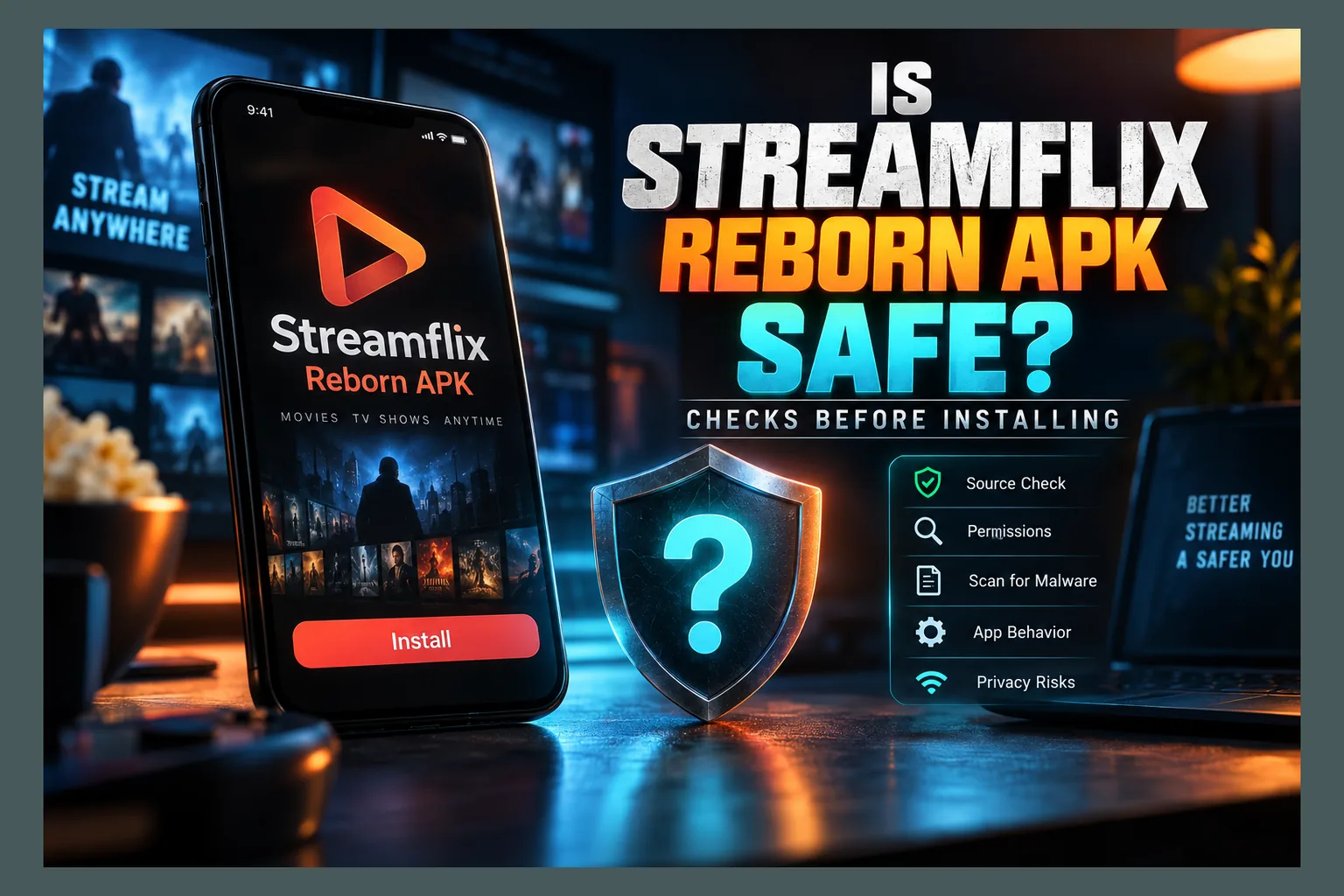
Is Streamflix Reborn APK safe to put on your Firestick or Android TV box? There’s no blanket yes. It’s an unofficial, sideloaded app with no store review, so safety depends entirely on the exact file you download and who signed it. Before you tap install, verify the source, signature, hash, and permissions, and use a spare device you don’t mind wiping. Below I’ll cover the real risks, a checklist you can run yourself, and cleanup steps if things go sideways.
Every few weeks a reader emails me some version of the same question: “Is this new Reborn app legit, or is it going to wreck my Firestick?” As of 2026, Streamflix Reborn is one of the names I hear most often. This article won’t walk you through installing it. It covers what to check before you decide whether to install it at all, which matters more.
If you’ve read my other “Is X Safe?” pieces, like the one on Couchy Launcher, the format will look familiar. Risks first. Then a checklist you can run yourself. Then cleanup, in case things go sideways.
What Streamflix Reborn Actually Is
Streamflix Reborn is a free Android streaming app distributed as a raw APK file, not through Google Play or the Amazon Appstore. It targets phones, Android TV boxes, and Fire TV hardware. Most people searching streamflix reborn firestick want it on a Fire TV Stick, usually a 4K or 4K Max model running Fire OS 7 or 8.
How It Relates to the Original Streamflix
Reborn presents itself as a community continuation, or fork, of an earlier unofficial app called Streamflix. The original reportedly started as a hobby project. Then development slowed, or stopped outright. The “Reborn” label implies someone picked up the code and kept going.
Here’s the catch with streamflix reborn vs streamflix comparisons. I can’t confirm who maintains the Reborn version, or whether it shares a single developer with the original. When forum posters answer is Streamflix Reborn APK safe with a lineage story, treat it as exactly that: a story. A name tells you nothing about who actually signed the file sitting in your Downloads folder.
How Scraper Apps Get Their Streams
Apps like this don’t host video. They scrape. They search third-party websites and file hosts, pull out playable links, and dress them up in a tidy interface, which is why one movie might list 12 or 15 sources ranging from crisp 1080p to an unwatchable cam rip.
If you’re asking is Streamflix Reborn APK safe, that design matters in two ways. The app constantly talks to servers you’ve never heard of. And nobody can tell you whether those sources are licensed, which drags in the legal questions further down.
Why There Is No Official App Store Listing
Simple: Google Play and the Amazon Appstore reject apps that aggregate unlicensed streams. So Reborn exists only as a sideloaded APK, usually fetched with the Downloader app or a browser.
No listing means no automatic vetting. No verified developer account, either, and no trusted update channel. Every new version is a fresh file you have to trust from zero, so the answer to is Streamflix Reborn APK safe can change with each release. If you grab it with Downloader codes, read my guide on whether Downloader codes are safe first, because a five- or six-digit code can point literally anywhere.
Why Forked and ‘Reborn’ Apps Carry Extra Risk: Is Streamflix Reborn APK Safe?
Forks aren’t evil by default, so is Streamflix Reborn APK safe isn’t settled by the ‘Reborn’ label alone. Plenty of open-source projects survive for years through community forks. The trouble is the neighborhood these particular apps live in.
Abandoned Projects and Copycat Rebuilds
When a popular unofficial app dies, its users go hunting for a replacement overnight. Bad actors watch for exactly that moment. Within days you’ll typically find several apps reusing the old name with a suffix tacked on: “Reborn,” “Pro,” “Plus,” “2.0.”
Some are honest forks. Others are the original APK decompiled, stuffed with adware or tracking code, and re-signed with a new key. To a casual user, a streamflix reborn fake apk can look identical to the genuine one, right down to the icon and splash screen.
Lookalike Download Sites and SEO Spam
Search is Streamflix Reborn APK safe, or almost any sideloaded app, and you’ll hit page after page of download sites that seem to exist purely to rank for that name. Many use typosquatted domains (addresses one letter off from a real project page). Others republish someone else’s APK wrapped in their own “download manager.”
I’m not pointing at any specific site. My point is narrower. Ranking first on Google doesn’t make a page the official source, and a lot of these mirrors are built to rank fast, not to stay honest.
Silent Updates From Unknown Maintainers
Many unofficial apps ship with a built-in updater that nags you to install a new version from inside the app. Convenient? Sure. It also means whoever controls the update server can push completely different code onto your device whenever they like.
If the project changes hands, gets abandoned, or has its server hijacked, that updater becomes a delivery truck. Android refuses an update signed with a different key, which is a genuinely good protection, but plenty of users hit the “App not installed” error and simply uninstall and reinstall, which throws that protection away completely.
Is Streamflix Reborn APK Safe? Your Pre-Install Safety Checklist
This section is the one that actually answers is Streamflix Reborn APK safe for your specific file. Nothing here needs root access or special skills, though two steps go faster with a computer. For a broader version that works with any app, see my Firestick APK safety check.
Confirm the Source and Release Page
Before you download anything, figure out where the project really publishes releases — no answer to is Streamflix Reborn APK safe means much without that. A trustworthy fork usually keeps one consistent home, often a code repository with version history, changelogs, and an issue tracker where real people report real bugs.
- Look for a single release page that has hosted multiple versions over time, not a shiny page created last week.
- Check that version numbers climb logically (say, 1.4.2 to 1.4.3 to 1.5.0) and each release explains what changed.
- Skip any site that forces a “download manager,” a browser extension, or a survey before handing over the file.
- Get suspicious if the only links come from Telegram channels, YouTube descriptions, or URL shorteners you can’t preview.
Compare the APK Signature and Hash
Every Android APK carries a developer certificate. Same certificate across two versions? They very likely came from the same publisher. A certificate that suddenly changes is a serious warning sign.
On a computer with the Android SDK build tools installed, run apksigner verify --print-certs yourfile.apk and write down the SHA-256 certificate digest. Google’s apksigner documentation explains the output line by line. Compare that digest against a version you trusted before, or one other users have posted publicly.
Next, check the file hash if the release page lists one. Use certutil -hashfile yourfile.apk SHA256 on Windows, shasum -a 256 on macOS, or sha256sum on Linux. If the 64-character strings don’t match, the file was altered or corrupted along the way. Don’t install it.
Scan the File Before Sideloading
Upload the APK, or just paste its hash, into VirusTotal, which runs it past roughly 60 to 70 antivirus engines at once. Interpreting the results takes some judgment.
- Zero or one detection from a lesser-known engine is often a false positive, especially with vague labels like “Riskware” or “PUA.”
- Several detections from major engines, particularly names containing “Trojan,” “Dropper,” “Banker,” or “Spyware,” mean you walk away. Full stop.
- Adware labels from multiple engines suggest someone repackaged the APK with ad code the original never had.
A clean scan isn’t a guarantee. Brand-new or targeted malware may not be flagged for days, so treat scanning as one layer, not the whole wall.
Read next: Is Viva TV APK Safe? What to Check Before Installing
Review Requested Permissions
A streaming scraper needs internet access, storage for downloads and cache, maybe network state info. That’s about it. Checking streamflix reborn permissions before you install is one of the quickest ways to catch a tampered build, and it takes under two minutes.
A free APK analyzer app on Android, or aapt dump permissions on a computer, will list everything the file requests. Here’s how to read it:
| Permission | Reasonable for a streaming app? | Why it matters |
|---|---|---|
| Internet / network state | Yes | Needed to fetch links and play video |
| Storage / media access | Usually | Used for downloads and subtitle files |
| Install packages | Questionable | Enables in-app updates, but also lets the app install other APKs |
| Read/send SMS | No | Can intercept login codes and send premium messages |
| Contacts / call log | No | Classic data-harvesting behavior |
| Accessibility service | No | Can read the screen and tap buttons on your behalf |
| Device administrator | No | Can block uninstallation and lock the device |
Any single “No” row ends the evaluation. A video app has zero honest reasons to read your texts.
Red Flags That Mean Don’t Install
Sometimes you don’t need the full checklist. The warning signs are right there on the screen, and if you see any of these, close the tab.
Aggressive Ads, Redirects, and Fake Play Buttons
Giant green “Download” buttons. Pop-unders. Redirect chains that bounce you through three domains. These fake buttons often lead to unrelated APKs or browser notification spam, and if the site behaves like that, assume the file it hands you is no cleaner.
Same rule after install. Full-screen ads that hijack your browser or launch the Play Store on their own usually point to an injected ad SDK.
Requests to Disable Play Protect
Google Play Protect scans sideloaded apps on Android TV and Google TV devices, including boxes like the Chromecast with Google TV. Some download pages tell you to switch it off “because it gives false warnings.” Don’t.
A false positive is a nuisance you can review and override for one app. Turning off Play Protect entirely leaves the whole device unguarded, and that includes the Google account signed into it.
Bundled ‘Booster’ or Cleaner Apps
If the installer pushes a “TV booster,” “RAM cleaner,” or “free VPN” alongside the streaming app, decline and back out. These extras are a well-known delivery method for adware and data collectors. Fire OS and Google TV manage memory on their own (the cleaners mostly just kill background apps that relaunch seconds later anyway).
Why does this matter so much? Your Fire TV Stick is signed into your Amazon account, frequently with 1-Click purchasing on. A compromised device is a compromised account.
Privacy and Legal Considerations
Malware is only half the picture when you ask whether Streamflix Reborn APK is safe. The other half is what your network reveals, and where you stand legally.
What Your ISP Can See
Without a VPN, your internet provider sees which domains your device connects to and roughly how much data moves to each. It usually can’t see the specific video inside an encrypted HTTPS connection. Still, night after night of heavy traffic to known file hosts forms a pattern.
Rules differ a lot by country. In the UK, ISPs block many streaming domains under court orders, a practice that’s been around for over a decade. US and Canadian providers may forward copyright notices from rights holders, and several European countries run their own enforcement schemes. Availability of any given source varies by region, too.
Copyright Exposure for Viewers
Scraper apps pulling unlicensed streams can create legal risk for viewers, not just for whoever runs the sources. How much risk depends heavily on where you live. Some countries aim enforcement at operators and distributors; others have pursued or fined individual users.
I’m not a lawyer, and this isn’t legal advice. Short version: “the app is free and I didn’t upload anything” is not a reliable defense everywhere.
Where a VPN Helps and Where It Doesn’t
| A VPN helps with | A VPN does not help with |
|---|---|
| Hiding visited domains from your ISP | Making unlicensed streaming legal |
| Getting around some ISP-level blocks | Stopping malware inside a bad APK |
| Protecting traffic on public Wi-Fi | Preventing an app from harvesting data on the device |
That right-hand column is what people miss. A VPN encrypts the pipe, but if the app at the end of that pipe is malicious, it does its damage locally, on your stick. And skip any “free VPN” APK bundled with a streaming app; that defeats the entire point.
Reducing Risk If You Still Choose to Install
Some readers will weigh all this and install anyway. Fair enough. If that’s you, at least box in the damage a bad build could do.
Use a Secondary Device or Isolated Network
My strong preference is a spare streaming stick that does nothing else. An older Fire TV Stick or a budget Google TV box often sells for around $20 to $30 on sale, and keeping experiments off your main device limits what a rogue app can reach.
If your router supports it, park that device on a guest network or a separate VLAN. It still reaches the internet, but not your laptop, NAS, or smart home gear. The same logic applies to any new sideloaded app, which I cover in my piece on testing new streaming APKs before you trust them.
Keep Accounts Off the Device
On the test device, don’t sign into email, banking apps, or a Google account with saved cards. Fire TV requires an Amazon account to get past setup, so turn off 1-Click payments in your Amazon settings or require a PIN for purchases (yes, you really should do this, even on your main stick). On Google TV, use a secondary Google account with no payment methods attached.
Back Up Your Settings First
Before sideloading, jot down your app list, launcher layout, and any IPTV playlists or logins you’d have to re-enter. A factory reset with a written list takes maybe 15 minutes to rebuild. Without one, say goodbye to your evening.
How to Remove It Completely if Something Feels Off
Random pop-ups, a hot or sluggish device, unfamiliar apps appearing, Amazon purchase emails you don’t recognize: any one of these means act now, not tomorrow.
Uninstalling and Clearing Leftover Data
On Fire OS, go to Settings > Applications > Manage Installed Applications, select the app, then choose Force Stop, Clear Cache, Clear Data, and finally Uninstall. On Google TV, open Settings > Apps, pick the app, and follow the same order.
Then scroll your full app list slowly. Hunt for anything you don’t remember installing, especially generic names like “System Service,” “Update,” or “Player Plus.” Remove those, too, and delete the leftover APK file from Downloader or your file manager.
Revoking Unknown-Sources Permission
Since Android 8.0, unknown-sources permission is granted per app, not device-wide. On Fire TV, go to Settings > My Fire TV > Developer Options > Install Unknown Apps and toggle off Downloader and any browser you used. On Google TV it’s usually Settings > Apps > Security & Restrictions > Unknown Sources, though the exact path shifts a little by manufacturer (Sony and TCL menus don’t always match).
Leave that permission on, and any app holding it can quietly install more apps. Enable it only when you need it. Then switch it back off.
When to Factory Reset
Reset if an app holds device administrator or accessibility access you never granted, if something refuses to uninstall, or if odd behavior continues after removal. On Fire TV, that’s Settings > My Fire TV > Reset to Factory Defaults. On Google TV, it’s typically Settings > System > About > Factory Reset.
Afterward, change your Amazon or Google password from a different device. Check recent orders and the list of signed-in devices while you’re there.
Legitimate Alternatives Worth Considering
If all this checking sounds like more work than it’s worth, licensed free options have gotten genuinely good over the past few years. On Firestick in the US, Tubi, Pluto TV, Plex‘s free tier, and The Roku Channel all offer ad-supported movies and live channels at no cost, straight from the Appstore.
UK viewers get BBC iPlayer (TV licence required), ITVX, and Channel 4. Canadians have CBC Gem. Library-card services like Kanopy and Hoopla work in several regions as well, though catalogs depend on your local library.
All of these update through the store, carry verified developer signatures, and never ask you to enable unknown sources. Vetting other niche apps? My guides on anime streaming APKs and the Umbrella Kodi addon use the same checks.
Final Verdict: Is Streamflix Reborn APK Safe?
So, is Streamflix Reborn APK safe? You can’t judge it as a single thing, because the name gets slapped on whatever file a given site decides to serve. A build from a consistent release page, with a stable signature, a clean scan, and minimal permissions carries far less risk than a download from some random mirror.
Even the best-case build has no store review, no verified developer, and real legal uncertainty depending on your country. My take: run the checklist, isolate the device, keep accounts off it, and know how to wipe it. Or skip the gamble entirely and open Tubi.
⚖️ Legal Disclaimer: IPTV Wire does not own or operate any streaming service, application, or website mentioned in this article. We do not verify whether third-party services carry proper licensing. Users are responsible for ensuring they comply with copyright laws in their jurisdiction.
Frequently Asked Questions
Is Streamflix Reborn APK safe to install on Firestick?
Nobody can guarantee it, since Amazon never reviews it. Safety comes down to the specific file. Check the source, compare the signature and hash, scan it on VirusTotal, review permissions, and ideally install it on a spare Fire TV Stick with no payment details attached.
Is Streamflix Reborn the same app as the original Streamflix?
It’s marketed as a continuation or fork, but the maintainers and any shared code can’t be independently confirmed. Treat it as a separate app from a separate publisher until a consistent signing certificate and release history prove otherwise.
How can I tell if a Streamflix Reborn APK is fake?
Watch for a signing certificate that differs from earlier versions, a hash that doesn’t match the release page, multiple detections from major antivirus engines, and permissions like SMS, contacts, accessibility, or device admin. Downloads wrapped in “managers” or bundled cleaners are red flags too.
Is it legal to use Streamflix Reborn?
The app is just software, but it pulls streams from unverified third-party sources that may not be licensed. Watching unlicensed content can create legal exposure, and how much varies by country. Check the laws where you live.
Do I need a VPN for Streamflix Reborn?
A VPN hides your traffic from your ISP and can get around some blocks. It does not make unlicensed streaming legal, though, and it offers zero protection against malware hiding inside a tampered APK.
How do I fully uninstall Streamflix Reborn from Android TV?
Go to Settings > Apps, select the app, then Force Stop, Clear Cache, Clear Data, and Uninstall. Remove any unfamiliar companion apps, delete the APK file, and turn off unknown-sources permission for your downloader. Factory reset if anything resists removal or holds admin access.
Comments
Leave a comment
Your email address will not be published. Comments are moderated before they appear.