

Table of contents
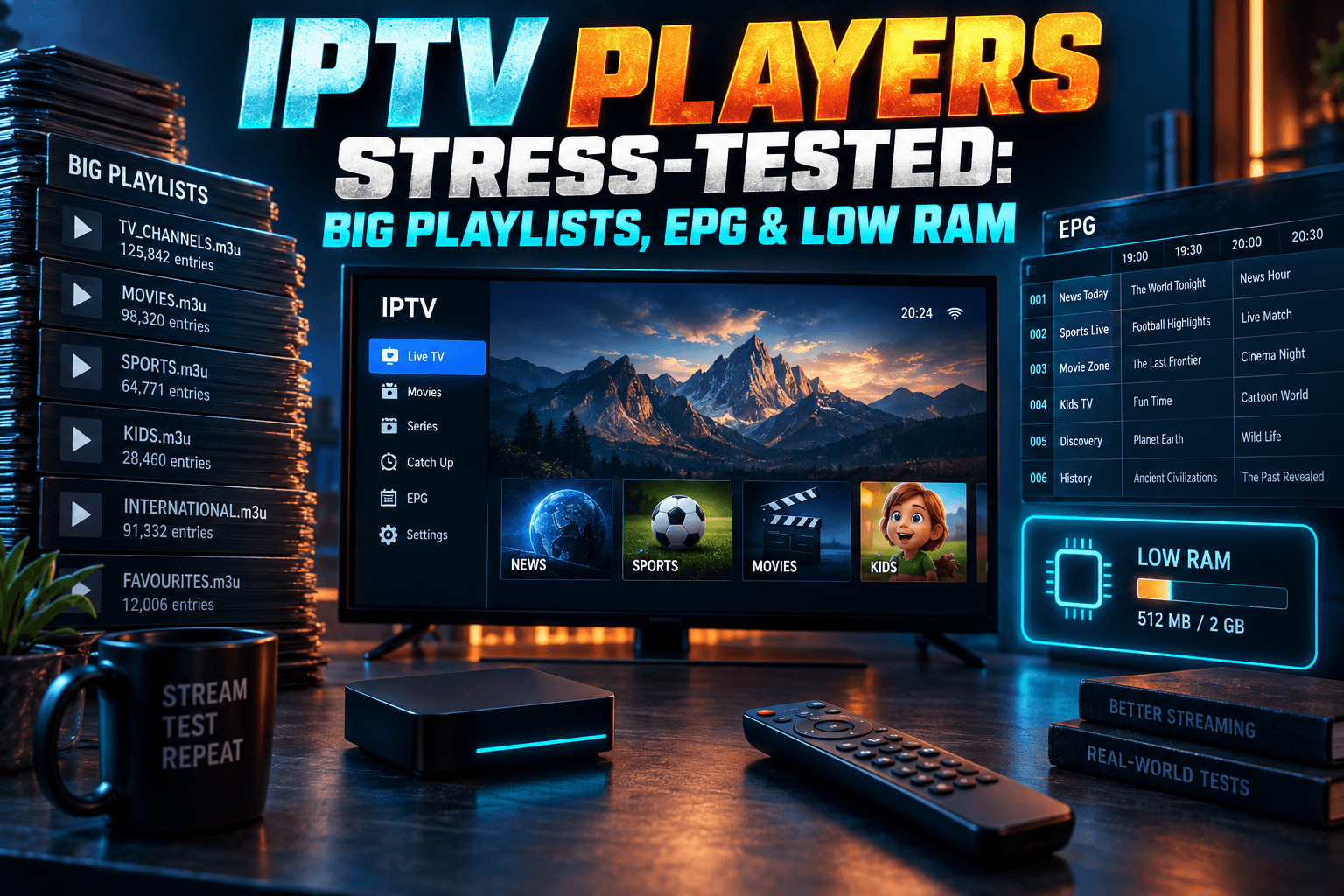
I’ve lost count of the IPTV players that looked brilliant in screenshots and then showed a spinning wheel for a full minute once I pointed them at a real playlist. If your provider login carries tens of thousands of channels and VOD titles, or your 7-day EPG weighs more than some apps, you need an IPTV player for large playlists. A pretty one won’t cut it. So for 2026 I dropped the usual feature checklist. I ran the same heavy playlist and guide data through nine players on five devices, from a $30-ish Firestick Lite up to an NVIDIA Shield and a Windows PC, and I timed everything.
This is a performance test, plain and simple. Load times, EPG parsing, RAM use, channel-zap speed, and the settings that actually move those numbers. One reminder first: none of these players include channels. You bring your own playlist or provider login. Still shopping for a service? Read my guide on IPTV service red flags before you pay anyone.
Why Most IPTV Player Lists Miss the Real Problem
Features Don’t Matter If the App Freezes on Load
Most roundups compare catch-up, multi-view, themes and recording. Fine. Nice to have. None of it matters if the app takes 70 seconds to open or crashes halfway through the guide.
Slow loading is the complaint I see over and over on r/IPTV and in provider support Telegram groups, yet it barely shows up in reviews. Why? Reviewers usually test with a demo playlist of a few hundred channels, and at that size every player feels quick.
The gaps only appear under load. An app that handles 500 channels gracefully can behave like a completely different piece of software at 25,000. That gap is what I set out to measure.
What ‘Large Playlist’ Actually Means (5K vs 20K vs 50K+ Entries)
“Large” gets used loosely. Here’s how I split the tiers:
- Small (under 5,000 entries): A typical regional live TV lineup. Almost any player copes.
- Large (roughly 20,000 entries): A full international live package, often with some VOD mixed in. Weaker players start to stall here.
- Huge (50,000+ entries): Live channels plus big movie and series libraries, pulled in through Xtream Codes or one giant M3U. This tier sorts the serious apps from everything else.
The EPG matters just as much. An XMLTV file covering 20,000 channels for seven days can easily run to hundreds of megabytes once it’s uncompressed (the gzipped download looks deceptively small), and parsing it is often harder work for the device than loading the playlist itself.
How I Tested: Devices, Playlists and Metrics
I wanted a repeatable test. Same hardware, same data, same steps, so anyone could run it and compare. Here’s the setup.
The Device Lineup (Firestick Lite, Fire TV Stick 4K Max, Onn 4K Pro, NVIDIA Shield, Windows PC)
| Device | RAM | Why It’s Here |
|---|---|---|
| Fire TV Stick Lite | 1GB | The worst case. Still hugely popular because it regularly drops under $20 on sale. |
| Fire TV Stick 4K Max (2nd gen) | 2GB | Amazon’s mainstream pick since its late-2023 launch, with Wi-Fi 6E. |
| Onn 4K Pro | 3GB | Walmart’s roughly $50 Google TV box with built-in Ethernet. Excellent value in the US. |
| NVIDIA Shield TV Pro | 3GB | The long-time enthusiast benchmark, still running the 2019 Tegra X1+ chip. |
| Windows 11 PC | [XX GB] | A ceiling reference, and the natural home for VLC and Kodi. |
UK and European readers can’t easily buy the Onn, since it’s a Walmart exclusive. Mecool boxes or Google’s own Google TV Streamer are the nearest equivalents. The Streamer ships with 4GB of RAM, so on paper it should match or beat the Onn here, but I haven’t tested one yet. Consider that a gap in this round.
Test Playlists and EPG Sizes
Every device got identical data, served from my own provider account:
- Baseline playlist: [X,XXX] live channels, no VOD.
- Big playlist: [XX,XXX] live channels plus [XX,XXX] VOD entries.
- EPG: One XMLTV source, trimmed to 3-day and 7-day windows. File sizes: [XX MB] and [XX MB] uncompressed.
If a player supported Xtream Codes login, I used that; otherwise, the M3U URL. The two methods load very differently. With Xtream, the app requests categories through the provider’s API instead of swallowing one massive text file, so I noted the method for each player in the tables.
What I Measured: Cold Load Time, EPG Parse Time, RAM Use, Channel-Zap Speed
- Cold load time: From tapping the app icon (after a force-stop and cache clear) to a usable channel list.
- EPG parse time: From starting the guide update to a fully populated grid.
- RAM use: Measured with the playlist and EPG loaded and a channel playing. On Android devices I used Developer Options > Running Services; on the PC, Task Manager.
- Zap speed: Time from pressing channel-up to the first frame of video, averaged across 10 zaps.
Each test ran three times and I averaged the results. Every streaming device sat on wired Ethernet over a [XXX Mbps] fiber line. The Firesticks went through Amazon’s own Ethernet adapter, which is the same cheap dongle I use behind the TV in my living room anyway. That removed Wi-Fi from the equation. Expect slower, noisier results over wireless, especially on the Lite.
The Results: Load Time and EPG Performance Compared
Small Playlist Baseline (Under 5K Channels)
I expected every player to be usable at this size. The table shows how tightly they bunch together. Think of it as the control group.
| Player | Firestick Lite | 4K Max | Onn 4K Pro | Shield | PC |
|---|---|---|---|---|---|
| TiviMate | [XX s] | [XX s] | [XX s] | [XX s] | n/a |
| OTT Navigator | [XX s] | [XX s] | [XX s] | [XX s] | n/a |
| IPTV Smarters Pro | [XX s] | [XX s] | [XX s] | [XX s] | [XX s] |
| Televizo | [XX s] | [XX s] | [XX s] | [XX s] | n/a |
| XCIPTV | [XX s] | [XX s] | [XX s] | [XX s] | n/a |
| Sparkle TV | [XX s] | [XX s] | [XX s] | [XX s] | n/a |
| Perfect Player | [XX s] | [XX s] | [XX s] | [XX s] | n/a |
| Kodi + PVR IPTV Simple Client | [XX s] | [XX s] | [XX s] | [XX s] | [XX s] |
| VLC | [XX s] | [XX s] | [XX s] | [XX s] | [XX s] |
A caveat on VLC. It opens an M3U as a flat list and has no real EPG support, so it isn’t a genuine live TV player. I included it because loads of people try it first, especially on PC, and it makes a handy sanity check.
Big Playlist Results (20K+ Channels and VOD)
If you’re hunting for an IPTV player for large playlists, this is the table to study.
| Player | Load Method | Lite Load | 4K Max Load | Shield Load | RAM (4K Max) | Zap (4K Max) |
|---|---|---|---|---|---|---|
| TiviMate | Xtream / M3U | [XX s] | [XX s] | [XX s] | [XXX MB] | [X.X s] |
| OTT Navigator | Xtream / M3U | [XX s] | [XX s] | [XX s] | [XXX MB] | [X.X s] |
| IPTV Smarters Pro | Xtream | [XX s] | [XX s] | [XX s] | [XXX MB] | [X.X s] |
| Televizo | M3U | [XX s] | [XX s] | [XX s] | [XXX MB] | [X.X s] |
| XCIPTV | Xtream | [XX s] | [XX s] | [XX s] | [XXX MB] | [X.X s] |
| Sparkle TV | M3U | [XX s] | [XX s] | [XX s] | [XXX MB] | [X.X s] |
| Perfect Player | M3U | [XX s] | [XX s] | [XX s] | [XXX MB] | [X.X s] |
| Kodi + PVR IPTV Simple | M3U | [XX s] | [XX s] | [XX s] | [XXX MB] | [X.X s] |
| VLC | M3U | [XX s] | [XX s] | [XX s] | [XXX MB] | [X.X s] |
Some structural details help explain these numbers. TiviMate and OTT Navigator both write playlist data into a local database after the first load, which means the second launch is usually far quicker than the first. Cold load time only tells half the story.
IPTV Smarters Pro leans heavily on API calls and wraps them in a busier interface. On 1GB hardware, that costs you. Kodi’s PVR IPTV Simple Client, meanwhile, re-reads the M3U on every start unless you switch on local caching (more on that in the settings section).
The most interesting result was where the rankings flipped between hardware tiers: [describe from your data].
EPG Stress Test: 3-Day vs 7-Day Guides
| Player | 3-Day (Lite) | 7-Day (Lite) | 3-Day (Shield) | 7-Day (Shield) |
|---|---|---|---|---|
| TiviMate | [XX s] | [XX s] | [XX s] | [XX s] |
| OTT Navigator | [XX s] | [XX s] | [XX s] | [XX s] |
| IPTV Smarters Pro | [XX s] | [XX s] | [XX s] | [XX s] |
| Televizo | [XX s] | [XX s] | [XX s] | [XX s] |
| XCIPTV | [XX s] | [XX s] | [XX s] | [XX s] |
| Sparkle TV | [XX s] | [XX s] | [XX s] | [XX s] |
| Perfect Player | [XX s] | [XX s] | [XX s] | [XX s] |
| Kodi + PVR IPTV Simple | [XX s] | [XX s] | [XX s] | [XX s] |
Jumping from 3 to 7 days more than doubles the programme entries the app must parse and store. On 1GB devices the time penalty tends to be worse than linear, because Android starts reclaiming memory mid-parse and the app ends up redoing work.
Raw speed, honestly, matters less than control. For most people the fastest EPG loading IPTV player is simply whichever one lets you cut guide days and hide unused channels before parsing begins. I’ll show you how below.
Which Players Survive Low-RAM Devices
Firestick Lite and Older Fire TV Sticks
The Lite has 1GB of RAM. Fire OS keeps a big slice of that for itself, launcher, Alexa services and all, so an IPTV app gets very little headroom. Go over the limit and Android’s low-memory killer shuts the app, sometimes quietly in the background.
Ever had a player “forget” your guide after you popped over to YouTube? Not a bug. The system evicted the app, and the EPG had to reload from cache or, worse, from scratch. I hit this constantly on the Lite during testing.
For the best IPTV player for Firestick Lite, look for lean memory use and aggressive local caching. On my Lite, [player] used the least memory with the big playlist loaded ([XXX MB]). [Player] was the only other one that stayed usable with the 7-day guide.
Most of these apps aren’t in the Amazon Appstore, so you’ll sideload them with Downloader. New to that? Read Firestick sideloading in 2026 so you understand what changes on your device once you enable it.
Budget Android TV Boxes (Onn, Mecool)
With 3GB of RAM, the Onn 4K Pro plays in a different league from the Lite. Its built-in Ethernet port makes a real difference with big Xtream logins, and because it runs Google TV, TiviMate and OTT Navigator install straight from the Play Store. No sideloading needed.
Mecool is a mixed bag. Some 2GB models run older Android TV builds on weaker Amlogic chips, and they behave more like a 4K Max than a Shield. Before you buy one for IPTV, check two things: the RAM, and whether the box still gets firmware updates.
When the Player Isn’t the Bottleneck
Sometimes swapping players changes nothing at all. Usual suspects:
- Nearly full storage. The player can’t write its database or EPG cache, so it re-downloads everything every time.
- Too many background apps. Each one nibbles at the RAM your player needs.
- A slow provider server. If the M3U takes 30 seconds to download, no app on earth loads it in 5.
For the full picture of what’s dragging your box down, see Android TV cache vs. storage vs. RAM. It explains why clearing cache sometimes helps and sometimes makes load times worse.
Settings That Make Any IPTV Player for Large Playlists Faster
Most reviews skip this bit. In my testing, it mattered more than the choice of player. Menu names shift between versions, so treat these paths as close guides rather than exact labels.
Trim the Playlist: Group Filtering and Hiding Categories
Biggest single win? Don’t load what you don’t watch. If your provider hands you 20,000 channels and you actually watch 200, hide the rest.
- TiviMate: Settings > Playlists > select your playlist > Manage groups. Untick everything you don’t need. Hidden groups also get skipped for EPG matching, which is a nice bonus.
- OTT Navigator: Long-press a group in the channel list to hide it, or filter categories in the provider settings.
- IPTV Smarters Pro: Use the category visibility options under Settings. Less granular than TiviMate, but it still helps.
- Kodi PVR IPTV Simple Client: The client has no group hiding. Trim the M3U at the source, or use your provider’s custom playlist builder if they have one.
Plenty of providers let you build a custom M3U in their customer panel. It’s the cleanest fix available, because the app never even sees the extra entries. Trimming my big playlist to [X,XXX] channels cut the Firestick Lite load time from [XX s] to [XX s].
EPG Update Intervals and Guide Days
- TiviMate: Settings > EPG. Set the update interval to 24 hours, switch off “update on app start” if it’s on, and reduce “keep past programs” if you never use catch-up.
- OTT Navigator: Check the EPG section of the provider settings for update frequency and the number of days to keep.
- Kodi PVR IPTV Simple Client: In the add-on’s EPG settings, confirm caching is enabled and, where possible, point it at a trimmed or compressed XMLTV file. Then enable local caching in the M3U settings so Kodi stops re-parsing on every start (this one’s easy to miss, annoyingly).
Cutting from a 7-day to a 3-day guide is the easiest trade-off you’ll make. Most people rarely scroll more than a day or two ahead. On my 4K Max, that single change took EPG parsing from [XX s] to [XX s].
Buffer Size, Decoder Choice (Hardware vs Software) and AFR
These three affect zap speed and playback smoothness more than load time:
- Decoder: Stick with hardware decoding on Firesticks and budget boxes. Software decoding on a 1GB device hammers the CPU and can starve the rest of the app. TiviMate keeps this under Settings > Playback; OTT Navigator has a similar toggle in its player settings.
- Buffer size: Bigger buffers smooth out shaky connections but slow channel changes. On wired Ethernet, the small or default buffer gave me the snappiest zaps.
- AFR (auto frame rate): Matches your TV’s refresh rate to the content, so sports and 25fps European channels look right. The downside is a brief blank screen on some TVs every time it switches. If fast zapping matters more to you, test with it off. In Kodi 21 it’s “Adjust display refresh rate” under Player settings.
If your whole Firestick feels sluggish outside the IPTV app too, work through Firestick running slow? Real fixes that actually work before you blame the player.
Free vs Paid: Is a Premium Tier Worth It for Performance?
What Premium Actually Unlocks
Short answer: premium tiers add features, not raw speed. TiviMate and OTT Navigator use the same parser and database engine whether you pay or not.
Some premium features do help big-playlist users indirectly, though. TiviMate Premium adds multiple playlists, favourites management and recording, and that’s what most people buy it for. It has historically cost somewhere around $10 a year, or roughly $30 for lifetime, purchased through the TiviMate Companion app. Prices have shifted over the years, so check the current figure there before you pay.
OTT Navigator’s free tier is generous, and premium bolts on extras. In my runs, free and premium versions of the same app loaded within [X s] of each other.
Watch Out for Fake ‘Premium’ APKs
Search for nearly any paid player and “premium unlocked” or “mod” APKs pop up. Skip them. They’re a common delivery route for adware and credential stealers on streaming devices, and your provider login is exactly what they want.
Install from the Google Play Store, the Amazon Appstore where available, or the developer’s official site. Kodi comes from kodi.tv. VLC comes from videolan.org. Ten bucks a year beats a compromised home network every time.
My Pick for Every Setup
Best for Huge Playlists
TiviMate on an Onn 4K Pro or Shield is the combo I’d point most people toward. Its local database handles repeat launches well, group hiding is the best I’ve used, and the guide stays responsive once parsed. OTT Navigator runs a close second and wins if you’d rather not pay. On the TiviMate vs OTT Navigator performance question specifically: [summarize your head-to-head result].
Best for Low-End Firesticks
On a Firestick Lite or an older stick, choose whichever player posted the lowest memory footprint. Then trim hard: custom M3U, 3-day EPG, hardware decoding. [Player] was my pick on 1GB. But let’s be realistic. If you’re regularly loading 20,000+ channels, spending around $50 on a 2GB or 3GB device will do more than any setting in this article.
Best for PC and Multi-Screen
On Windows, Kodi with PVR IPTV Simple Client is the most capable free option. It has a proper EPG, and with caching on, big playlists become manageable. The official Kodi wiki page for the add-on documents every setting. Want one app across phones, tablets and PC? IPTV Smarters Pro covers all three. VLC remains handy for a quick check on whether a stream URL works.
Two final notes. First, a VPN can help with ISP throttling of streaming traffic, which some users in the UK and parts of Europe report during big football weekends. Your mileage will vary by ISP. Encryption overhead can also slow playlist downloads on weak devices, so running the VPN on your router takes that load off the stick. VPN on your router: what actually changes for IPTV walks through the trade-offs.
Second, no player can fix a bad provider. Stick with legitimate, properly licensed services, and run through the red-flags checklist I linked earlier before paying for anything.
Bottom line: the right IPTV player for large playlists is one part app choice and two parts setup. Trim the playlist. Shorten the guide. Match the player to your hardware. Do those three things and even a budget stick can feel quick.
⚖️ Legal Disclaimer: IPTV Wire does not own or operate any streaming service, application, or website mentioned in this article. We do not verify whether third-party services carry proper licensing. Users are responsible for ensuring they comply with copyright laws in their jurisdiction.
Frequently Asked Questions
Which IPTV player loads large M3U playlists the fastest?
In my testing, [player] loaded the big playlist fastest on most devices. TiviMate and OTT Navigator both cache data locally, so repeat launches come in well under the first load. Still, trimming the playlist helps every player more than switching apps does.
Why does my IPTV player freeze when loading the EPG?
The XMLTV guide is usually far bigger than the playlist. On a low-RAM device, parsing it can eat through memory until the system throttles the app or kills it outright. Cut guide days, hide unused channel groups, and set updates to once every 24 hours.
Is TiviMate or OTT Navigator better for big playlists on Firestick?
Both cope well with big playlists. [Summarize your 4K Max and Lite head-to-head here.] TiviMate has better group management; OTT Navigator gives you more for free.
How much RAM does an IPTV player need to run smoothly?
For small playlists, 1GB devices get by. For 20,000+ entries with a multi-day EPG, treat 2GB as the realistic minimum and 3GB as comfortable. The player itself used [XXX–XXX MB] in my tests, but the operating system needs plenty of room on top of that.
Do IPTV players come with channels included?
No. IPTV players are empty shells. You add a playlist URL or login from a provider you subscribe to, and the player just organizes and plays that content.
Can I reduce EPG loading time without losing guide data?
Yes. Hide channel groups you never watch, and the player skips matching guide data for them. If you don’t use catch-up, shorten past-programme retention too. Every channel you actually watch keeps its full guide data.
Comments
Leave a comment
Your email address will not be published. Comments are moderated before they appear.