

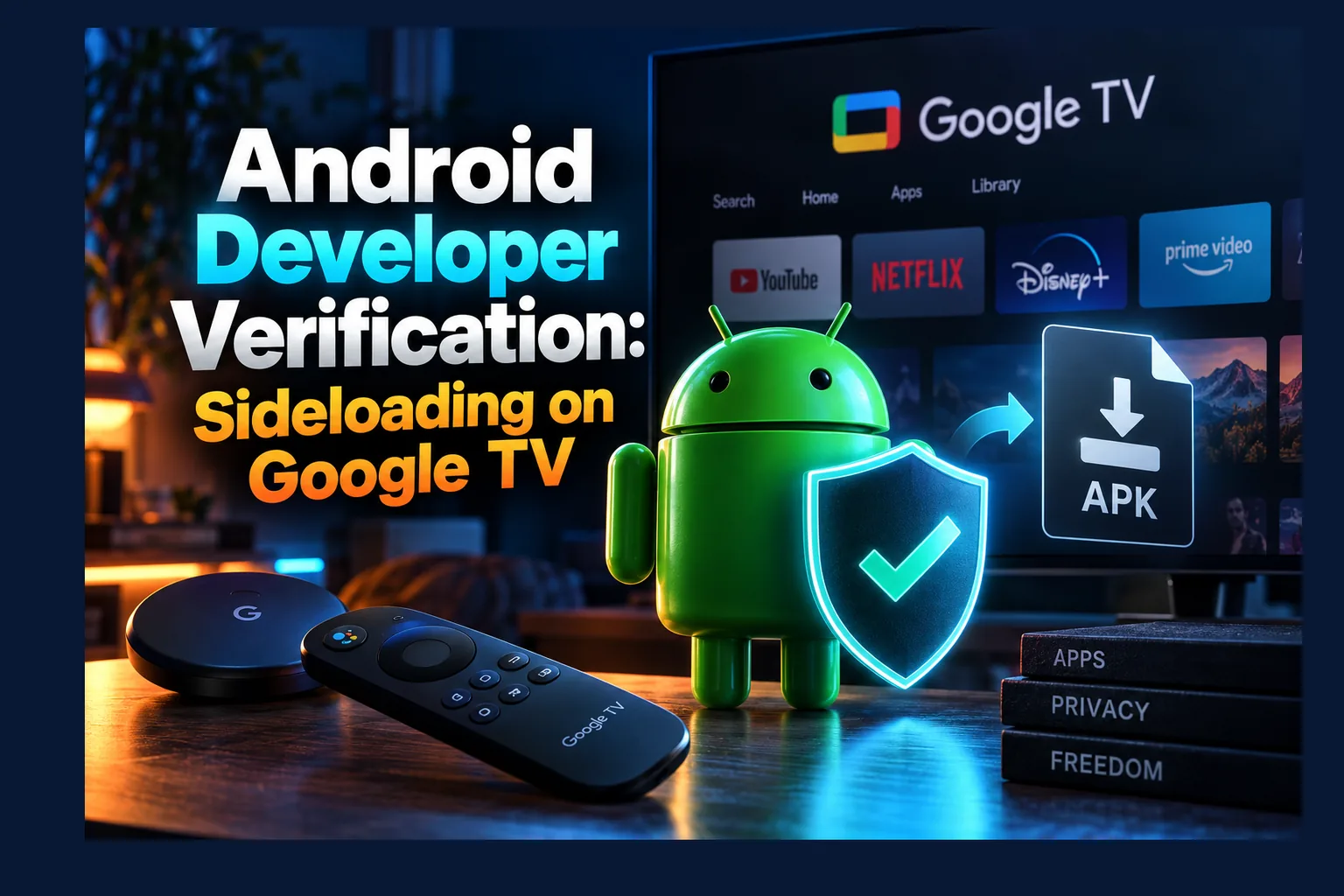
Android developer verification sideloading rules mean apps on Google-certified devices must come from developers who have registered their identity with Google, even when you install them outside the Play Store. Enforcement starts in a handful of countries in September 2026. My short take: most legitimate IPTV players should keep working fine, but anonymous and repackaged APKs face the biggest risk. Below, I cover what’s confirmed, what isn’t, and what it means for your Google TV box.
If you run IPTV or streaming apps on a Google TV dongle, Android developer verification sideloading is the biggest platform policy change in years. Google calls it a security measure, not a sideloading ban, and that framing is mostly fair. Still, it changes what happens when you hit “install” on an APK. That’s true for every cord-cutter with a certified device, whether it’s a $20-ish Onn stick or a Sony set that cost well over a thousand.
Below I’ve separated what Google has confirmed about Android developer verification sideloading for 2026 from what it hasn’t. I also cover how each install method is affected and give you a checklist for this week. Android developer verification sideloading policy status last checked: May 2026, before Google I/O. Google is still revising details, so check the official pages linked below before acting.
What Android Developer Verification Is
It’s an identity requirement. Nothing more exotic than that. Developers don’t have to publish on the Play Store. They do have to register who they are with Google and tie their app package names (the com.whatever.app string) to that verified identity.
Once Android developer verification sideloading enforcement reaches a region, a certified device checks whether an app comes from a registered developer before it installs. Where the APK came from doesn’t matter. Play Store, browser download, file manager, third-party store: the same check applies to all of them. Google’s own explanation is on its Android developer verification page.
Why Google Says It Is Adding the Requirement
Accountability. That’s the official line. Google’s case for Android developer verification sideloading checks is that malware spreads more easily outside the Play Store because bad actors can stay anonymous. When one APK gets flagged, they upload a fresh one under a new name and carry on. Google has said sideloaded sources carry far more malware than Play. It has cited internal figures for this, but I’d treat the exact multiplier as Google’s number rather than an independent one.
Google compares it to an ID check at the airport. You can still fly anywhere. Someone just knows who boarded. For developers, that means a verified name or organization sits behind every app they ship.
Verification vs Play Protect Scanning
People mix up Play Protect and Android developer verification sideloading checks constantly. Play Protect has been around for years. It scans apps on your device for known malicious behavior, and it can warn you or disable something harmful.
Developer verification ignores what the code does. It only asks who published it. So a perfectly clean APK from an anonymous developer could get blocked. And an app from a verified developer could still get flagged by Play Protect six months later if it starts misbehaving.
| Feature | Play Protect | Developer Verification |
|---|---|---|
| What it checks | App behavior and known threats | Developer identity and package registration |
| Status | Already active on certified devices | Phased enforcement from September 2026 |
| Can the user override it? | Usually yes, with warnings | Only via the advanced flow Google has described |
| Applies to Play Store apps | Yes | Yes (Play developers are already verified) |
Does Android Developer Verification Sideloading Apply to Google TV and Android TV?
The requirement targets certified Android devices: hardware that has passed Google’s compatibility testing and ships with Google services. Google’s public material talks about certified devices broadly. It doesn’t list every form factor. As of my last check, Google hadn’t published a TV-specific enforcement schedule I could point to.
Here’s the honest position, then. On paper, certified Google TV and Android TV devices fall inside the program. How and when enforcement actually lands on TVs? Nobody outside Google can say yet.
Play Protect Certified Google TV Devices
This group is big. It covers the Chromecast with Google TV (discontinued in 2024 but still plugged into a lot of TVs), the Google TV Streamer that replaced it at around $100, Onn Google TV boxes from Walmart, and most Google TV sets from TCL, Hisense, and Sony. These are the devices most likely to pick up Android developer verification sideloading checks through Google Play services updates once enforcement reaches TVs.
Not sure if yours is certified? Look under Settings > System > About, or open the Play Store’s settings and find “Play Protect certification” (it’s tucked under the About section, annoyingly). Our guide to sideloading apps on Onn Google TV shows the current install process. Think of that as the baseline that may change.
Uncertified Android TV Boxes
Plenty of generic boxes on Amazon and AliExpress run Android without Google certification. Think of the endless X96 and T95 variants, often priced somewhere around $30 to $60. Because Android developer verification sideloading checks are tied to Google’s certified ecosystem, these boxes sit outside them by design. Google has no certification relationship with them to enforce anything through.
Sounds like a win for sideloaders. There’s a catch. Uncertified boxes are also the ones security researchers keep finding with preinstalled malware, and many never get a single security patch after you unbox them. If you’re shopping for hardware, our roundup of the best Android TV boxes for sideloading weighs flexibility against security.
Fire TV Sticks Running Fire OS or Vega OS
Amazon’s Fire OS is built on open-source Android code but isn’t part of Google’s certification program. No Google Play services, no Google verification. Amazon controls that platform end to end.
Vega OS is another story entirely. Amazon’s newer Linux-based system debuted on the Fire TV Stick 4K Select in late 2025, and it doesn’t run Android APKs at all. On Fire TV, Amazon’s policies decide what you can install. Google’s Android developer verification sideloading rules don’t.
| Device type | Google certified? | Covered by Google’s verification? |
|---|---|---|
| Chromecast / Google TV Streamer | Yes | In scope; TV timing not detailed |
| Onn, TCL, Hisense, Sony Google TV | Yes | In scope; TV timing not detailed |
| Nvidia Shield (Android TV) | Yes | In scope; depends on update path |
| Generic uncertified Android boxes | No | Outside Google’s program |
| Fire TV (Fire OS) | No | No — Amazon’s rules apply |
| Fire TV (Vega OS) | No | No — no Android APK support |
The Android Developer Verification Sideloading Timeline
Google laid out a phased plan when it announced the program in August 2025. Treat every date below as announced, not guaranteed. Google has already tweaked parts of the policy after developer pushback, and I wouldn’t bet against more changes.
- October 2025: Early access opened for developers to test verification.
- March 2026: Verification opened to all developers.
- September 2026: Enforcement begins in the first countries.
- 2027 onward: Wider global rollout.
First Countries Affected
Four countries go first: Brazil, Indonesia, Singapore, and Thailand. Google says it picked markets where app-based fraud has hit especially hard. The USA, UK, Canada, and Europe aren’t on that initial list.
Read next: How to Block Ads on Android TV and Google TV (2026)
So most IPTV Wire readers get some breathing room. It also means the first real-world reports will come from those four markets. Watch forums and Reddit threads from Brazilian and Indonesian users in late 2026, because they’ll tell you how strict the check feels long before it reaches you.
Global Rollout Plans
Worldwide expansion is slated for 2027. Google hasn’t published a country-by-country schedule for North America or Europe. In the EU, regulatory pressure (especially around the Digital Markets Act) could shape how and when the rollout lands, though I wouldn’t guess at specifics.
What to Watch for at Google I/O 2026
I/O usually brings updates on the next Android release, plus Android TV and Google TV. That makes it the likeliest place for Google to clarify enforcement. I’m not going to predict announcements.
What I’d look for in session notes and follow-up blog posts:
- Whether TV devices follow the same September 2026 schedule as phones.
- How the advanced install flow works with a remote instead of a touchscreen.
- Any change to the ADB exemption or the hobbyist account tier.
- Whether the check runs at install time only or also on existing apps.
What Changes for Common Sideloading Methods
This is where cord-cutters will actually feel it. Below, I’ve split each install path into what Google has stated and what’s still open. None of this comes from hands-on testing, because enforcement hasn’t started on TVs yet.
| Install method | Confirmed | Still unclear |
|---|---|---|
| Downloader / browser APK | Subject to verification on certified devices | TV enforcement timing; advanced flow UX on a remote |
| ADB from a PC | Google has indicated ADB installs aren’t blocked for development use | Whether that holds permanently |
| File managers / third-party stores | Treated like any other non-Play install | How stores handle unverified listings |
Downloader and Browser APK Installs
The classic route: grab an APK with Downloader or a browser, then grant the “install unknown apps” permission. Under enforcement on a certified device, that APK also needs a verified developer behind it. If the developer has registered, the install should go through much like it does today.
Unverified apps are trickier. Google has described an advanced flow for experienced users that lets you install anyway after stronger warnings. Those warnings are deliberately built to resist a scammer talking someone through the steps over the phone. What Google hasn’t shown is how any of that looks on a TV. That matters when every tap is a D-pad press and every text field means a painful on-screen keyboard.
ADB Installs From a PC
Google’s developer guidance indicates that installing apps through ADB for development and testing isn’t blocked. So adb install with Android TV developer verification in place looks like the most dependable fallback, at least going by current statements.
The trade-off is effort. You’ll need Developer Options enabled (tap the build number seven times, yes, still), network debugging switched on, and a computer on the same network. Before you lean on this route, check the FAQ on Google’s verification page yourself to confirm the rules haven’t shifted.
File Managers and Third-Party App Stores
Installing from a file manager or a USB stick is still just a non-Play install. Same check. Third-party stores like Aptoide or F-Droid face that question for every app they list.
Open-source stores have been some of the loudest critics. Many hobbyist developers simply don’t want to hand a government ID to Google. In response, Google added a limited free account type for students and hobbyists. Does that tier cover the apps cord-cutters actually use? Unclear so far.
What Android Developer Verification Sideloading Means for IPTV Players and Streaming Apps
Short version: who made the app now matters more than where you downloaded it. That splits the IPTV and streaming app world into three rough groups.
Apps From Registered Developers
Established IPTV players have every reason to register. If an app has a known developer, a website, and a Play Store listing, it’s in good shape. Many already publish on Google Play, so their identity is already on file. These apps should keep installing normally, including when you sideload them from the developer’s own site.
Mainstream utilities fall in the same bucket, including VPN apps and ad blockers from identifiable companies. If you rely on a VPN with a kill switch, our VPN kill switch setup guide covers apps from companies you can actually name.
Anonymous or Abandoned APKs
This is where it gets rough. Lots of streaming APKs come from developers who never attach a real name. Others are abandoned. Nobody has pushed an update in two years.
If no one registers the package name, a certified device under enforcement should refuse a normal install. Your options shrink to the advanced flow, ADB, or a different device entirely. Our look at CinePlus APK and its rivals shows just how common anonymous distribution is in this category.
Modded and Repackaged Builds
Modded APKs start as someone else’s app. A third party alters them and re-signs them with a different key. Under verification, that new signature won’t match the registered developer, which makes these builds the most likely to get blocked.
And honestly? That’s a genuine security win. Repackaged APKs are one of the most common ways malware reaches TV boxes, because slipping a payload into a popular app takes very little skill. Blocking re-signed mods shuts a door attackers walk through constantly.
How to Prepare Your Streaming Setup Now
No need to panic, particularly if you live outside the four launch countries. A little housekeeping now, though, will spare you a frustrating Friday night later. Here’s the checklist I’d work through.
Audit Which Sideloaded Apps You Rely On
Open Settings > Apps and list every app that didn’t come from the Play Store. Mark which ones you use weekly. Mark which ones you forgot existed. Then uninstall anything you don’t recognize or haven’t opened in months.
Flag anything that changes system behavior too, like a custom launcher. Our guide to custom launchers on Android TV explains which ones survive Google TV updates.
Check Whether Each Developer Is Identifiable
For each app on your list, track down the official website, GitHub repo, or Play Store page. You’re looking for a named developer or company and a working contact address. While you’re there, skim release notes or announcements for any mention of Google’s verification program.
Can’t find a real developer anywhere? Assume that app is at risk. Start hunting for an alternative from a known source now, not in a scramble the week enforcement hits.
Back Up App Settings and Playlists
Most decent IPTV players can export settings, favorites, and EPG configurations to a file. Do it for every app you depend on, then copy that file to cloud storage or a USB drive. If you ever need to reinstall or switch players, you won’t be rebuilding 40 channel groups by hand.
One warning. Don’t stash provider logins or M3U URLs with embedded credentials in a plain text file. Use a password manager. A plaintext note on a shared drive is an easy target.
Keep Official Download Sources Bookmarked
Save each developer’s official download page or Downloader code somewhere you’ll actually find it again. Skip mirror sites and random APK hosts. That’s exactly where repackaged builds turn up, and those are the builds most likely to fail verification.
While you’re tidying, it’s a good moment to clear out ad-heavy apps as well. Our guide to blocking ads on Android TV and Google TV covers options that don’t rely on sketchy APKs.
Does This Make Jailbreaking Obsolete?
On streaming devices, “jailbreak” rarely means real system exploitation. Mostly it means flipping on unknown sources and installing apps from outside the store. Developer verification changes what that word means in practice, because enabling sideloading may no longer be enough by itself.
On certified Google TV devices, a “jailbroken” setup could soon hinge on whether each app’s developer is verified. On Fire TV and uncertified boxes, nothing changes from Google’s side. The term will probably stick around anyway (marketing loves it), but it’ll describe less and less.
Keep one distinction clear. These rules deal with platform security and developer identity. They say nothing about whether the content an app streams is licensed. A verified developer doesn’t make an unlicensed service legal.
Final Thoughts
Android developer verification sideloading rules won’t kill sideloading on Google TV. They will change who can easily distribute apps. Registered developers should be fine. Anonymous APKs and modded builds face real friction, while Fire TV and uncertified boxes sit outside Google’s reach entirely.
Enforcement starts in Brazil, Indonesia, Singapore, and Thailand in September 2026, with a wider rollout from 2027. Audit your apps. Back up your settings. Then keep an eye on Google’s official pages after I/O, since that’s when TV-specific details are most likely to surface. I’ll update this article as Google publishes them.
⚖️ Legal Disclaimer: IPTV Wire does not own or operate any streaming service, application, or website mentioned in this article. We do not verify whether third-party services carry proper licensing. Users are responsible for ensuring they comply with copyright laws in their jurisdiction.
Frequently Asked Questions
Will I still be able to sideload APKs on Google TV in 2026?
Yes. Sideloading isn’t going away. On certified devices under enforcement, apps from verified developers should install normally, while unverified apps would need Google’s advanced flow or ADB. And enforcement only starts in four countries in September 2026.
Does Android developer verification affect Firestick?
No. Fire TV devices run Amazon’s Fire OS or Vega OS, and neither is part of Google’s certification program. Amazon’s own policies decide what you can install. Vega OS doesn’t support Android APKs at all.
Can I still install unverified apps using ADB?
Going by Google’s current guidance, ADB installs for development and testing aren’t blocked. Google could change that, though. Check the FAQ on its official verification page before you rely on it.
Will apps I already installed stop working?
Google has described verification as an install-time check. It hasn’t clearly said what happens to apps already on your device, or to updates for unverified apps. Back up your settings now in case you end up reinstalling.
Do uncertified Android TV boxes have to follow developer verification?
No. The requirement covers Google-certified devices only. Uncertified boxes aren’t in that program, so Google has no way to enforce it there. Those boxes do tend to carry bigger security risks of their own, though.
Will IPTV player apps like TiviMate be affected by developer verification?
Probably not in any way you’ll notice. TiviMate has an identifiable developer and ships through Google Play, so Google already knows who’s behind it. Still, check the developer’s announcements before enforcement reaches your region.
Comments
Leave a comment
Your email address will not be published. Comments are moderated before they appear.