

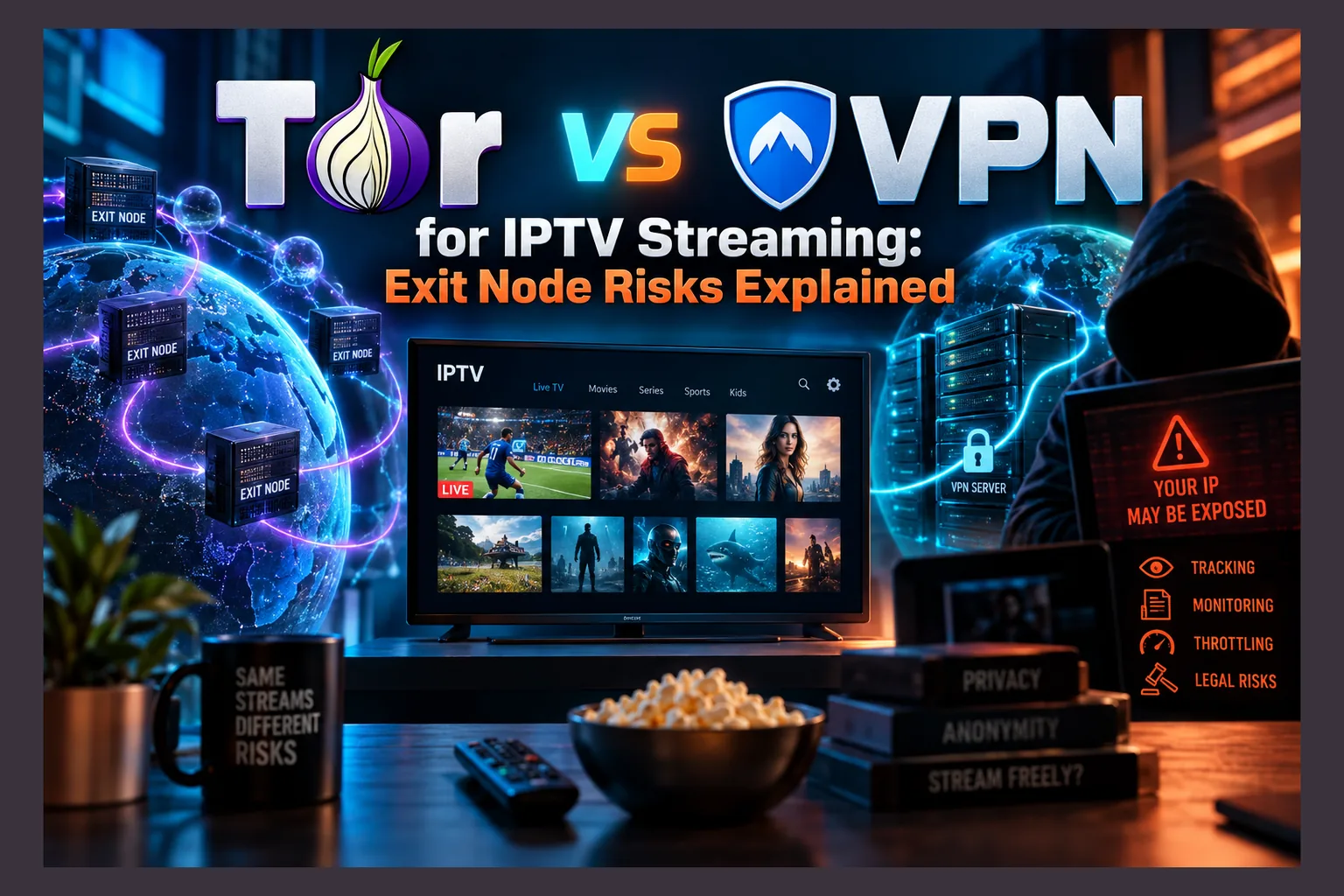
Tor vs VPN for IPTV isn’t a close fight, so I’ll save you the suspense: a reputable VPN wins. Tor is too slow and unreliable for live TV, and many IPTV logins still travel over plain HTTP, which means any exit relay on your path could read your username and password. Below I’ll walk through how Tor routing works, where the real credential risk hides, and why a VPN belongs on your Firestick while Tor stays in your browser.
Why Cord-Cutters Ask About Tor for IPTV
The Tor vs VPN for IPTV question lands in my inbox more often than you’d guess. It usually comes from someone setting up a new Fire TV Stick 4K Max or a cheap Android TV box in 2026, and the logic seems tight: Tor hides your IP address, a VPN hides your IP address, so why pay for one when the other costs nothing?
I understand the appeal. But in the Tor vs VPN for IPTV debate, the two tools work in very different ways, and those differences hurt a lot more during a live football match than during a quick bit of browsing.
The Appeal: Free, Decentralized, No Account
On cost alone, Tor vs VPN for IPTV looks lopsided: Tor is free. No signup, no credit card, and no single company sitting in the middle that could log what you do. For privacy purists, that’s a compelling pitch. A VPN subscription, by contrast, typically runs somewhere between $3 and $13 a month, depending on the provider and whether you lock in a two-year plan or pay monthly.
Plenty of people also assume Tor is “more anonymous” than a VPN. Narrowly speaking, that’s correct. Anonymity and security are different things, though, and the Tor vs VPN for IPTV comparison puts the gap between them on full display.
Why Hijacked Exit Relays Matter to Streamers
Malicious Tor exit relays aren’t a theory. Security researchers have documented them repeatedly, and the best-known case comes from the independent researcher Nusenu: in 2020, he found that a single operator controlled close to a quarter of Tor’s total exit capacity at its peak, using those relays to strip HTTPS from connections. You can read his research directly on Nusenu’s Medium page.
Most of those attacks went after cryptocurrency users. So what does that kind of risk mean for someone watching IPTV on a Firestick or an Android TV box? To settle Tor vs VPN for IPTV, you need to know how Tor actually moves your traffic.
How Tor Routing Works, in Plain English
Tor bounces your connection through three volunteer-run servers called relays. Each one peels off a single layer of encryption (hence the “onion” in The Onion Router). No single relay knows both who you are and where you’re headed.
Guard, Middle, and Exit Relays
Think of it as a relay race with three runners:
- Guard relay: sees your real IP address but not your destination.
- Middle relay: sees only the guard and the exit, so it knows neither you nor your destination.
- Exit relay: sees your destination and whatever data you send to it, but not your real IP.
The full path: your device → guard → middle → exit → IPTV server. Tor encrypts everything up to the exit. Past that point, your traffic crosses the regular internet like any other connection.
What an Exit Relay Can and Cannot See
Most “Tor is safe” posts skip this part. The exit relay handles your traffic as it leaves the Tor network, and if that traffic isn’t encrypted end-to-end, whoever runs the exit can read it, log it, or quietly modify it.
What counts as end-to-end? HTTPS for web traffic. SSH, too, provided you’ve actually verified the host key. With HTTPS, the exit operator sees which server you’re contacting but not the contents. SSL-stripping attacks try to downgrade you to plain HTTP, although modern browsers and HSTS make that much harder than it was a decade ago.
In fairness to Tor, exit risk isn’t unique to it, and it shows up on both sides of the Tor vs VPN for IPTV comparison. The difference is that a Tor exit could belong to literally anyone who volunteered one, and you don’t pick which one you get.
The Real Risk: IPTV Credentials Often Travel Unencrypted
This is where Tor vs VPN for IPTV gets specific. A large share of IPTV services still deliver playlists and streams over plain http:// instead of https://. Worse, they tend to stuff your login details straight into the URL.
M3U URLs With Username and Password Built In
A typical M3U playlist link looks something like this:
http://provider.example:8080/get.php?username=YOURNAME&password=YOURPASS&type=m3u_plus&output=ts
See the problem? Your username and password sit in plain text, right inside the address. Over an unencrypted connection, anyone positioned between you and the provider can read them, and a Tor exit relay is positioned exactly there, which is a big reason the Tor vs VPN for IPTV choice isn’t close.
Xtream Codes Logins Over Plain HTTP
Xtream-style portals behave much the same way. Apps like TiviMate or IPTV Smarters hit an endpoint such as player_api.php?username=...&password=... to pull your channel list, and many providers run that API on plain HTTP over a custom port like 8080 or 25461.
It gets worse. Individual live streams often use URLs shaped like http://host:port/live/username/password/12345.ts, which means your credentials go out again with every channel change. Flick through twenty channels on a Sunday afternoon and that’s twenty exposures, not one.
What an Attacker Could Do With Your Login
An exit operator logging these requests walks away with working IPTV credentials. From there:
- Account sharing or resale: strangers end up watching on your line.
- Connection-limit bans: most IPTV plans allow one or two simultaneous connections, so extra users trigger “max connections reached” errors or a suspended account.
- Password reuse attacks: if you used the same password for email or banking, that’s exposed too.
Whichever side of Tor vs VPN for IPTV you land on, checking your own exposure takes about ten seconds. Find your M3U link or Xtream server address, either in your app settings or the provider’s welcome email. Starts with http://? Your login travels unencrypted. Starts with https://? It’s encrypted all the way to the provider’s server. Some providers offer both (often without mentioning it), so ask support for the HTTPS version.
Tor vs VPN for IPTV: Why Tor Is a Poor Fit for Live TV Anyway
Say every exit relay were perfectly honest. Tor vs VPN for IPTV would still be lopsided, because Tor is a miserable way to watch live channels. The reasons are architectural, not bad luck.
Bandwidth and Latency Limits
Volunteers run Tor relays on wildly varying connections, and a circuit only moves as fast as its slowest hop. On top of that, every request bounces through three servers that might sit on three different continents, so you pay a latency penalty stacked on limited throughput.
Live IPTV usually streams over HLS or MPEG-TS. Both need steady throughput to keep the buffer topped up, and an HD channel can easily want 5 Mbps or more, sustained, minute after minute. One brief dip in the circuit and you’re staring at the spinning wheel.
Circuits also rotate. Tor builds fresh ones for new connections roughly every ten minutes by default, and a switch mid-stream can stall playback while the app reconnects.
No UDP Support
Tor carries TCP only. Some IPTV setups, multicast-to-unicast proxies, and many VPN protocols rely on UDP instead. Modern VPNs built on WireGuard use UDP precisely because it copes better with real-time media.
Read next: VPN on Your Router: What Actually Changes for IPTV
DNS gets resolved at the exit relay, too. Good for privacy. Bad for startup time, since it adds yet another round trip before a stream even begins.
Providers and Services That Block Tor Exits
The list of Tor exit IP addresses is public. That’s deliberate, so anyone can see which relays exist. It also means any service can download that list and block every address on it in an afternoon.
Plenty of IPTV providers, payment processors, and official streaming platforms do exactly that. Your app may just refuse to connect, with an error message that tells you nothing useful.
And the Tor Project itself asks users to skip bandwidth-heavy activities like large downloads and streaming. Capacity on the network is shared, so pushing video through it slows things down for journalists and activists who depend on Tor for their safety. Honestly, that alone is enough reason for me to keep IPTV off it.
Tor vs VPN for IPTV: Who You’re Trusting in Each Case
Neither tool eliminates trust. Each one just relocates it. So the useful question in any Tor vs VPN for IPTV debate is this: who would you rather hand your streaming traffic to?
Trust Model Comparison Table
| Factor | Tor | Commercial VPN |
|---|---|---|
| Who sees your unencrypted traffic | A random volunteer exit relay, which can change every few minutes | The VPN company’s servers |
| Encryption to destination | Only if the site or service uses HTTPS/TLS | Only if the site or service uses HTTPS/TLS |
| Suitable for live TV | Poor: limited bandwidth, three hops, circuit changes | Good on a nearby server with a modern protocol |
| UDP and WireGuard | No UDP; TCP only | Yes, on most major providers |
| Cost | Free | Roughly $3–$13/month |
| Firestick / Android TV apps | Orbot on Android TV; sideloading usually needed on Firestick | Native apps from most major providers |
| Blocked by IPTV providers | Often, since exit IPs are public | Sometimes, depending on the server |
Need help choosing a provider? I’ve covered the shortlist in Best VPNs for IPTV Streaming.
Where a VPN Still Leaves Gaps
Time for some balance. A VPN encrypts traffic between your device and the VPN server, and that’s where its job ends. Beyond the VPN server, a plain-HTTP IPTV login travels unencrypted to the provider, exactly as it would leaving a Tor exit.
What changes is who you’re trusting: one known company with a reputation to lose, instead of an anonymous stranger. That’s why independent audits, a clearly written no-logs policy, and the provider’s jurisdiction all matter. A sketchy free VPN can be every bit as risky as a malicious exit relay, and in some cases worse.
Want to cover every device in the house at once? My guide to a VPN on your router explains what changes for IPTV. And if your network blocks VPNs outright, VPN Bans and IPTV walks through where obfuscation fits.
Orbot and Tor Apps on Android TV and Firestick
Orbot is the official Tor client for Android, built by the Guardian Project. Android TV and Fire OS both sit on Android underneath, so people naturally wonder whether Orbot belongs on their streaming box.
What Orbot Actually Does on a TV Box
The headline feature is VPN mode. Orbot hooks into Android’s built-in VPN interface to funnel traffic into Tor, and you pick which apps get routed through it. Anything you leave unselected keeps using your normal connection.
There’s a catch on TV hardware. Android allows only one active VPN connection at a time, so running Orbot in VPN mode locks out your regular VPN app. On a Firestick you’ll usually have to sideload Orbot, and its interface clearly wasn’t designed with a TV remote in mind, so moving around the menus with a D-pad can feel clumsy.
Situations Where Tor Makes Sense
None of this makes Orbot on Android TV useless. It’s simply built for other jobs, such as:
- Reading news sites that are blocked on your network or in your country.
- Researching sensitive topics without tying searches to your home IP.
- Accessing .onion versions of sites like major news outlets.
If you install it, leave IPTV players, Kodi, and Stremio unchecked in per-app routing. They’ll perform badly through Tor and leak credentials along the way.
Securing Remote Access to Your Streaming Box (SSH and ADB)
The exit relay problem has a cousin much closer to home: unverified SSH and wide-open ADB connections. Lots of cord-cutters switch both on to sideload apps or tweak Kodi. Then they forget about them.
SSH Into LibreELEC, CoreELEC, or a Raspberry Pi Safely
LibreELEC and CoreELEC both ship with SSH disabled; you turn it on in the system’s settings add-on, under Services. Both also use well-known default root passwords (“libreelec” and “coreelec”, respectively), so if you enabled SSH and never changed yours, do it now.
Better still, move to key-based login for a secure SSH connection to your LibreELEC streaming box:
- On your computer, run
ssh-keygen -t ed25519to create a key pair. - Copy the public key to the box with
ssh-copy-id root@BOX-IP. - Confirm you can log in without a password.
- In LibreELEC’s settings, enable the option to disable SSH password login.
On Raspberry Pi OS, set PasswordAuthentication no in /etc/ssh/sshd_config, then restart the SSH service.
Verify Host Key Fingerprints
On your first connection, SSH shows the box’s host key fingerprint and asks whether you trust it. Later on, you might see “REMOTE HOST IDENTIFICATION HAS CHANGED.” Don’t just delete the old entry and move on. That warning means the server presented a different key from last time.
Often the cause is harmless. Reflashing LibreELEC, for example, generates new keys. But the same warning can also mean something is intercepting the connection, so only run ssh-keygen -R BOX-IP to clear the old key when you know for certain you reinstalled the system.
Turn Off Network ADB When You’re Done
Network ADB listens on port 5555. Anyone who can reach that port gets full control of the device. On a Firestick, head to Settings → My Fire TV → Developer Options and switch ADB debugging off once you’ve finished sideloading. (On newer Fire OS versions, Developer Options stays hidden until you tap your device name in the About menu seven times. Not exactly obvious.)
Never forward port 22 or 5555 on your router to the internet. Need remote access? Run a home VPN like WireGuard on your router, or use a mesh tool such as Tailscale, which has a free personal tier, so the box stays invisible to the wider internet.
Practical Checklist to Protect Your IPTV Account
The short version, all doable today:
- Prefer HTTPS URLs: if your provider offers an https:// portal or M3U link, switch to it.
- Use a unique IPTV password: never reuse your email or banking password.
- Avoid public Wi-Fi without a VPN: hotel and café networks can see plain-HTTP logins too.
- Don’t route IPTV through Tor: exclude players from Orbot’s per-app list.
- Watch for “max connections” errors: if they show up while you’re the only viewer, your login may have leaked, so change your password with the provider.
- Verify APK signatures before updates: compare certificates with
apksigner verify --print-certsagainst the version you already trust. - Lock down SSH and ADB: key-based logins, verified fingerprints, and network ADB off when not in use.
For travel or out-of-region viewing, VPN for Geo-Restricted Streaming goes deeper on server selection.
The Bottom Line on Tor vs VPN for IPTV
Tor is a brilliant anonymity tool. For streaming, it’s the wrong one. On the Tor vs VPN for IPTV question, the architecture decides it: Tor is slow, TCP-only, widely blocked, and hands your plain-HTTP credentials to an exit relay you never chose.
A trustworthy VPN won’t magically encrypt an HTTP login all the way to the provider either. Combine it with HTTPS URLs wherever your provider supports them, plus a password you use nowhere else, and you’ve shut down most of the realistic risks.
⚖️ Legal Disclaimer: IPTV Wire does not own or operate any streaming service, application, or website mentioned in this article. We do not verify whether third-party services carry proper licensing. Users are responsible for ensuring they comply with copyright laws in their jurisdiction.
Frequently Asked Questions
Can I use Tor instead of a VPN for IPTV on Firestick?
Technically, yes: you can sideload Orbot. It’s a poor substitute, though. Tor’s limited bandwidth and three-hop routing cause constant buffering, many providers block Tor exit IPs, and plain-HTTP logins become visible to exit relays. A reputable VPN with a native Fire TV app is the better pick.
Can a Tor exit node see my IPTV username and password?
Yes, if your M3U link or Xtream portal uses http:// rather than https://. Those URLs carry your credentials in plain text, so the exit relay can read and log them. With HTTPS, the exit sees only the server address, never your login.
Why does IPTV buffer so much over Tor?
Your traffic passes through three volunteer relays with varying capacity. Speed drops to the slowest hop, and latency climbs. Live streams need steady throughput, periodic circuit changes can interrupt playback, and Tor doesn’t support UDP at all.
Is Orbot safe to install on Android TV?
Orbot itself is a legitimate, open-source app from the Guardian Project, so grab it from an official source like Google Play or the Guardian Project’s own repository. It’s fine for private browsing. Just exclude IPTV and Kodi apps from per-app routing, and remember it takes up Android’s single VPN slot.
Does a VPN encrypt my IPTV login all the way to the provider?
No. A VPN encrypts traffic only between your device and the VPN server. If your provider uses plain HTTP, your login travels unencrypted from the VPN server onward, which is exactly why an audited, no-logs VPN matters.
How do I know if my M3U link is sent over HTTP or HTTPS?
Check the start of the URL in your IPTV app settings or the provider’s email. If it begins with http://, it’s unencrypted; if it begins with https://, it’s encrypted to the provider’s server. Ask your provider whether an HTTPS version exists. Many have one and just don’t advertise it.


Comments
Leave a comment
Your email address will not be published. Comments are moderated before they appear.