

Table of contents
Why Malicious IPTV Apps and Fake APKs Are a Growing Threat in 2026
Malicious IPTV apps and fake APKs are quietly becoming one of the most serious security threats in the cord-cutting world — and most streamers have no idea how exposed they already are. Whether you’re sideloading onto a Firestick, an Android TV box, or a Google TV device, a single compromised package can hand attackers your credentials, your payment details, and your hardware. This guide breaks down exactly what to watch for and how to stay protected.
I’ve been covering IPTV and streaming security for years. The sheer volume of malicious IPTV apps and fake APKs — cloned apps, repackaged packages, and outright fraudulent IPTV players circulating on Telegram channels and sketchy mirror sites — has exploded — especially since late 2024. If you sideload anything at all — and most serious cord-cutters do — this guide is for you.
Before we get into the red flags, take a look at our breakdown of illegal IPTV risks that most streamers overlook. Security and legality are technically separate issues, but they overlap more than people realize.
How Attackers Use Compromised or Cloned App Packages
The mechanics are simpler than you’d expect. An attacker grabs a legitimate, well-known APK — the kind of popular IPTV player that shows up in every cord-cutting forum — strips it apart, injects malicious code into the package, re-signs it with a fake certificate, and re-uploads it somewhere. This is how malicious IPTV apps and fake APKs are manufactured at scale. This is the core mechanic behind most malicious IPTV apps and fake APKs in the wild today. The app looks and functions exactly like the real thing. It plays your streams, loads your playlists, and never gives you a single reason to suspect anything is wrong.
Meanwhile, running quietly in the background, the injected payload can be doing any number of things: logging keystrokes, harvesting stored credentials, injecting invisible ad impressions for click fraud, or enrolling your device in a botnet. Some of the more sophisticated variants wait days or even weeks before activating — specifically to avoid triggering suspicion right after install.
Cloned packages aren’t the only vector. Some bad actors register brand-new developer accounts, upload what looks like a fresh utility app, and rely on unsuspecting users to install it based on a convincing store description and a handful of fake five-star reviews. These are among the most deceptive forms of malicious IPTV apps and fake APKs because they never impersonate an existing title — they just look legitimate from scratch. It works more often than it should.
Why Cord-Cutters Are Prime Targets for Malicious IPTV Apps and Fake APKs
Think about the behavior pattern of a typical cord-cutter who runs into malicious IPTV apps and fake APKs. They’re already comfortable sideloading apps from outside official stores — which is exactly what makes them a high-value target. They regularly visit third-party forums, Telegram groups, and GitHub repos looking for new streaming tools. Many have payment details stored in associated accounts, or they’re logged into services like Trakt, Real-Debrid, or premium IPTV subscriptions that carry real monetary value.
That’s a high-value target profile. Attackers know that streamers are more likely to dismiss security warnings just to get an app working — that’s practically baked into the Firestick sideloading process, where you have to explicitly enable “Apps from Unknown Sources.” That single act of lowering your guard is exactly what threat actors count on.
Budget Android TV boxes make things worse when it comes to malicious IPTV apps and fake APKs. Many run outdated Android firmware — often Android 9 or even Android 7 — with unpatched vulnerabilities that manufacturers never bothered to fix. You’ve got an environment that’s genuinely hospitable to malicious software, and most users have no idea.
Red Flags in IPTV Apps and Sideloaded APKs
Over the years I’ve developed a checklist I run through before installing any new IPTV app or streaming APK on my devices. None of these steps take more than a few minutes, and together they filter out the vast majority of malicious IPTV apps and fake APKs before they ever touch my hardware — or my accounts.
Suspicious Permissions Requests at Install
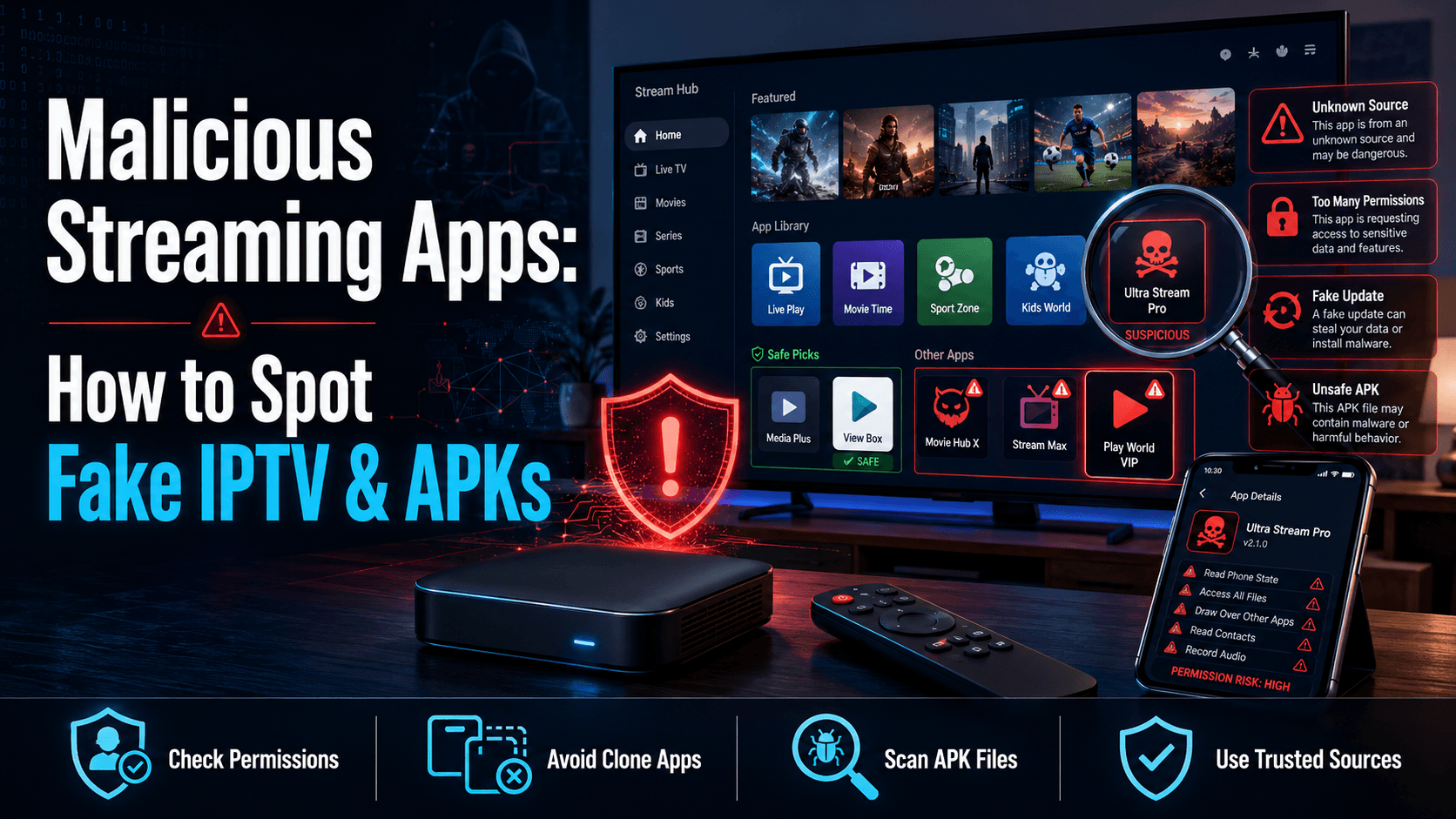
Suspicious permissions are the most immediate red flag when vetting malicious IPTV apps and fake APKs — and also the easiest to catch before any damage is done. When you install an APK on a Firestick or Android TV box, Android displays the permissions the app is requesting. An IPTV player has absolutely no legitimate reason to ask for access to your contacts, SMS messages, microphone, or call logs. None, full stop.
Legitimate IPTV players typically need network access, storage access (to cache data or read local playlist files), and occasionally camera access for QR code scanning. That’s about it. See a media app requesting permission to read your contact list or send SMS messages? Close the installer immediately and delete the APK file.
On Firestick, the permissions screen appears during the install process itself. On Android TV and Google TV, you can review permissions after the fact by going to Settings → Apps → [App Name] → Permissions (this is buried in settings, annoyingly, and most people never look).
Unknown or Newly Registered Developer Accounts
Before downloading anything from the Google Play Store or Amazon Appstore — and especially before sideloading — spend 30 seconds on the developer name. Malicious IPTV apps and fake APKs almost always share one tell: thin or brand-new developer histories with little to no publication track record. Search that developer name combined with the app name on Google. Legitimate apps like TiviMate have a clear, consistent developer identity — it’s listed under “TiviMate Developer” with a stable publication history going back years. If the developer page was created three weeks ago and this is their only app, that warrants a closer look before you proceed.
For APKs grabbed from outside official stores, the developer check becomes even more critical. A random Telegram channel or unfamiliar file-hosting site distributing malicious IPTV apps and fake APKs should raise your threat level immediately — treat every unknown source as compromised until proven otherwise.evel considerably. I’ll cover vetted sources in the next section.
APK File Size Anomalies and Hash Mismatches
More technical, but genuinely valuable — and one of the most reliable ways to catch malicious IPTV apps and fake APKs before they run. When a developer releases a legitimate APK, they typically publish the expected file size and a cryptographic hash — usually SHA-256 — on their official website or GitHub release page. If you download an APK and the file size is noticeably off, or the SHA-256 hash doesn’t match the official listing, the file has been modified — and you’re almost certainly looking at one of the malicious IPTV apps and fake APKs this guide is warning you about. End of story.
Verifying SHA-256 hashes is free. On Windows, open PowerShell and run: Get-FileHash filename.apk -Algorithm SHA256. On Mac, it’s shasum -a 256 filename.apk in Terminal. If you’re downloading directly on your Android device, Hash Droid (available on the Play Store, free) lets you verify hashes right there on the device.
File size alone isn’t foolproof — a malicious payload can be padded to match the expected size — but combined with a proper hash check, it’s a reliable safety gate. The first time I tried this on a TiviMate APK from a Telegram channel, the hash was off by a single character. I deleted the file immediately.
Reviews That Look Fake or Have Suddenly Disappeared
I always spend a few minutes on Reddit and community sites like TROYPOINT before installing an unfamiliar streaming app. Genuine community feedback is hard to fake at scale. An app with glowing store reviews but zero discussion threads anywhere in the cord-cutting community is suspicious. On the flip side, if threads exist where users report weird behavior — background battery drain, strange network requests, accounts getting compromised — take those seriously even if the app still shows a high average rating.
Also watch review patterns in app stores. A wave of five-star reviews posted within a 72-hour window, all using similar phrasing and no specific details, is a classic fake-review signature. Amazon has improved at catching these, but they still slip through regularly.
Safe Sources for IPTV Players and Streaming APKs
Official App Stores vs. Sideloaded APKs: The Risk Difference
Direct answer: apps distributed through the Google Play Store or the Amazon Appstore are meaningfully safer than raw APK downloads — but not risk-free. Both stores run review processes that catch obvious malware. Sophisticated threats have historically slipped through both (the Play Store alone removed over 2.28 million policy-violating apps in 2023, according to Google’s own transparency report). The vetting layer is real and it does reduce your exposure, just not to zero.
Direct APK sideloading bypasses all of that. You’re essentially saying, “I trust this file and this source.” The responsibility shifts entirely to you. Sometimes that’s unavoidable — not every useful IPTV tool makes it onto official stores — but it means your pre-install verification process has to be thorough. No shortcuts.
Trusted Community Sources and How to Vet Them
For established IPTV players, always go to the official source first:
- TiviMate — available on the Google Play Store and Amazon Appstore. Downloading a TiviMate APK from anywhere else is taking on unnecessary risk, period.
- IPTV Smarters Pro — the official site is iptvsmarters.com. Any APK not from that domain or the official Play Store listing should be treated with serious suspicion.
- Perfect Player — the developer publishes directly to Google Play; their APK is also hosted on niklabs.com, which is the legitimate developer’s own site.
Beyond those, I trust builds that have been verified and published by established cord-cutting communities with long track records. Sites like TROYPOINT have been operating for years, and their reputation depends directly on not pointing readers toward malware. That doesn’t make them infallible. But it’s a meaningful signal that random Telegram channels simply cannot provide.
Using Downloader Codes Safely
The Downloader app on Firestick is the standard method for sideloading APKs without hunting and pecking a full URL on a TV remote. Downloader codes are shortcut URLs that redirect to an APK download. The security of what you get depends entirely on where that code actually points.
Only use Downloader codes from sources you already trust (yes, you really do need to do this verification step — don’t skip it). Check out our guide on Downloader App codes and how to use them safely — it covers how to verify where a code actually redirects before you commit to downloading anything. Using a code from a random Telegram group without knowing its destination is the streaming equivalent of clicking an unknown email attachment.
How to Harden Your Streaming Device Against Rogue Apps
Enable Play Protect or Amazon’s App Scanning on Your Device
On Android TV and Google TV devices, Google Play Protect is built in and should be active by default. Verify it by opening the Play Store, tapping your profile icon, and selecting “Play Protect.” Make sure both “Scan apps with Play Protect” and “Improve harmful app detection” are switched on. Play Protect scans installed apps periodically and can flag known malicious behavior even in sideloaded apps — it’s not perfect, but it catches a surprising amount.
Amazon Fire devices have their own app scanning built into the Appstore, but it doesn’t automatically scan sideloaded APKs the same way Google’s system does. This is one reason Firestick users — especially those running Fire OS 7 or earlier — should be especially careful about what they sideload. The native protection layer has a real gap when it comes to apps installed outside the Appstore.
Want an extra layer? Malwarebytes for Android is available on Google Play and runs on most Android TV devices. It won’t catch everything, but it’s a useful safety net for around $0/month on the free tier.
Running a VPN to Block Malicious Callback Traffic
Here’s something a lot of streamers don’t know. Even if a malicious app is already installed on your device, a properly configured VPN can disrupt its ability to communicate with the attacker’s command-and-control server. Malware typically needs to “phone home” — to receive instructions, exfiltrate data, or confirm a successful installation. A VPN with a kill switch and DNS leak protection can block or seriously complicate those outbound connections.
This isn’t a substitute for removing the infected app. Think of it as cutting the line rather than pulling out the wiretap. For VPN options that work well on streaming devices without wrecking your video quality, check out our roundup of VPNs that are actually safe for streamers in 2026.
Factory Reset Protocol If You Suspect Compromise
Installed something sketchy and now seeing unusual behavior — unexpected battery drain, apps crashing, network activity spikes, unfamiliar apps appearing out of nowhere? Don’t waste time hunting for the malicious component manually. The most reliable fix is a factory reset. Clean slate.
On Firestick: Settings → My Fire TV → Reset to Factory Defaults. On Android TV: Settings → Device Preferences → Reset. On Google TV: Settings → System → About → Factory Reset. The paths vary slightly depending on your firmware version, but the option exists on all of them.
After resetting, reinstall apps one at a time from verified sources only. Change passwords for every account that was accessible on the device — your IPTV subscription login, Real-Debrid, Trakt, and any email accounts especially.
Real-World Examples: When Popular Streaming Apps Went Bad
Cloned IPTV Players With Hidden Malware Payloads
Fake TiviMate clones have been circulating on Telegram channels and third-party APK hosting sites for at least two years. Some of these clones are functionally identical to the real app — they play streams, accept M3U playlists, look pixel-perfect. Modified versions have been documented containing adware payloads and, in some cases, credential-harvesting modules targeting saved login data. The TiviMate developer has explicitly warned about this on their official channels more than once.
A similar problem has hit IPTV Smarters. Because the original app has had its own controversial history, users sometimes go looking for “fixed” or “modded” versions. Those modified builds are a primary distribution vector for unsafe streaming APKs — malicious code gets wrapped in something people already trust. It’s an elegant attack, and it works.
Compromised Kodi Addon Repositories — What Happened
The Kodi ecosystem had a well-documented security incident several years back when a popular third-party addon repository was found distributing a cryptocurrency miner embedded within addon packages. Users who had installed from that repo found their devices running hot and sluggish — the malware was consuming CPU cycles to mine crypto without any user knowledge or consent. Reddit threads at the time were full of confused users wondering why their cheap Android boxes had suddenly turned into hand warmers.
The Kodi Foundation responded by strengthening their official addon repository vetting process, and the official Kodi website now explicitly warns users about third-party repository risks. This incident was a direct parallel to supply-chain attacks in enterprise software — a trusted distribution channel was compromised, and users who trusted the channel got burned for it.
The lesson isn’t that Kodi is unsafe. It’s that any ecosystem relying on third-party distribution has potential weak points, and cord-cutters need to apply the same skepticism to streaming software that IT professionals apply to enterprise packages.
Quick-Reference Security Checklist Before You Sideload
Run through this list every time you install a new IPTV app or sideload any APK on your streaming device. Takes about five minutes. Filters out the vast majority of IPTV security risks before they reach your hardware:
- Verify the source. Is this APK from the developer’s official website, a trusted app store, or a long-established community site with a real track record?
- Check the SHA-256 hash. Does the hash of your downloaded file match what the developer published? No published hash at all? Minor red flag — worth noting.
- Review the permissions screen. Does the app request anything a media player has no business needing? Contacts, SMS, call logs — instant disqualifiers.
- Search for community feedback. Three minutes on Reddit’s r/fireTV, r/AndroidTV, or TROYPOINT forums. Has anyone reported problems with this specific version or build?
- Check the developer history. Consistent, verifiable track record, or a brand-new account with a single app? One of these is fine. The other isn’t.
- Connect through a VPN before launching. Especially for apps you’re less certain about — having your VPN active limits the blast radius if something goes wrong.
- Run a scan after install. If you have Malwarebytes or Play Protect available, trigger a manual scan after installing any new APK.
- Monitor device behavior for 24–48 hours. Unusual battery drain, network spikes, or new apps appearing on their own are warning signs worth taking seriously.
⚖️ Legal Disclaimer: IPTV Wire does not own or operate any streaming service, application, or website mentioned in this article. We do not verify whether third-party services carry proper licensing. Users are responsible for ensuring they comply with copyright laws in their jurisdiction.
Frequently Asked Questions
Can a fake IPTV app steal my passwords or banking info?
Yes, it can. Some malicious IPTV apps and fake APKs include credential-harvesting modules that log keystrokes or extract saved passwords directly from the device. If you’ve used your streaming device’s browser to log into banking or email accounts — or if payment information is associated with any app on the device — a compromised app could potentially access that data. This is one of the most serious IPTV security risks out there, and a key reason to verify APK sources every single time before installing.
How do I check if an APK is safe before installing it on Firestick?
Start by verifying the download source — only use the developer’s official site, the Amazon Appstore, or a community source with a long and verifiable track record. Check that the APK file size matches the official listing. If the developer publishes a SHA-256 hash, verify it using a free tool like Hash Droid on Android or PowerShell on Windows. Also search for the app name plus “malware” or “fake” on Reddit before you install anything. Takes three minutes and has saved me from bad installs more than once.
Is sideloading IPTV apps on Android TV illegal or just risky?
Sideloading itself — installing an APK from outside an official app store — is not illegal. Android’s architecture explicitly permits it. The risk is purely a security one: you’re bypassing the app store’s vetting layer and accepting personal responsibility for validating the software. What you actually do with that sideloaded app, such as accessing unlicensed IPTV streams, is an entirely separate legal question. Availability and enforcement of those laws also varies significantly by region.
What is the safest IPTV player to download in 2026?
TiviMate, IPTV Smarters Pro, and Perfect Player are among the most established and widely used IPTV players, and all three have legitimate listings on the Google Play Store. Downloading from those official listings is the safest approach by a wide margin. The danger kicks in when users grab these apps from unofficial mirrors, Telegram channels, or random APK hosting sites — cloned builds from those sources have been documented repeatedly as vectors for malware payloads.
Does a VPN protect me from malware in a bad streaming app?
Partially. A VPN can block or disrupt the outbound “phone home” traffic that malware uses to communicate with attacker-controlled servers — this limits damage even if a malicious app is already installed. That said, a VPN is not an antivirus. It won’t remove the malicious app, and it won’t prevent local damage like credential harvesting that doesn’t require an active network connection. Use a VPN as one layer in a broader security approach, not as a standalone solution.

Comments
Leave a comment
Your email address will not be published. Comments are moderated before they appear.