

Table of contents
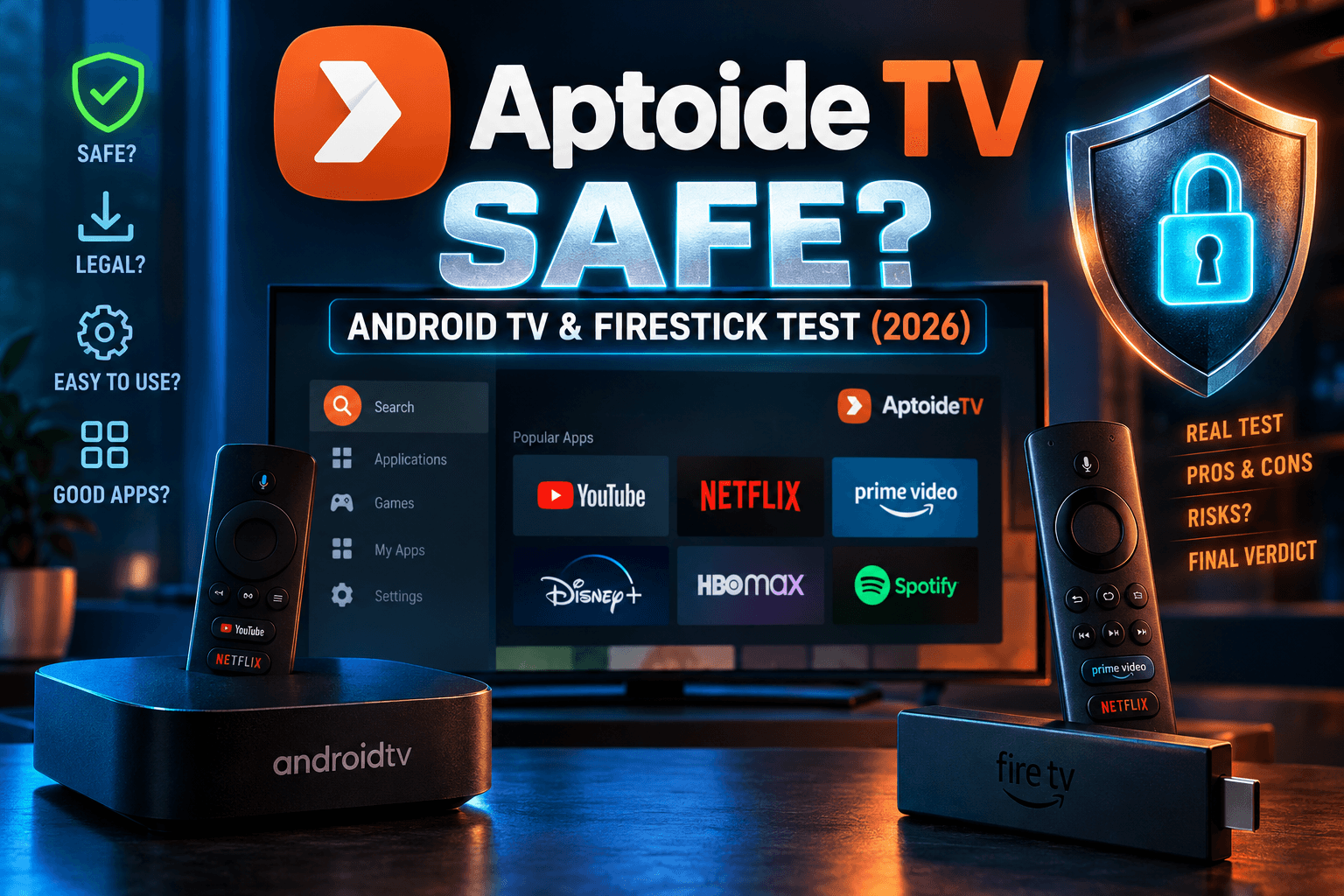
Is Aptoide TV safe in 2026? It’s one of the most common questions in my inbox, usually from someone who just grabbed a $20 Onn box or a Prime Day Firestick and spotted Aptoide on a ‘best app stores’ list. My short answer: the store client itself is reasonably safe if you download it from the official source. The APKs inside it are a different story, and that’s where people get burned. Here’s what my three-device test actually showed.
I put Aptoide TV on three streaming devices. Then I watched what it asked for, what servers it contacted, and how much memory it held onto. Below you’ll find what I saw, how to install it without picking up a fake copy, and the settings I’d change on day one.
Is Aptoide TV Safe in 2026? Why It’s Back in the Conversation
Aptoide isn’t new. The Lisbon-based company launched in 2009 and runs one of the biggest independent Android app stores around. For most of that time it lived in the “sideload at your own risk” pile, right next to dozens of sketchy APK mirror sites. That reputation is shifting a little, and TV owners keep asking the same thing: is Aptoide TV safe now?
What Aptoide TV Actually Is (vs the Phone App)
Aptoide TV is its own client, built for a 10-foot screen and a D-pad remote. It’s not the phone app stretched across a 55-inch panel. It has a separate package, a separate layout, and a catalog filtered toward apps you can actually control with a remote.
Here’s the part that matters for the ‘is Aptoide TV safe’ question. Aptoide behaves more like a marketplace than a curated store. Developers upload APKs to “stores” inside the platform, and so do plenty of ordinary users. Aptoide scans and labels those uploads. It doesn’t hand-review each one the way Amazon reviews Appstore submissions.
The Play Store Shift and What It Means for TV Users
Why does Aptoide keep popping up in tech headlines? Mostly because of Epic Games v. Google. A December 2023 jury verdict, followed by the court’s injunction, pushed Google toward letting rival app stores be distributed through Google Play in the US. As of late 2025, the Ninth Circuit had upheld that ruling and Epic and Google had floated a settlement, though the details were still moving.
[BODHI: Verify the current status before publishing. Check the Ninth Circuit ruling (2025), any Supreme Court action, and the late-2025 Epic/Google settlement proposal, then link the primary court document or Google’s official announcement here.]
For Firestick and Google TV owners, the practical effect is small right now. These rulings only apply in the US. Fire TV devices don’t use Google Play at all. And none of it changes how safe any individual APK inside Aptoide is. I’ll leave the corporate drama to the business sites and stick to the question you came here with: is Aptoide TV safe on your streaming box?
How I Tested Aptoide TV
I didn’t want to repeat the usual “it has a malware scanner, so it’s fine” line. To answer ‘is Aptoide TV safe’ properly, I installed the client from the official domain only and treated it like any unknown app on my home network.
Test Devices: Firestick 4K Max, Onn Google TV 4K, NVIDIA Shield
- Amazon Firestick 4K Max (2nd gen, 2GB RAM), running Fire OS [BODHI: insert version]
- Walmart Onn Google TV 4K (2GB RAM), running Android TV OS [BODHI: insert version]
- NVIDIA Shield TV Pro (3GB RAM), running Shield Experience [BODHI: insert version]
Before testing, I factory reset or freshly set up every device. That way leftover apps couldn’t muddy the RAM numbers or the network logs. The Aptoide TV build I tested was version [BODHI: insert version], downloaded on [BODHI: insert date].
What I Measured: Permissions, Network Calls, Storage, RAM
- Permissions: I noted what the app requested at install and what showed up later under Settings > Apps.
- Network calls: Each device ran through NextDNS, and I logged every domain Aptoide TV contacted over [BODHI: insert hours] of idle and active use. A Pi-hole works just as well if you’d rather self-host.
- Storage: I recorded the install size, then checked again after a week of browsing and cache buildup.
- RAM: I logged memory use with the app open and again with it backgrounded, using developer options and ADB (dumpsys meminfo).
| Metric | Firestick 4K Max | Onn Google TV 4K | NVIDIA Shield |
|---|---|---|---|
| Install size | [BODHI] | [BODHI] | [BODHI] |
| Size after 7 days | [BODHI] | [BODHI] | [BODHI] |
| RAM, app open | [BODHI] | [BODHI] | [BODHI] |
| RAM, backgrounded | [BODHI] | [BODHI] | [BODHI] |
| Unique domains contacted | [BODHI] | [BODHI] | [BODHI] |
[BODHI: Add 2-3 sentences summarizing what stood out. Were the domains all Aptoide-owned or CDN-related? Were there any analytics or ad SDK domains? Did anything get contacted while the app was closed?]
Is Aptoide TV Safe? The Store vs the Apps Inside It
Most answers to ‘is Aptoide TV safe’ blur these two together. Don’t. There are two separate risks: the store client, and the many thousands of APKs it hosts. Judge them separately.
If you’re asking ‘is Aptoide TV safe’ about the client alone, it comes from a registered company with a long public track record. Spotless, though? No. Aptoide disclosed a breach in April 2020 that reportedly exposed around 20 million user account records. That’s why I don’t recommend creating an account unless you actually need one. You can browse and install without ever logging in (the sign-in prompt is pushy, but you can skip it).
Aptoide’s Malware Scanning and Trust Badges Explained
Every app on Aptoide gets a badge after an automated scan. The exact labels have shifted over the years, but the logic goes roughly like this:
- Trusted: The APK passed antivirus checks, and where an official version exists, its signature matches the developer’s original.
- Warning: The signature doesn’t match the official version. Usually that means someone repackaged it.
- Unknown: Not enough data to verify. You’ll see this a lot on niche apps with no official listing to compare against.
For anyone asking ‘is Aptoide TV safe’ about a specific download, the signature check is the one that counts. Every Android app gets signed with the developer’s private key. If a “Netflix” APK on Aptoide carries a different key than real Netflix, someone other than Netflix built it. Full stop. No legitimate update ever changes the signing key.
[BODHI: Verify the current badge names and colors in the TV client. Add a screenshot of an app listing showing the badge.]
Why User-Uploaded APKs Are the Real Risk
Anyone can run a store on Aptoide. So the same app might show up five times from five different uploaders. One copy is a clean mirror. Another is two versions behind. A third has been quietly modified with an ad SDK, or something nastier, like a remote access tool.
Antivirus scans catch known malware well enough. They’re far weaker against freshly modified APKs that nobody has flagged yet, and bad uploaders aim right at that gap. Think of the scanner as a filter. It isn’t a guarantee.
Modded and Repackaged Streaming Apps to Watch For
Streaming apps are the most cloned category on any third-party app store on Android TV. I’ve lost count of how many “premium” IPTV players I’ve seen wearing a Warning badge. The red flags I check for:
- “Premium,” “unlocked,” or “mod” in the app name or description
- A version number higher than anything the official developer has released
- Permissions a video player has no business needing, like SMS, contacts, accessibility services, or “display over other apps”
- An uploader store with no history, or only three or four apps
- A Warning badge on an app that has an official version available
On TV boxes, accessibility permission is the big one. It lets an app read whatever’s on screen and fake remote presses. I covered how attackers abuse it in my Firestick malware check guide for spotting hidden RATs in APKs.
How to Install Aptoide TV Without Grabbing a Fake
The official download lives on Aptoide’s own domain. As of this writing, you’ll find the TV version at tv.aptoide.com. [BODHI: Confirm the URL still resolves to the official TV download before publishing.] Skip the first search result unless it’s that exact domain.
Firestick Install via Downloader
- Install Downloader by AFTVnews from the Amazon Appstore. It’s free.
- Unhide Developer Options if needed. Go to Settings > My Fire TV > About and click your device name 7 times (yes, really, seven).
- Head to Settings > My Fire TV > Developer Options > Install unknown apps and switch it on for Downloader only.
- Open Downloader and type the official Aptoide TV URL yourself. Don’t use a shortcode someone posted on a forum.
- Download the APK, tap Install, then delete the APK file when prompted to free up space.
Shortcodes save typing. They’re also just redirects, and you can’t see where one points until it’s too late. My guide on whether Downloader codes are safe and how to vet one shows how to check a code before you trust it.
Google TV and Android TV Install
- Turn on Developer Options. Go to Settings > System > About and click Android TV OS build 7 times.
- Install a file manager or Downloader from Google Play.
- Open Settings > Apps > Security & Restrictions > Unknown sources and allow only that one app.
- Download the APK from the official URL and install it.
- Switch “unknown sources” back off for that app when you’re done. You can flip it on again later.
Menu paths differ a bit between Onn, Chromecast with Google TV, Shield, and TCL models. My Shield, for instance, still buries some options in an older settings layout. If you can’t find it, look for “unknown sources” or “install unknown apps” under Security or Apps.
Spotting Clone Sites and Lookalike APKs
Search “Aptoide TV APK” and you’ll wade through pages of SEO-spam mirrors with names like “aptoide-tv-download-free” on throwaway domains. Some host the genuine APK. Others wrap it in an installer, or swap it for something else entirely.
Once it’s installed, check two things:
- Package name: Go to Settings > Apps, pick Aptoide TV, and look at the app info. Tools like “App Manager” or “Package Name Viewer” show it too. The genuine TV client uses cm.aptoidetv.pt. [BODHI: Confirm against your installed copy.]
- Signature: On a PC, run apksigner verify –print-certs against the APK. Compare the SHA-256 certificate fingerprint with a copy pulled straight from Aptoide’s site. Different fingerprint? Delete it.
Day-to-Day Use on a TV: What Works and What’s Annoying
Remote Navigation and the 10-Foot UI
[BODHI: Describe your real experience. How many clicks does it take to reach search? Does the on-screen keyboard work well? Did any categories show apps that weren’t remote-friendly? Note any differences between the Fire TV remote and the Shield remote.]
Auto-Updates: Helpful or Risky?
This is my biggest practical gripe with every third-party store. When an app came from a random uploader, its “update” can come from a different uploader or a different build. Worst case, a working app gets replaced by a broken or tampered one overnight.
My advice: turn automatic updates off. Update by hand after checking the badge and the changelog. If the client offers a setting to show only Trusted apps, enable it, though the label varies by version, so dig through the settings menu. [BODHI: Confirm the exact setting names in the TV client you tested.] On a family device, I’d also disable any adult-content toggle.
Background Activity and Performance Impact
RAM is tight on these boxes. On a 2GB Fire TV device, every app that stays resident eats into the buffering headroom your IPTV player needs. [BODHI: Use your RAM table results here. Did Aptoide TV stay in memory after closing? Did it run a background update service? Did you notice slower app switching on the Firestick compared with the Shield’s 3GB?]
Only open Aptoide once in a while? Force-stop it when you’re finished. A budget Firestick already juggles plenty, as I explained in what actually changes day-to-day after you jailbreak a Firestick.
Aptoide TV vs Other Ways to Get Apps on Your Box
When people compare Aptoide vs the Google Play Store, they usually mean “which one has more apps.” Wrong question. Safety controls matter far more. Here’s how the main options compare.
| Source | Safety controls | Update handling | App selection | Best use case |
|---|---|---|---|---|
| Google Play (Android/Google TV) | Developer verification, Play Protect scanning | Automatic, signed by the original developer | Large, but limited for TV-optimized apps | Default for most apps |
| Amazon Appstore (Fire TV) | Manual review of submissions | Automatic, developer-signed | Smaller, Fire TV focused | Default on Firestick |
| Direct APK via Downloader | Only as good as the source URL | Manual, or in-app updater | Anything the developer publishes | Apps from developers you trust directly |
| Aptoide TV | Automated scan plus trust badges | Manual or auto, can come from different uploaders | Very large, mixed quality | Finding apps not in your official store |
| Unlinked-style code stores | Little to none | Depends on the person who owns the store | Whatever the curator uploads | Only if you know and trust the curator |
Google Play and Amazon Appstore
Always start here. Updates stay tied to the original developer’s signing key, so a stranger can’t push a modified version over the top of your installed app. If an app exists in your official store, install it from there, even when Aptoide lists a “newer” version.
Direct APKs via Downloader
Lots of legitimate developers publish APKs on their own websites or as GitHub releases. Pulling an APK straight from the developer often beats any middleman store. The catch is that updates become your job.
Other Third-Party Stores (Filelinked-Style Replacements, Unlinked, etc.)
Filelinked shut down in 2021, and code-based stores like Unlinked rushed in to fill the gap. They’re closer to shared folders than real app stores. No scanning. No signature check. You get whatever the code owner uploaded. Among the main Aptoide TV alternatives, these carry the most risk, because your safety rests entirely on one stranger’s habits.
Extra Protection If You Use Third-Party Stores
Using a VPN and DNS Filtering
Let’s be clear about what a VPN does. It encrypts your traffic and hides it from your ISP. It does not stop a malicious APK from running on your device. A RAT on your Firestick works just as happily through a VPN tunnel.
Against bad apps, DNS filtering is the more useful layer. NextDNS (free up to 300,000 queries a month, last I checked), Pi-hole, or a filtering resolver on your router can block known malware, tracking, and ad domains for every device in the house at once. I run both at home, and I lay out the trade-offs in VPN on your router: what actually changes for IPTV. One note for UK and EU readers: some ISP-level parental filters already block certain APK mirror domains, which can make even official downloads fail. Availability varies by provider.
Checking Whether Installed Apps Phone Home
After installing anything from a third-party source, watch your DNS logs for a few days. Look for domains that have nothing to do with the app’s purpose, or for traffic at 3 a.m. when the TV is off. My step-by-step method is in Is your Android TV box phoning home? How to check.
Should You Keep Aptoide TV Installed?
So, is Aptoide TV safe to keep around long term? That depends on who’s holding the remote.
- Casual Firestick user: You probably don’t need it. Almost every mainstream app sits in the Amazon Appstore, and Downloader handles the rest. Install it for one specific app, then remove it.
- Power user with a Shield: Keeping it is reasonable if you check signatures, stick to Trusted badges, and leave auto-update off. You have the RAM and the know-how.
- Family setup: I’d skip it. Kids tapping “install” on Warning-badge apps is exactly how boxes get compromised. Use the official store with parental controls on.
Quick checklist if you keep it:
- Download only from the official Aptoide domain.
- Verify the package name and signature after install.
- Don’t create an account unless you need one.
- Install only apps with a Trusted badge.
- Turn off auto-updates.
- Never grant accessibility or overlay permissions to a streaming app.
- Run DNS filtering and check the logs now and then.
Bottom line? The store client is fine. The uploads are where the risk lives, and a few settings plus a healthy dose of skepticism put most of that risk back in your hands.
⚖️ Legal Disclaimer: IPTV Wire does not own or operate any streaming service, application, or website mentioned in this article. We do not verify whether third-party services carry proper licensing. Users are responsible for ensuring they comply with copyright laws in their jurisdiction.
Frequently Asked Questions
Is Aptoide TV safe to install on a Firestick?
Generally, yes, as long as you download the official client from Aptoide’s own domain and verify the package name. The real risk comes from the apps you install through it. Stick to Trusted-badge apps and steer clear of modded streaming apps.
Is Aptoide legal to use?
Yes. Aptoide is a legitimate, registered company, and using a third-party app store is legal in the US, UK, Canada, and the EU. Some apps uploaded to it may infringe copyright, though, and installing those could expose you to legal risk depending on where you live.
Can Aptoide TV give my Android TV box a virus?
The store itself is unlikely to. An APK you install from it can, especially a repackaged app with a Warning badge or one asking for accessibility permissions. Aptoide’s scanner catches known malware but can miss brand-new modifications.
What’s the difference between Aptoide and Aptoide TV?
Aptoide is the phone and tablet app store. Aptoide TV is a separate client with a remote-friendly 10-foot interface and a catalog filtered toward TV apps. Both share the same back-end catalog and scanning system.
Do I need a VPN to use Aptoide TV?
No, it’s not required. A VPN adds privacy from your ISP, but it won’t protect you from a malicious app. DNS filtering and careful app choices do more for your safety.
How do I uninstall Aptoide TV completely from Google TV?
Go to Settings > Apps, select Aptoide TV, then choose Clear data, Clear cache, and Uninstall. After that, revoke “unknown sources” for whichever app you used to install it, and delete any leftover APK files in your Downloads folder.

Comments
Leave a comment
Your email address will not be published. Comments are moderated before they appear.