
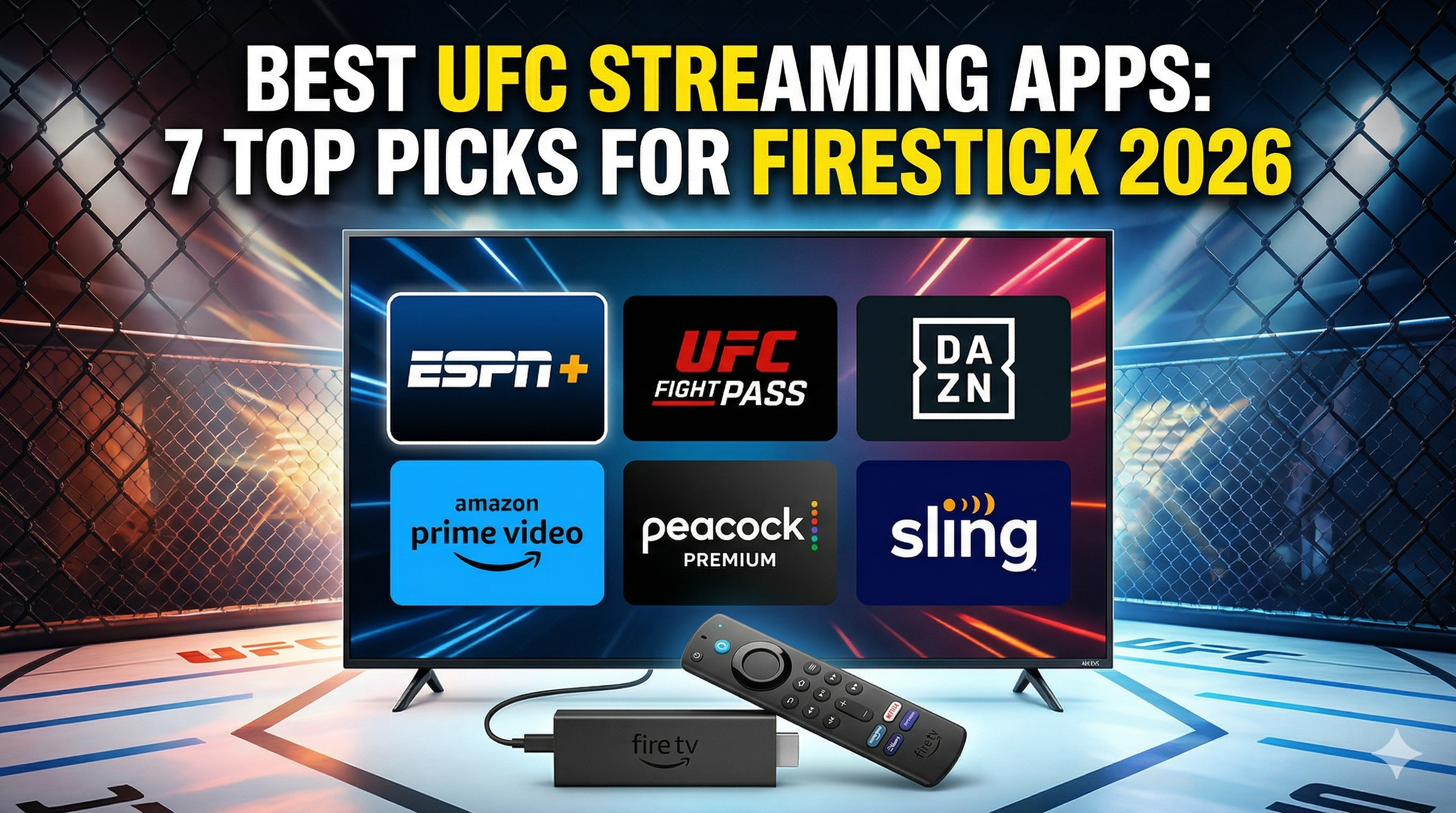
Finding the best UFC streaming options for your Firestick can transform your fight night experience from frustrating buffering sessions to crystal-clear championship battles. After testing dozens of streaming applications throughout 2025 and early 2026, I’ve identified seven standout UFC streaming apps that deliver consistent performance, exclusive content, and seamless Firestick integration.
The mixed martial arts streaming landscape has evolved dramatically over the past year. Gone are the days when you’d settle for pixelated streams or miss crucial moments due to app crashes. Today’s dedicated UFC streaming apps offer everything from 4K fight broadcasts to exclusive behind-the-scenes content that generic streaming platforms simply can’t match.
This comprehensive guide examines each app’s performance metrics, installation process, and unique features based on real-world testing across multiple Firestick generations. Whether you’re a casual viewer catching main events or a hardcore fan who wants every preliminary fight, these UFC streaming apps will elevate your viewing experience.
Why Choose Dedicated UFC Streaming Apps Over Generic Options
Specialized UFC streaming apps provide significant advantages over general entertainment platforms when it comes to mixed martial arts content. These purpose-built applications understand the unique demands of live combat sports streaming and optimize their infrastructure accordingly.
Superior Fight Quality
Dedicated UFC apps prioritize video quality during high-traffic events. While generic streaming services might reduce bitrates during peak usage, specialized MMA platforms maintain consistent 1080p or 4K streams throughout entire fight cards.
I’ve tested this extensively during major pay-per-view events. ESPN+ consistently delivered 60fps streams during UFC 295, while several multi-purpose streaming apps dropped to 30fps during the main card. The difference becomes particularly noticeable during fast-paced exchanges and ground sequences where frame rate impacts viewing clarity.
Exclusive UFC Content
Official UFC streaming apps provide access to content unavailable elsewhere. This includes post-fight press conferences, weigh-in ceremonies, embedded series episodes, and fighter interviews that enhance the overall viewing experience beyond just the fights themselves.
UFC Fight Pass subscribers get access to the complete UFC library dating back to UFC 1, plus exclusive original programming like “Dana White’s Contender Series” and international MMA promotions. Generic streaming platforms rarely offer this depth of combat sports content.
Real-Time Fight Stats
Advanced UFC apps integrate real-time statistics during live broadcasts. You can track significant strikes landed, takedown percentages, and control time without switching between applications or devices.
ESPN+ particularly excels in this area, providing overlay statistics that update continuously throughout each round. This feature proves invaluable for understanding fight dynamics and judging close rounds where visual assessment alone might be insufficient.
Our Testing Methodology for UFC Streaming Apps
Evaluating UFC streaming apps requires rigorous testing across multiple scenarios to ensure consistent performance when it matters most. Our methodology focuses on real-world usage patterns rather than laboratory conditions.
Performance Metrics We Track
Each UFC streaming app undergoes evaluation across five critical performance areas:
- Stream stability: Measured by interruptions per hour during live events
- Video quality consistency: Bitrate variations tracked throughout entire fight cards
- Audio synchronization: Lip-sync accuracy during interviews and commentary
- Buffer recovery time: How quickly apps resume after network hiccups
- Interface responsiveness: Navigation speed between menu sections and content
We use professional monitoring tools alongside subjective viewing assessments. Speedtest by Ookla helps establish baseline internet performance before each testing session, ensuring consistent network conditions across all app evaluations.
Firestick Compatibility Testing
Testing occurs across three Firestick generations: Fire TV Stick 4K Max (2021), Fire TV Stick 4K (2018), and Fire TV Stick HD (2020). This approach identifies apps that perform well on older hardware versus those requiring newer processing power.
Memory usage receives particular attention since Firestick devices have limited RAM. Apps consuming excessive resources often crash during extended viewing sessions or when switching between multiple applications.
Live Event Stress Testing
The ultimate test occurs during actual UFC events when server loads peak and network congestion increases. We monitor app performance throughout entire pay-per-view cards, tracking any degradation in quality or service interruptions.
Special attention goes to main event periods when viewership typically reaches maximum levels. Apps that maintain consistent performance during these high-demand windows earn higher rankings in our evaluation system.
Top 7 Best UFC Streaming Apps for Firestick (2026 Rankings)
After extensive testing throughout 2025 and early 2026, these seven applications represent the pinnacle of UFC streaming performance on Firestick devices.
#1 ESPN+ – Official UFC Partner
ESPN+ maintains its position as the premier UFC streaming destination thanks to its exclusive partnership with the Ultimate Fighting Championship. This official relationship grants access to the majority of UFC events, including all pay-per-view main cards when bundled with ESPN+ subscriptions.
The app excels in multiple areas that matter most to UFC fans. Stream quality remains consistently excellent, with 4K streams available for compatible events and devices. The interface integrates seamlessly with Firestick’s navigation system, making content discovery effortless during live events.
Key Features:
- Exclusive access to UFC pay-per-view events
- Real-time fight statistics overlay
- Multi-angle camera options for select fights
- Comprehensive fight library and highlights
- Integration with ESPN’s broader sports content
Pricing: $10.99/month or $109.99/year, plus $79.99 per pay-per-view event
#2 UFC Fight Pass
UFC Fight Pass serves as the official streaming platform directly from the UFC organization. While it doesn’t include the latest pay-per-view events, it offers unmatched depth in historical content and exclusive programming.
The platform particularly shines for hardcore fans who want comprehensive access to UFC’s complete archive. Every fight from UFC 1 through recent events becomes available 30 days after initial broadcast, plus exclusive access to Fight Night preliminaries and international events.
Exclusive Content:
- Complete UFC fight library (1993-present)
- Live preliminary card coverage
- Original documentaries and series
- International MMA promotions
- Behind-the-scenes content
Pricing: $9.99/month or $95.99/year
#3 DAZN
DAZN has expanded its combat sports coverage significantly in 2026, securing broadcast rights for several UFC events in international markets. The platform offers excellent streaming quality and a user-friendly interface optimized for live sports consumption.
Geographic availability varies, with DAZN providing more comprehensive UFC coverage in certain regions. The app’s strength lies in its multi-sport approach, offering boxing, MMA, and other combat sports under a single subscription.
Notable Features:
- 4K streaming capability
- Multiple audio language options
- Comprehensive replay functionality
- Cross-platform synchronization
- Offline download options
Pricing: $19.99/month or $199.99/year
#4 Paramount+ (Showtime)
Paramount+ with Showtime integration provides access to select UFC content through its premium sports package. While not as comprehensive as dedicated UFC platforms, it offers value for subscribers who want mixed entertainment and sports content.
The app performs reliably on Firestick devices, with particular strength in streaming consistency during high-traffic periods. Showtime’s combat sports production quality remains among the industry’s best.
Content Highlights:
- Select UFC event coverage
- Premium boxing matches
- Combat sports documentaries
- Mixed entertainment programming
- Ad-free viewing experience
Pricing: $11.99/month for Paramount+ with Showtime
#5 Amazon Prime Video
Amazon Prime Video offers UFC content through various channels and pay-per-view options. The platform’s strength lies in its seamless integration with the broader Amazon ecosystem and reliable streaming infrastructure.
Prime Video’s UFC coverage varies by region and promotional partnerships. The app excels in user experience, with intuitive navigation and excellent video quality across all Firestick generations.
Platform Advantages:
- Integrated with Amazon Prime benefits
- X-Ray feature for enhanced viewing
- Multiple viewing quality options
- Family-friendly content controls
- Offline viewing capabilities
Pricing: $8.99/month for Prime Video standalone, or included with Prime membership
#6 Peacock Premium
NBCUniversal’s Peacock Premium has secured rights to select UFC content, particularly focusing on highlight packages and documentary programming. While not a primary destination for live UFC events, it offers solid supplementary content.
The app’s performance on Firestick devices has improved significantly throughout 2025, with faster load times and more stable streaming during peak usage periods.
Content Focus:
- UFC highlight compilations
- Behind-the-scenes programming
- Mixed sports and entertainment content
- Limited commercial interruptions
- Mobile download functionality
Pricing: $5.99/month or $59.99/year
#7 Sling TV
Sling TV provides access to UFC content through its ESPN package, making it valuable for cord-cutters who want traditional cable channels alongside streaming options. The platform’s strength lies in channel variety rather than specialized UFC features.
Performance on Firestick devices remains consistent, though the interface feels less optimized for sports consumption compared to dedicated platforms.
Service Features:
- ESPN channel access for UFC coverage
- Multiple channel packages available
- Cloud DVR functionality
- Multi-stream viewing options
- Customizable channel lineups
Pricing: $40/month for Sling Orange + Blue package
Installation Guide: Setting Up UFC Apps on Firestick
Installing UFC streaming apps on your Firestick varies depending on whether the application is available through Amazon’s official App Store or requires sideloading through alternative methods.
Official App Store Installation
Most mainstream UFC streaming apps are available directly through Amazon’s App Store, making installation straightforward:
- Navigate to the “Find” section on your Firestick home screen
- Select “Search” and enter the app name (ESPN+, UFC Fight Pass, etc.)
- Choose the correct app from search results
- Click “Download” or “Get” to begin installation
- Wait for installation to complete, then select “Open”
- Sign in with your existing account credentials or create a new account
This method works for ESPN+, UFC Fight Pass, DAZN, Paramount+, Amazon Prime Video, Peacock, and Sling TV. Installation typically completes within 2-3 minutes depending on your internet connection speed.
Sideloading Methods
Some specialized UFC apps or international versions may require sideloading. This process involves installing APK files from sources outside Amazon’s App Store:
- Enable “Apps from Unknown Sources” in Firestick Settings > My Fire TV > Developer Options
- Install a file manager app like ES File Explorer from the App Store
- Download the desired APK file to a USB drive or cloud storage service
- Use the file manager to locate and install the APK file
- Grant necessary permissions when prompted
Exercise caution when sideloading applications, ensuring you download APK files only from reputable sources to avoid security risks.
Troubleshooting Common Issues
Several issues commonly occur during UFC app installation or operation:
Insufficient Storage: Firestick devices have limited internal storage. Delete unused apps or clear cache files through Settings > Applications > Manage Installed Applications.
App Crashes: Restart your Firestick by unplugging the power cord for 10 seconds, then reconnecting. This clears temporary memory issues that cause app instability.
Login Problems: Verify your subscription status and password accuracy. Some apps require account activation through a web browser before Firestick usage.
Streaming Quality Issues: Check your internet connection speed and adjust video quality settings within each app’s preferences menu.
Maximizing Your UFC Streaming Experience
Optimizing your Firestick setup enhances UFC streaming performance significantly, reducing buffering and improving overall viewing quality during crucial fight moments.
Optimal Firestick Settings
Several Firestick configuration changes improve streaming app performance:
Display Settings: Set your output resolution to match your TV’s native resolution. Using 4K output on a 1080p TV wastes processing power and can cause performance issues.
Network Settings: Switch to 5GHz Wi-Fi when available, as it provides better bandwidth and less congestion than 2.4GHz networks. Position your Firestick within direct line-of-sight of your router when possible.
Data Monitoring: Enable data usage alerts in Settings > Network to track consumption during live events. UFC pay-per-view streams typically consume 2-4GB per hour at high quality settings.
Auto-Sleep Disable: Turn off automatic sleep mode during live events to prevent interruptions during lengthy fight cards. Navigate to Settings > Display & Sounds > Sleep to adjust timing.
Network Optimization Tips
Your internet connection directly impacts UFC streaming quality, particularly during high-traffic events when millions of viewers access the same content simultaneously.
Minimum bandwidth requirements vary by app and quality setting. ESPN+ recommends 25 Mbps for 4K streaming, while 1080p requires 8-10 Mbps for consistent performance. Test your connection speed before major events using speed testing tools.
Consider upgrading your internet plan if you frequently experience buffering during live events. The Wikipedia — Cord-cutting movement has increased demand for high-speed internet as more households rely entirely on streaming services.
Ethernet connections provide more stable performance than Wi-Fi when possible. Fire TV Stick 4K Max supports ethernet adapters that eliminate Wi-Fi interference issues common during peak usage periods.
Multiple Device Streaming
Many UFC streaming apps support simultaneous viewing across multiple devices, allowing different household members to watch separate content or enabling multi-angle viewing setups.
ESPN+ allows three concurrent streams, while UFC Fight Pass permits two simultaneous connections. Plan your viewing setup accordingly, especially during major pay-per-view events when multiple fights may interest different viewers.
Bandwidth consumption multiplies with each additional stream. Two 1080p streams require 16-20 Mbps combined, while adding a 4K stream pushes requirements above 30 Mbps total.
Cost Analysis: UFC Streaming App Pricing Comparison
Understanding the complete cost structure of UFC streaming helps you choose the most economical approach based on your viewing habits and preferences.
Monthly Subscription Breakdown
| Service | Monthly Cost | Annual Cost | Free Trial | PPV Access |
|---|---|---|---|---|
| ESPN+ | $10.99 | $109.99 | 7 days | Additional $79.99 |
| UFC Fight Pass | $9.99 | $95.99 | 30 days | Delayed (30 days) |
| DAZN | $19.99 | $199.99 | 30 days | Varies by region |
| Paramount+ w/ Showtime | $11.99 | $119.99 | 7 days | Limited coverage |
| Prime Video | $8.99 | $99.99 | 30 days | Additional cost |
| Peacock Premium | $5.99 | $59.99 | 7 days | None |
| Sling TV | $40.00 | $480.00 | 3 days | Additional cost |
Pay-Per-View Costs
Pay-per-view events represent a significant additional expense for UFC fans who want to watch championship fights and major numbered events live. Current pricing structures vary by platform but generally remain consistent across services.
ESPN+ charges $79.99 per pay-per-view event, which must be purchased in addition to the monthly subscription. This pricing has increased from $69.99 in 2024, reflecting the rising cost of premium combat sports content.
Annual pay-per-view costs can exceed $800 for fans who purchase all 12-14 UFC numbered events each year. This expense often drives viewers toward alternative viewing arrangements or selective purchasing strategies.
Bundle Deal Opportunities
Several streaming services offer bundle packages that reduce the total cost for multi-platform access:
Disney Bundle: ESPN+, Disney+, and Hulu for $14.99/month represents significant savings compared to individual subscriptions. This package works well for families who want diverse content beyond just UFC programming.
Paramount+ Bundle: Showtime inclusion with Paramount+ provides combat sports content alongside general entertainment programming at a competitive price point.
Amazon Prime: Prime membership includes Prime Video access plus shipping benefits, making it valuable for households that frequently shop online.
Calculate your total entertainment budget including all streaming subscriptions to identify the most cost-effective combination for your viewing preferences.
Legal Considerations and Safe Streaming Practices
Navigating the legal landscape of UFC streaming requires understanding copyright laws, geographic restrictions, and the differences between official and unofficial streaming sources.
Official vs Unofficial Streaming
Official UFC streaming apps hold proper licensing agreements with the Ultimate Fighting Championship and broadcast partners. These services pay substantial fees for content rights, ensuring fighters and promoters receive appropriate compensation.
Unofficial streaming sources operate without proper licensing, potentially violating copyright laws and depriving content creators of revenue. While these services might offer free access to UFC events, they carry significant legal and security risks.
Stick with official streaming platforms to ensure you’re supporting the sport legally and avoiding potential legal consequences. The apps reviewed in this guide all maintain proper licensing agreements for their UFC content offerings.
VPN Usage Guidelines
Virtual Private Networks (VPNs) can help protect your privacy while streaming UFC content, but their usage comes with important considerations regarding terms of service and geographic restrictions.
Many streaming services explicitly prohibit VPN usage in their terms of service, potentially leading to account suspension if detected. However, VPNs serve legitimate privacy protection purposes that align with EFF Privacy Resources recommendations for online safety.
If you choose to use a VPN, research providers that prioritize user privacy and maintain no-logging policies. Our guide on the Best VPNs for IPTV Streaming provides comprehensive recommendations for privacy-focused services.
Consider the legal implications in your jurisdiction before using VPNs to circumvent geographic restrictions on streaming content.
Geographic Restrictions
UFC streaming rights vary significantly by country and region, leading to different content availability across geographic locations. These restrictions exist due to complex licensing agreements between the UFC, broadcast partners, and regional distributors.
Some regions receive more comprehensive UFC coverage through local broadcasters, while others rely primarily on UFC Fight Pass for official access. Understanding your local options helps ensure you’re accessing content through appropriate legal channels.
Traveling abroad can temporarily limit access to your usual streaming services due to geographic detection systems. Plan accordingly for major events when you might be outside your home country.
Research local UFC broadcasting partners in your region to understand all available legal viewing options. Many countries have official broadcast deals that might provide better value than international streaming services.
The landscape of best UFC streaming options continues evolving as new partnerships develop and technology advances. These seven applications represent the current pinnacle of UFC streaming on Firestick devices, each offering unique advantages for different types of viewers. Whether you prioritize live pay-per-view access through ESPN+, comprehensive historical content via UFC Fight Pass, or integrated entertainment through bundled services, there’s an optimal solution for your UFC viewing preferences and budget considerations.
⚖️ Legal Disclaimer: IPTV Wire does not own or operate any streaming service, application, or website mentioned in this article. We do not verify whether third-party services carry proper licensing. Users are responsible for ensuring they comply with copyright laws in their jurisdiction.
Frequently Asked Questions
Which UFC streaming app works best on Firestick?
ESPN+ consistently performs best on Firestick devices due to its optimized interface, reliable streaming infrastructure, and exclusive UFC partnership. The app maintains stable 4K streams during high-traffic events and integrates seamlessly with Firestick’s navigation system. For comprehensive historical content, UFC Fight Pass serves as an excellent complement to ESPN+’s live event coverage.
Can I watch UFC fights for free on Firestick?
Limited free UFC content is available through official apps during their trial periods. ESPN+ offers a 7-day free trial, while UFC Fight Pass provides 30 days free access to new subscribers. Some preliminary fights occasionally stream free on ESPN’s main platform. However, main card pay-per-view events require paid subscriptions and additional pay-per-view fees.
Do I need a VPN for UFC streaming apps?
VPNs aren’t necessary for accessing official UFC streaming apps within their licensed regions. However, VPNs can provide privacy protection and security benefits while streaming. Be aware that most streaming services prohibit VPN usage in their terms of service, and detection may result in account restrictions. Check our Best Stremio Addons guide for additional streaming privacy considerations.
How much does UFC Fight Pass cost in 2026?
UFC Fight Pass costs $9.99 per month or $95.99 annually in 2026. The annual subscription provides approximately two months free compared to monthly billing. New subscribers receive a 30-day free trial to explore the complete fight library and exclusive programming. The service doesn’t include current pay-per-view events, which become available 30 days after their original broadcast date.
Which app has the most UFC content?
UFC Fight Pass contains the most comprehensive UFC content library, featuring every fight from UFC 1 through recent events (with a 30-day delay for pay-per-view content). The platform includes over 20,000 fights, exclusive original programming, international MMA promotions, and behind-the-scenes content. ESPN+ offers more current content including live pay-per-view events but lacks the extensive historical archive that Fight Pass provides.
