
[TOC]
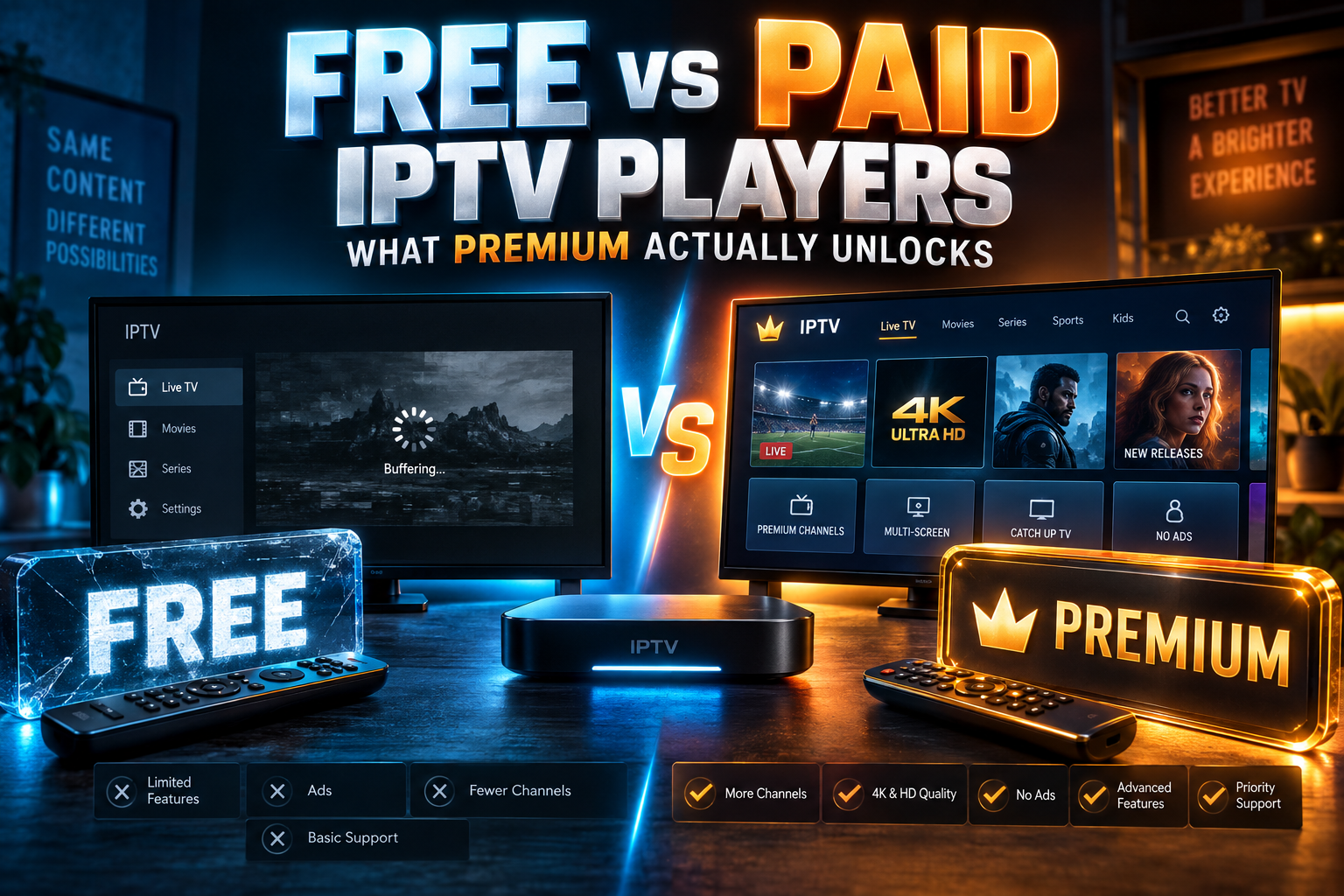
Free vs paid IPTV player: that’s the decision nobody warns you about. Picking an app is the easy part. The harder question shows up about a week later, when a pop-up offers you Premium and you have to decide whether it deserves your money. In this 2026 guide I break down what the free tiers leave out, what premium actually adds, and how licensing works when you own three streaming sticks and a PC.
A quick warning first. I checked every price and feature below at the time of writing (early 2026), but developers change them often, sometimes with no announcement at all. Check the app’s official store listing or website before you pay.
Why the Free vs Paid IPTV Player Question Matters More Than Which Player
I’ve paid for more player upgrades than I’d like to admit. Some I use every single day. Others I bought on a whim, opened twice, and forgot about. One annual subscription renewed twice, about $20 gone, before I noticed I’d stopped using that app months earlier.
Most “best IPTV player” lists rank fifteen apps and call it done. They rarely explain the free vs paid IPTV player trade-off, or what you actually give up by staying free. That’s the question that decides whether you spend $0, $10, or $30.
My rough finding on the free vs paid IPTV player split? For a lot of viewers, the free tier handles something like 80% of what they need. The remaining 20% can matter enormously, but only if it lines up with how you really watch. Someone who keeps missing Premier League kickoffs on Saturday mornings has completely different needs from someone who puts the 6 o’clock news on one TV and leaves it there.
One thing trips up new users constantly, so I’ll be blunt. A player is just software that plays a stream. No channels come with it. You still need a provider, which is a separate purchase with its own risks, and my guide on IPTV service red flags walks through how to vet one.
How I Tested the Free vs Paid IPTV Player Tiers Side by Side
Judging the free vs paid IPTV player gap from a changelog felt like cheating. So I installed each player twice, once on the free tier and once with a paid license or active trial, and lived with both for a couple of weeks the way a normal household would.
Devices Used: Fire TV Stick 4K Max, Onn Google TV, NVIDIA Shield, Windows PC
I chose hardware that matches what most readers actually own:
- Fire TV Stick 4K Max (2nd gen, 2023): the device that shows up most in my reader emails, especially from the US and UK.
- Onn 4K Google TV box: Walmart’s roughly $20 box, which has quietly become a North American favorite.
- NVIDIA Shield TV Pro (2019): still the enthusiast pick, and a useful test of whether premium features need extra horsepower.
- Windows 11 desktop: for the PC players, which follow totally different licensing models.
For the Apple TV players (UHF and iPlayTV), I borrowed a friend’s Apple TV 4K for a few evenings. Fair warning: I spent far less time there than on the Android boxes, so treat those notes as lighter.
Same Playlist, Same Network, Two Tiers
Every player got the same Xtream Codes login and the same M3U backup playlist, all over a 300Mbps wired Ethernet connection. Any difference in the free vs paid IPTV player experience had to come from the tier. Not the source.
For each app I tracked three things: which features were locked, how often the upgrade nag popped up, and whether ads appeared during playback or in menus. I skipped deep speed and memory benchmarks here. Those live in my IPTV players stress test, which covers huge playlists, EPG load times, and low-RAM behavior.
The Features Players Usually Lock Behind Premium
The exact lists vary by app. Still, the same handful of IPTV player premium features keeps appearing. Here’s who genuinely needs each one.
Multiple Playlists and Profiles
Free tiers frequently cap you at one playlist. Premium lets you add several providers, or split one provider into separate profiles for different people in the house.
Who needs it: anyone running a main provider plus a backup, or households sharing one login who want separate favorites. Who doesn’t: single-provider users. One subscription? This lock won’t touch you.
Catch-Up / Timeshift and Recording
Of every free vs paid IPTV player difference, this feature sells the most upgrades, and people misunderstand it more than anything else. Premium gives you the interface for catch-up, but the archived content has to come from your provider. If your service doesn’t archive channels, paying for the player won’t magically create one.
Recording works differently. It saves the live stream to local or network storage, so provider archives don’t matter. Just remember that an older Firestick with around 8GB of usable space fills up fast; an hour of HD can eat 2–3GB depending on the bitrate.
EPG Refresh Control and Multi-Source EPG
Free versions often update the TV guide on a fixed schedule, or only when you open the app. Premium usually lets you set the refresh interval yourself and merge several EPG sources.
That matters if your provider’s guide has holes you patch with a third-party EPG. For most people, this won’t swing the free vs paid IPTV player decision.
Favorites Sync, Parental Controls and Multi-View
These three usually get lumped together. Favorites management (custom groups, reordering, hiding whole categories) is often premium-only, and honestly this annoyed me more than any other free-tier limit. Scrolling past 12,000 channels to reach the six you actually watch gets old within a day.
Parental PIN locks matter for families with young kids. Multi-view, which shows two to four streams at once, is niche. Sports fans on a Shield will love it, but on a basic Firestick Lite it’s mostly wasted money (and wasted RAM).
Ad Removal and Nag Screens
Some players run ads on the free tier, either banners in the menus or a video ad at launch. Others skip ads entirely but throw an upgrade prompt at you every time you tap something locked.
Truthfully, in the free vs paid IPTV player debate, the ads bug me more than the missing features. A 15-second ad before every launch, on a TV you switch on four or five times a day, adds up to over an hour a month of staring at nothing useful.
Player-by-Player: What Free Gets You vs What You Pay For
These are quick verdicts, not full reviews. The point is to show where each free tier stops and what the paid version costs.
TiviMate
Free TiviMate works, but it’s deliberately thin: one playlist, a basic EPG, and live playback. Premium adds multiple playlists, catch-up, recording, favorites management, EPG update control, parental controls, and multi-view.
When I checked, pricing sat around $9.99/year or roughly $29.99 for a lifetime license. One purchase covers up to 5 devices through the TiviMate Companion app. On a Firestick you’ll likely need to sideload it, and my Firestick sideloading guide covers the process step by step.
Worth upgrading if: you watch on more than one TV or want a custom favorites list. So, is TiviMate Premium worth it? For most regular viewers, yes. Of everything I’ve bought, it’s the upgrade I regret least.
IPTV Smarters Pro
IPTV Smarters Pro is free and simple to set up, which explains why so many providers point customers toward it. Its store presence has been messy for years, though. Versions appear and vanish from official stores, and a pile of copycat apps borrow the name.
Paid options have mostly meant ad removal plus a few extras on certain platforms, not a big feature jump. Worth upgrading if: the ads genuinely bother you. Otherwise the free version is about as good as this app gets. Download it only from the developer’s official source.
OTT Navigator
OTT Navigator has one of the most generous free tiers I tested. Catch-up support is included. Multiple providers work fine. You’ll find it on Google Play, and the interface is dense but endlessly configurable (the settings menu alone could take you an afternoon).
Premium, sold as an in-app purchase, removes ads and adds extra features. Check the listing for current terms, since they’ve shifted before. Worth upgrading if: you’ve used it for a month and the ads are the only thing you dislike.
Televizo
Televizo offers a clean, ad-supported free tier. Premium strips the ads and adds recording and more playlist options. It runs smoothly on older hardware, which makes it a smart pick for budget sticks.
Worth upgrading if: you like a TiviMate-style layout but want something lighter, and paying a few dollars to kill ads doesn’t bother you.
Sparkle TV / iMPlayer
These two follow a “trial, then pay” model. iMPlayer gives you a free trial and then asks for a paid plan, usually priced per device; it runs on Android TV, Apple devices, and a few other platforms. Sparkle TV works much the same way, trial first, premium after.
Worth upgrading if: you preferred it to TiviMate during the trial. Watch that per-device pricing, though. Covering three TVs can cost noticeably more than the headline number suggests.
UHF and iPlayTV (Apple TV)
Apple TV owners play by different rules. UHF has a limited free tier plus subscription and lifetime options, and it feels properly native to tvOS. iPlayTV is a one-time paid download with no free tier to test first.
Apple’s Family Sharing can extend some purchases to family members, a real advantage over Android’s per-account binding. Setting up an Apple TV? My guide to snappier IPTV on Apple TV covers the settings that help once everything’s installed.
Worth upgrading if: Apple TV is your main screen. The tvOS choices are fewer, but they’re well built.
PC Options: VLC, MyIPTV Player, Kodi PVR IPTV Simple
On a PC, paying rarely makes sense. VLC plays M3U playlists for free, though it has no real EPG. MyIPTV Player from the Microsoft Store is free with ads, and a small in-app purchase removes them.
Kodi’s PVR IPTV Simple Client is completely free and open source. Once configured, you get a full TV guide, catch-up support, and recording. The official Kodi wiki page explains the setup. It took me about 10 minutes the first time, and for $0 it’s very hard to beat.
| Player | Free Tier | Pricing Model | What Premium Adds |
|---|---|---|---|
| TiviMate | Limited, 1 playlist | Annual or lifetime, up to 5 devices | Catch-up, recording, favorites, multi-view |
| IPTV Smarters Pro | Full, ad-supported | Varies by platform | Ad removal |
| OTT Navigator | Generous, with ads | In-app purchase | Ad removal, extra features |
| Televizo | Usable, with ads | In-app purchase | Ad removal, recording |
| iMPlayer / Sparkle TV | Trial only | Per-device or subscription | Full access after trial |
| UHF (Apple TV) | Limited | Subscription or lifetime | Extra playlists, features |
| iPlayTV (Apple TV) | None | One-time purchase | Full app |
| VLC / Kodi PVR Simple | Fully free | Free, open source | Nothing locked |
Subscription vs Lifetime vs Per-Device Licensing
Here’s where people bleed money without noticing. The IPTV player subscription vs one-time purchase choice looks simple. The details say otherwise.
How Many Devices One Purchase Covers
TiviMate ties premium to your account through a companion app, capped at 5 devices. Per-device players charge for every screen separately. On Apple, Family Sharing might cover the whole household, depending on how the developer configured it.
A simple way to compare costs over two years:
- Subscription: annual price × 2
- Lifetime: the one-time price, which usually pays for itself somewhere in year 2 or 3
- Per-device: price × number of TVs × years, if the plan renews
Plug in your real device count. A cheap per-device plan across four TVs can easily outrun a pricier lifetime license that covers all of them.
What Happens If the Developer Abandons the App
An IPTV player lifetime license lasts exactly as long as the app does. If development stops, the app may keep working for a while, but an Android update or a login-server shutdown can eventually kill it. I’ve watched this happen to two smaller players I’d paid for.
My rule now: lifetime licenses only for apps with several years of steady updates. Newer apps get annual payments. If the project dies, I’ve lost one year’s fee rather than a “lifetime” one.
Transferring a License After a Factory Reset
Most Android purchases are tied to your Google account or to the developer’s own account system. After a reset you reinstall, sign in, and restore. With TiviMate, you do that through the Companion app.
Firesticks muddy things, because the stick runs on your Amazon account while sideloaded apps use their own logins. Write down which account owns each license (yes, actually write it down). And free up a device slot before you sell or bin an old stick, or it keeps counting against your cap.
The Cracked ‘Premium’ APK Trap
Search for any paid player and “premium unlocked” APKs show up within a few results. I get emails about them every week. My answer never changes: don’t install them.
What Modded Player APKs Actually Contain
A modded APK is a stranger’s rebuild of the original app with their own code stitched in. You have no idea what that code does. Security researchers have repeatedly found adware, crypto miners, and credential stealers bundled into “free premium” Android apps.
Think about what a player holds, too: your provider login, your IP address, and often a list of other apps on the device. On a Firestick signed into your Amazon account, that’s a lot of access to hand to someone anonymous.
Why Cracked Players Break After Updates
More developers now verify licenses server-side. Cracked builds tend to fail after updates, get flagged, or stay frozen on an old version missing months of bug fixes. Some developers block accounts linked to cracked installs outright. You end up burning evenings fixing a broken app to dodge a fee of a few dollars.
Safer Ways to Save Money
- Use the official trial. Most players give several days of full premium access. Test the features you care about during that window.
- Buy annual first. Move to lifetime only once you’re sure you’ll stick with the app.
- Watch for sales. Some developers discount lifetime licenses around Black Friday and the holidays, though it’s not guaranteed every year.
- Lean on free options. OTT Navigator on Android and Kodi on PC cover a lot without costing anything.
Which Tier Fits Your Setup? Quick Decision Guide
Here’s how the free vs paid IPTV player choice shakes out for four common viewer types.
Casual Single-Provider Viewer
Stay free. OTT Navigator or free TiviMate will handle one playlist and live TV without complaint. If you’re hunting for the best free IPTV player for Android TV, OTT Navigator packs the most features at $0, provided you can live with some ads.
Multi-Room or Family Household
Pay, and pick a license that spans several devices. TiviMate’s 5-device cap comfortably handles a living room, a bedroom, and a kids’ room. Parental controls and separate favorites make the cost easy to justify.
Sports Fans Who Need Catch-Up
Upgrade. But first, confirm your provider actually offers catch-up on the channels you watch; this varies a lot by provider and even by region. If it does, premium catch-up lets you restart a match from kickoff when you tune in 20 minutes late. Multi-view on a Shield is a nice bonus.
Low-RAM Firestick Owners
Premium won’t make a Firestick Lite faster. Some features, like multi-view and heavy EPG merging, can actually drag it down. Choose a light player first (Televizo does well here) and upgrade only for features you’ll really use, such as favorites management.
My Own Setup
I run TiviMate Premium on a lifetime license across a Shield, an Onn box, and two Firesticks. Four of five slots used. That license paid for itself years ago. My PC runs Kodi with PVR IPTV Simple, free and configured once. Every other paid player I tried got dropped, because once one good app covers all my TVs, extra licenses are just clutter.
So my take on free vs paid IPTV players is simple. Start free, burn through the trial, and pay only when a locked feature starts irritating you every day. That’s the one worth paying for.
⚖️ Legal Disclaimer: IPTV Wire does not own or operate any streaming service, application, or website mentioned in this article. We do not verify whether third-party services carry proper licensing. Users are responsible for ensuring they comply with copyright laws in their jurisdiction.
Frequently Asked Questions
Is TiviMate Premium worth paying for?
For most regular viewers, yes. Catch-up, recording, multiple playlists, and favorites management make a real difference, and one purchase covers up to 5 devices. If you only watch one TV casually, the free tier may be plenty.
What is the best free IPTV player for Android TV and Firestick?
OTT Navigator has the most generous free tier I’ve tested, including catch-up and multi-provider support. Free TiviMate is cleaner but more limited. Televizo is a solid lightweight pick for low-RAM sticks.
Does a paid IPTV player give you channels or content?
No. Players are only software for playing streams. Channels come from a separate IPTV provider, and upgrading the player adds no content at all.
Can I use one IPTV player license on multiple devices?
It depends on the app. TiviMate allows up to 5 devices per purchase, per-device apps like iMPlayer charge for each screen, and some Apple purchases can be shared through Family Sharing. Read the terms before you buy.
Are cracked premium IPTV player APKs safe to install?
No. Modded APKs can hide malware or credential-stealing code, they often break after updates, and they can get your account blocked. Official trials and sales are the safer way to save money.
Do paid IPTV players reduce buffering compared to free ones?
Generally, no. Buffering mostly comes down to your provider, your network, and your device’s hardware, not the player’s tier. My stress-test article shows how different players cope under heavy loads.

Leave a Comment